The AI that turns incomplete tickets into tickets you can act on
Your team loses hours chasing missing information. Dianoia generates clarifying questions automatically, reads the client's sentiment, launches autonomous agents and structures your knowledge base. Less back-and-forth, more resolution.
This isn't generic AI. It's a system trained on your support operation, your real tickets and your knowledge base. It acts where it's needed before you have to ask.
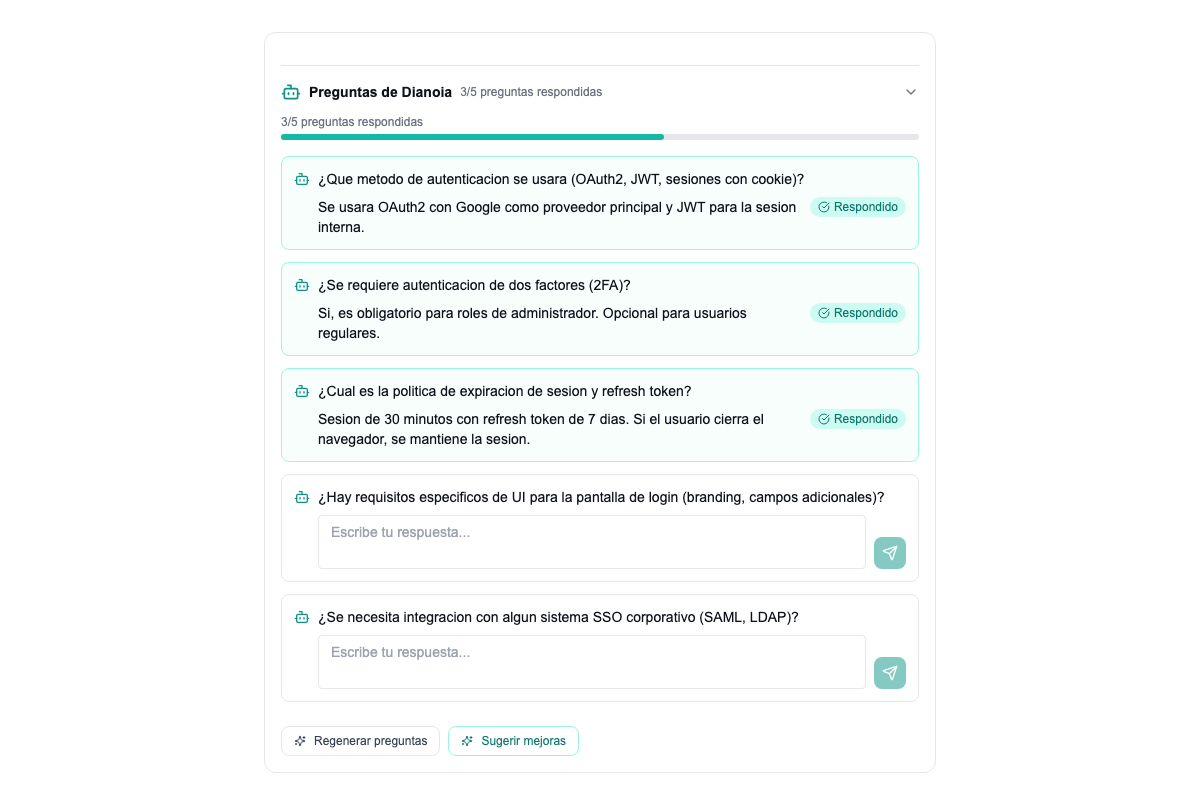
The ticket arrives incomplete. The AI asks for what's missing.
70% of support tickets arrive without the information needed to start work. The agent loses 10-15 minutes asking the client for details. With Dianoia, the AI reads the ticket and automatically generates between 3 and 8 clarifying questions tailored to the context.
The client answers them inline, right in the ticket. A progress bar shows how many questions are still open and how many are answered. Once complete, the ticket is ready for assignment with everything needed.
- 1. Which export format are you trying to use (PDF, Excel, CSV)?
- 2. Which browser and version are you working in?
- 3. Does an error message appear? If so, which one?
- 4. Is it one specific report or does it happen with all of them?
- 5. When did it last work correctly?
- Generates 3 to 8 questions tailored to the ticket's context
- Progress bar showing answered versus outstanding
- The client answers right in the ticket, no emails involved
- Cuts the time to a productive first contact by 60%
Happy client. Smooth interaction. No escalation needed.
Informative tone. No emotional charge. Standard follow-up.
Discomfort detected. Prioritise the reply. Head off escalation.
Frustrated client. Churn risk. Step in immediately.
Spot frustration before the client escalates
Every client message is analysed in real time. The AI classifies sentiment into four levels: POSITIVE, NEUTRAL, NEGATIVE and FRUSTRATED. It doesn't rely on isolated keywords but on the full conversation context and the ticket's history.
When a ticket turns FRUSTRATED, the system automatically suggests raising its priority and can notify the team lead. Frustrated clients who aren't handled in time are the ones who cancel. This AI gives you the window to act.
- Four sentiment levels with contextual detection
- Automatic priority suggestion based on sentiment
- Alerts to the team lead when frustration is detected
- History of how sentiment evolves per ticket and per client
- Aggregated sentiment metrics by agent, team and period
AI agents that claim tickets, analyse them and act on their own
Autonomous agents are AI processes that work on tickets without human intervention. An agent can claim a ticket, analyse the problem against the knowledge base, open a pull request with the proposed fix, send reminders to the client when information is missing and update the ticket's status.
Each agent has a dashboard with its current status, the tickets it has processed, the actions it has taken and the outcomes. The human team supervises and can step in at any point, but the heavy lifting is done by the AI.
- They claim and process tickets automatically
- They open PRs, send reminders and escalate tickets
- A status dashboard per agent with an action history
- Human oversight always available
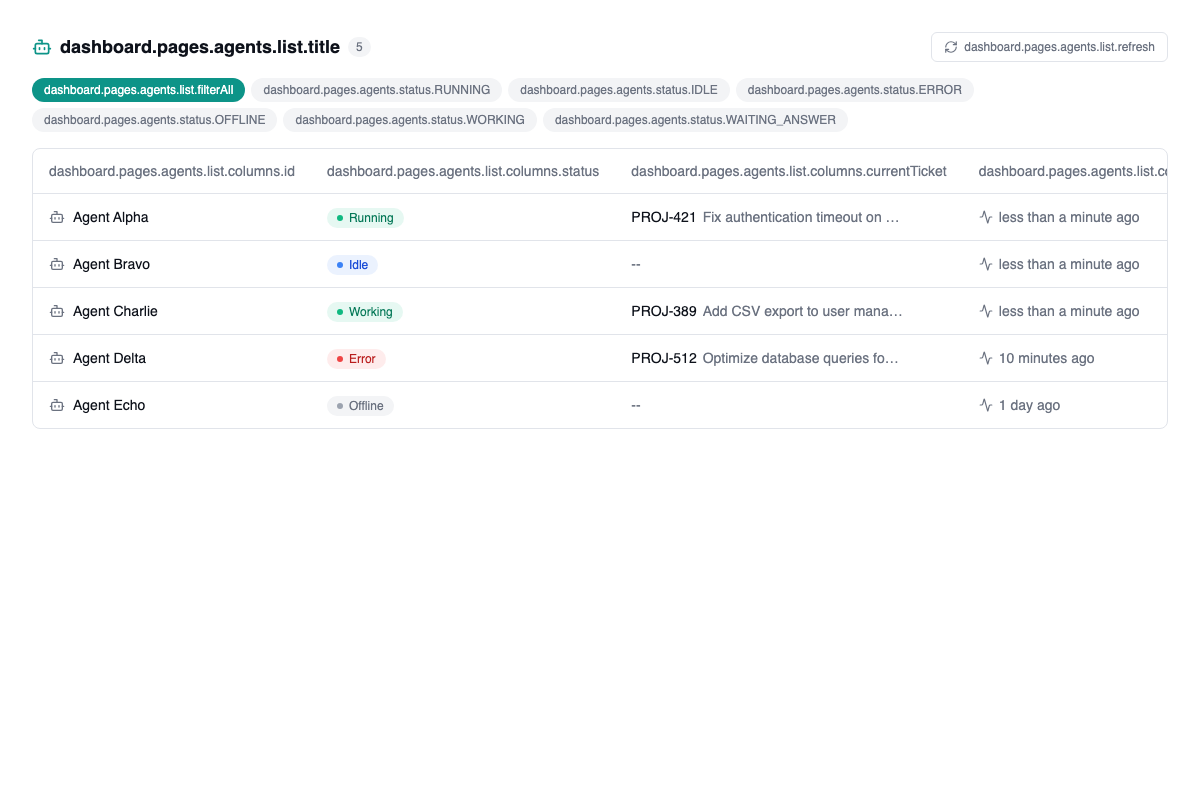
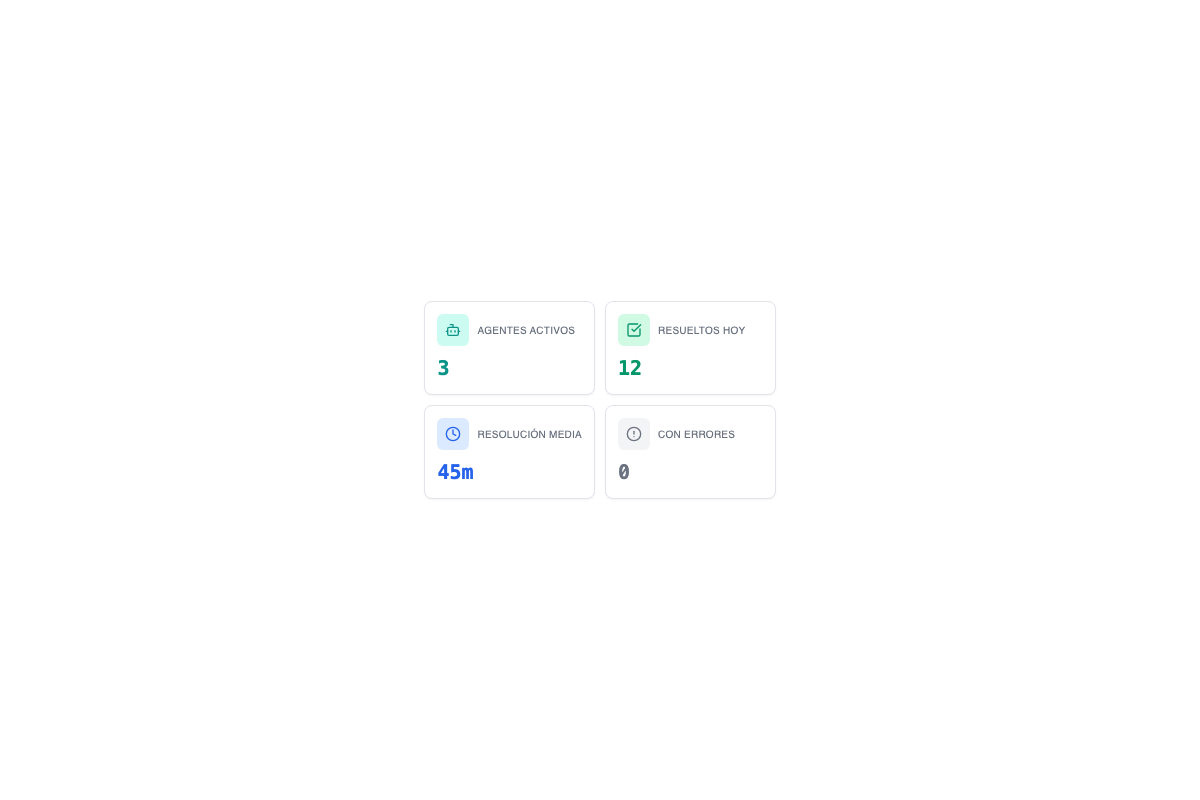
Completions, errors and logs: every agent has its history
Launching agents isn't enough. You need to know what they do, how much they resolve and where they fail. The metrics panel shows in real time the completions (tasks finished successfully), the errors (failed attempts with a cause log) and each agent's full activity log.
You can filter by period, action type and outcome. If an agent fails in a recurring pattern, the system spots it and flags it for review. Full transparency over what the AI is doing on your behalf.
Tickets processed and resolved without human intervention.
Failed attempts with root cause and a detailed log.
Every action recorded with a timestamp and its result.
- Real-time metrics per agent and per period
- Automatic detection of recurring error patterns
- Exportable logs for auditing and continuous improvement
- Ratio of autonomous resolution versus human escalation
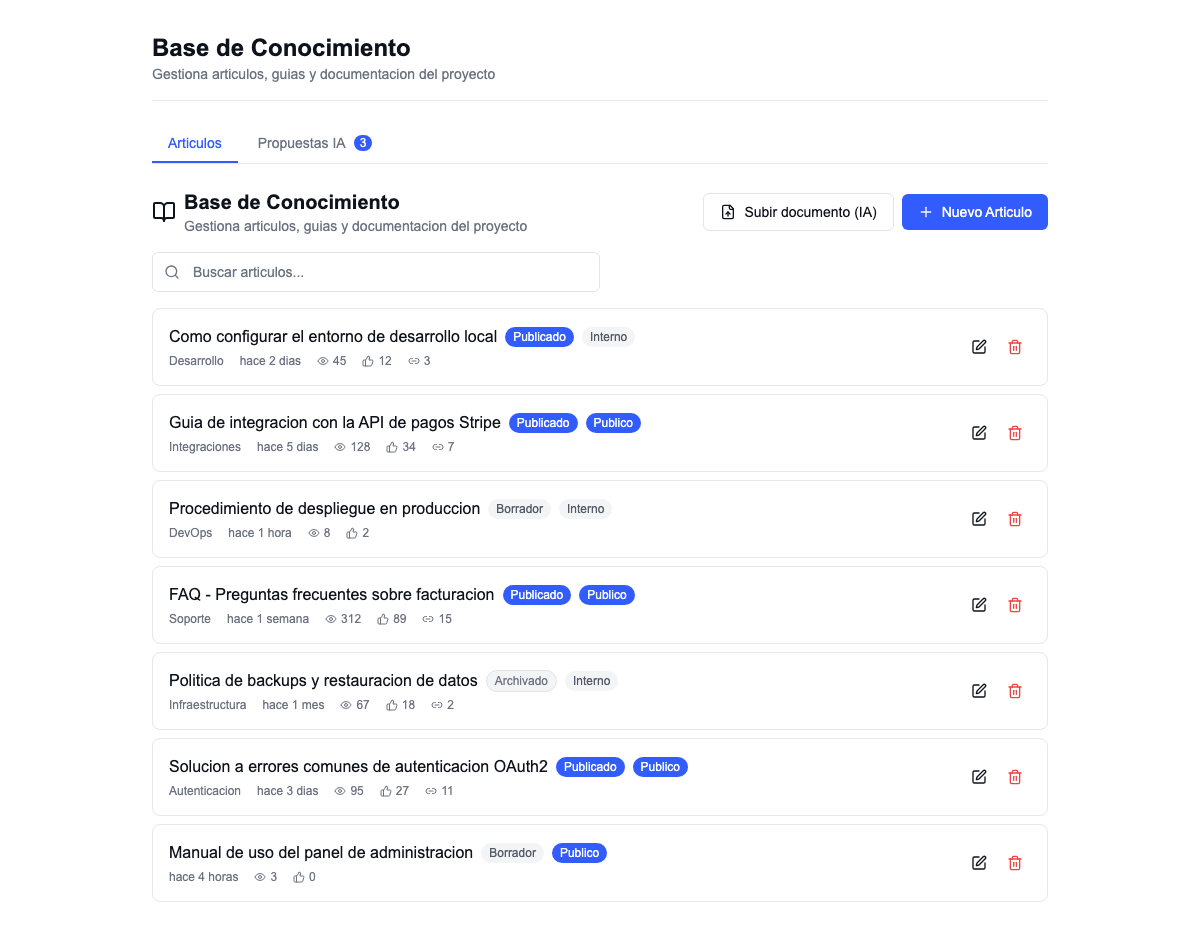
Upload a PDF. The AI structures it and turns it into articles.
A knowledge base shouldn't be manual work. With AI ingestion you upload a PDF or Word file and the system extracts the content automatically, structures it into sections, generates titles and tags and publishes it as articles your team and your clients can consult.
The system also analyses frequent tickets and automatically proposes new knowledge-base articles. If the same problem comes up five times in a month, the AI drafts an article with the consolidated solution and hands it to you for review.
- Automatic ingestion from PDF and Word
- Structure, titles and tags generated by AI
- New articles proposed from frequent tickets
- Semantic search across the whole knowledge base
- Autonomous agents consult the knowledge base before replying
Every AI capability inside your support platform
These aren't external plugins or integrations that break. Everything runs connected, on the same data and from the same interface.
Clarifying questions
The AI generates 3 to 8 questions when a ticket arrives incomplete. The client answers inline and the ticket is ready.
Sentiment analysis
Four levels of emotional detection in real time. An automatic alert when a client turns frustrated.
Autonomous agents
AI processes that claim tickets, analyse problems, open PRs and send reminders without human intervention.
Agent metrics
Completions, errors and activity logs per agent. Full transparency over what the AI does on your behalf.
AI knowledge base
Upload a PDF and get structured articles. The AI proposes new ones from frequent tickets.
Smart prioritisation
Sentiment, urgency and the client's history are combined to suggest the right priority for each ticket.
Request an AI demo.
See how it transforms your support.
In the demo we show you Dianoia generating questions, sentiment analysis in action and autonomous agents processing real tickets. No PowerPoint decks.
No commitment. No cost. We reply within 24 working hours.
What people ask us about AI in support
How does the AI know which questions to ask on each ticket?
Does sentiment analysis work in Spanish?
Can autonomous agents act without supervision?
Does the AI have access to my clients' data?
Does the AI knowledge base replace manual documentation?
What does the AI functionality cost? Is it a separate module?
Can I switch the AI off for certain ticket types?
What happens if the AI makes a mistake on a ticket?
Tell us your challenge. We'll propose a solution.
No commitment. Within 24 hours, you'll receive a proposal with scope, timeline and budget. No fine print.