The software your restaurant needs to stop improvising
An all-in-one management platform with artificial intelligence: POS, orders, kitchen, reservations, inventory, recipe costing, HR, finance and an AI assistant. Everything connected. Everything in real time. Built for restaurants that want to grow.
More than 25 integrated modules. No per-user licenses. No proprietary hardware. Your restaurant, your data, your code.
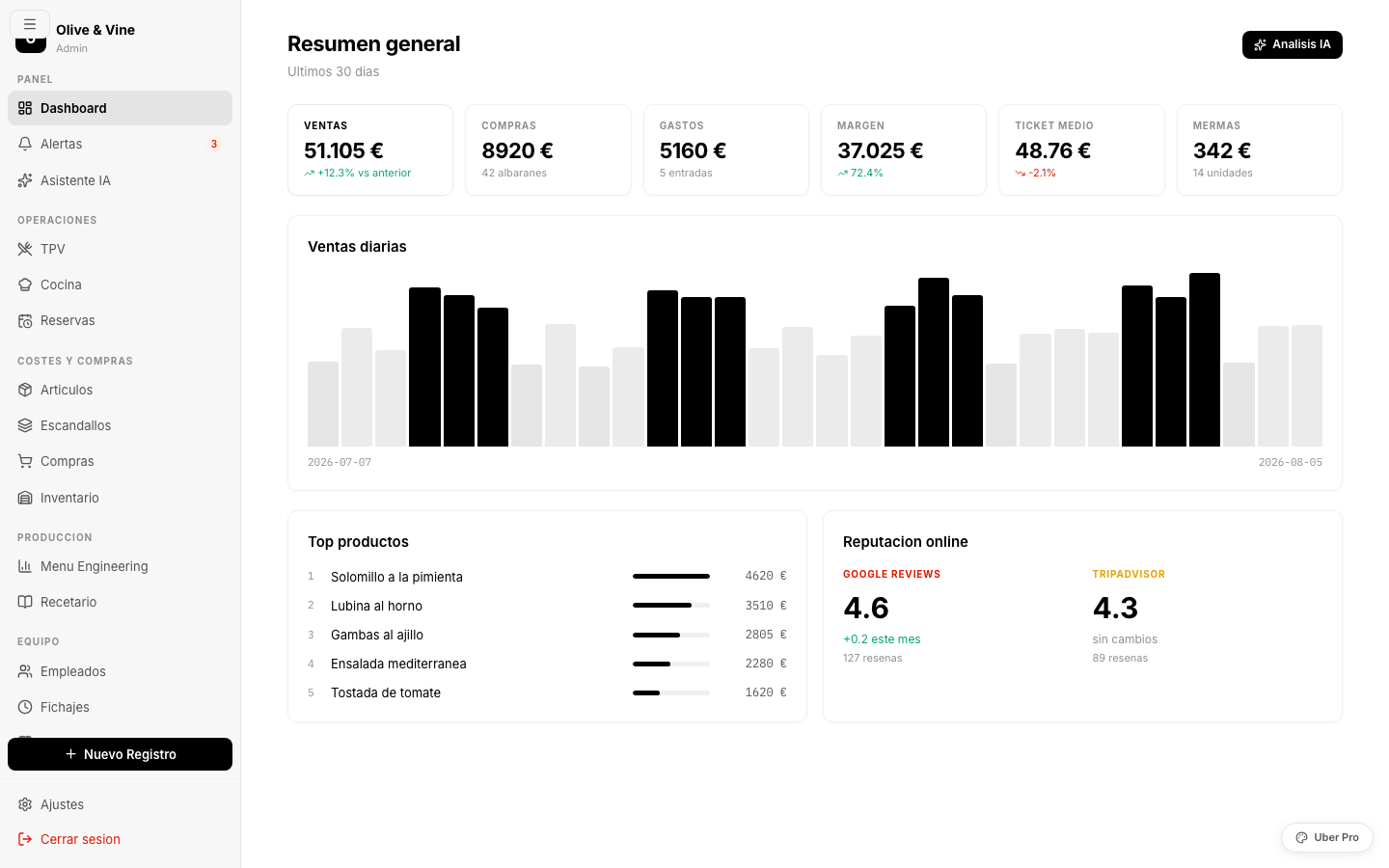
Your restaurant runs on 6 tools that don't talk to each other
A POS that doesn't connect to inventory. A recipe-costing spreadsheet nobody updates. WhatsApp to coordinate shifts. A folder full of paper delivery notes. Sound familiar?
Most of them due to poor financial control, not bad food.
Without expiry tracking and up-to-date recipe costs, you throw money away every week.
Reconciling the till, taking inventory, coordinating shifts, checking delivery notes... by hand.
One platform, your entire restaurant
Every module connects with the others in real time. No broken integrations, no duplicated data.
A point of sale built for real hospitality
An interactive floor plan with per-table statuses (free, occupied, bill requested), occupancy timers and progress steps. Servers take orders from their phone: pick dishes by category, add notes ("gluten-free", "rare"), and send straight to the kitchen.
- Floor plan with zones (indoor, terrace, bar)
- Orders from phone or tablet with dish photos
- Payments: cash, card, Bizum, mixed, split the bill
- Discounts, tips, automatic change calculation
- Analytics: occupancy heatmap, hourly sales curves
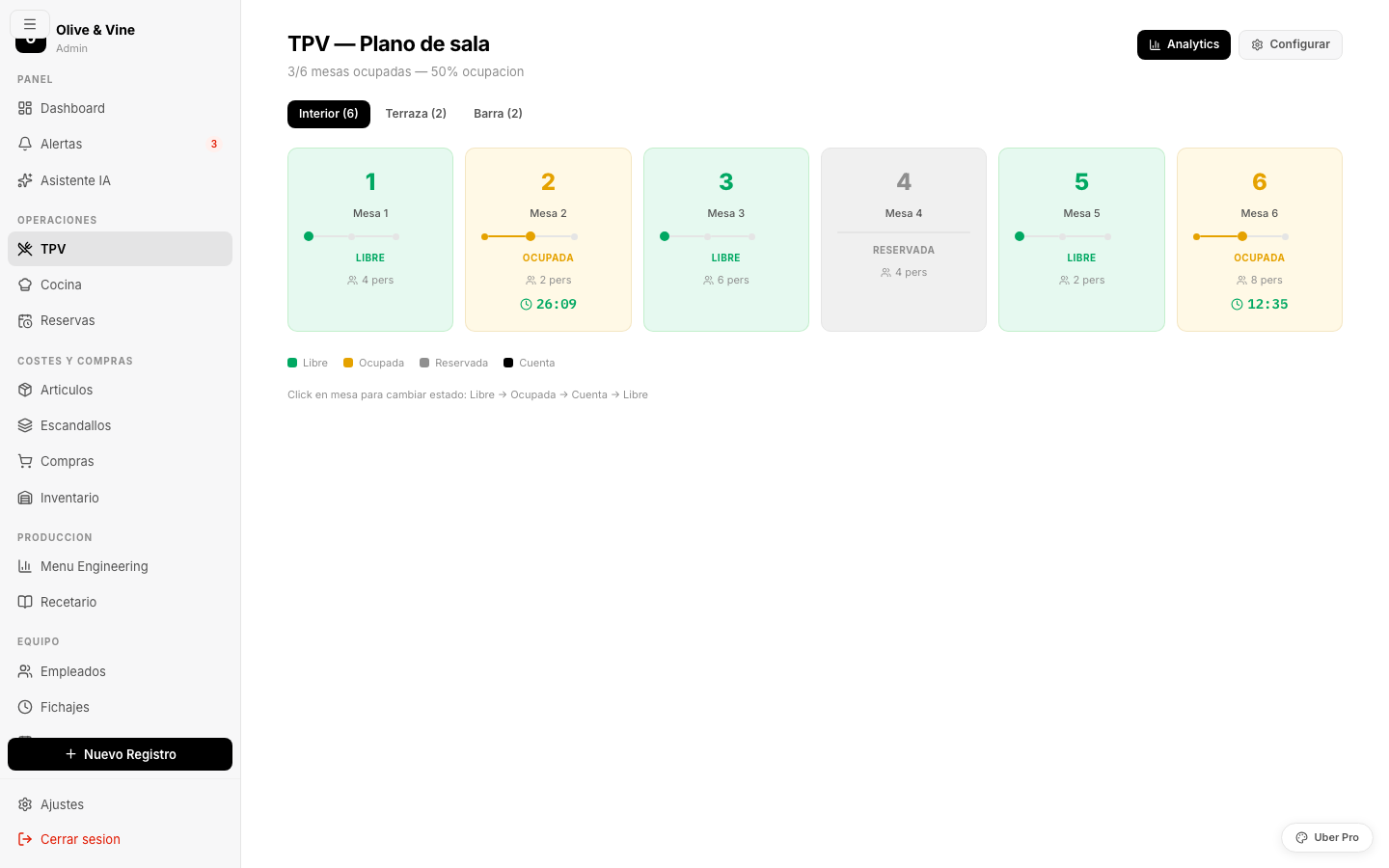
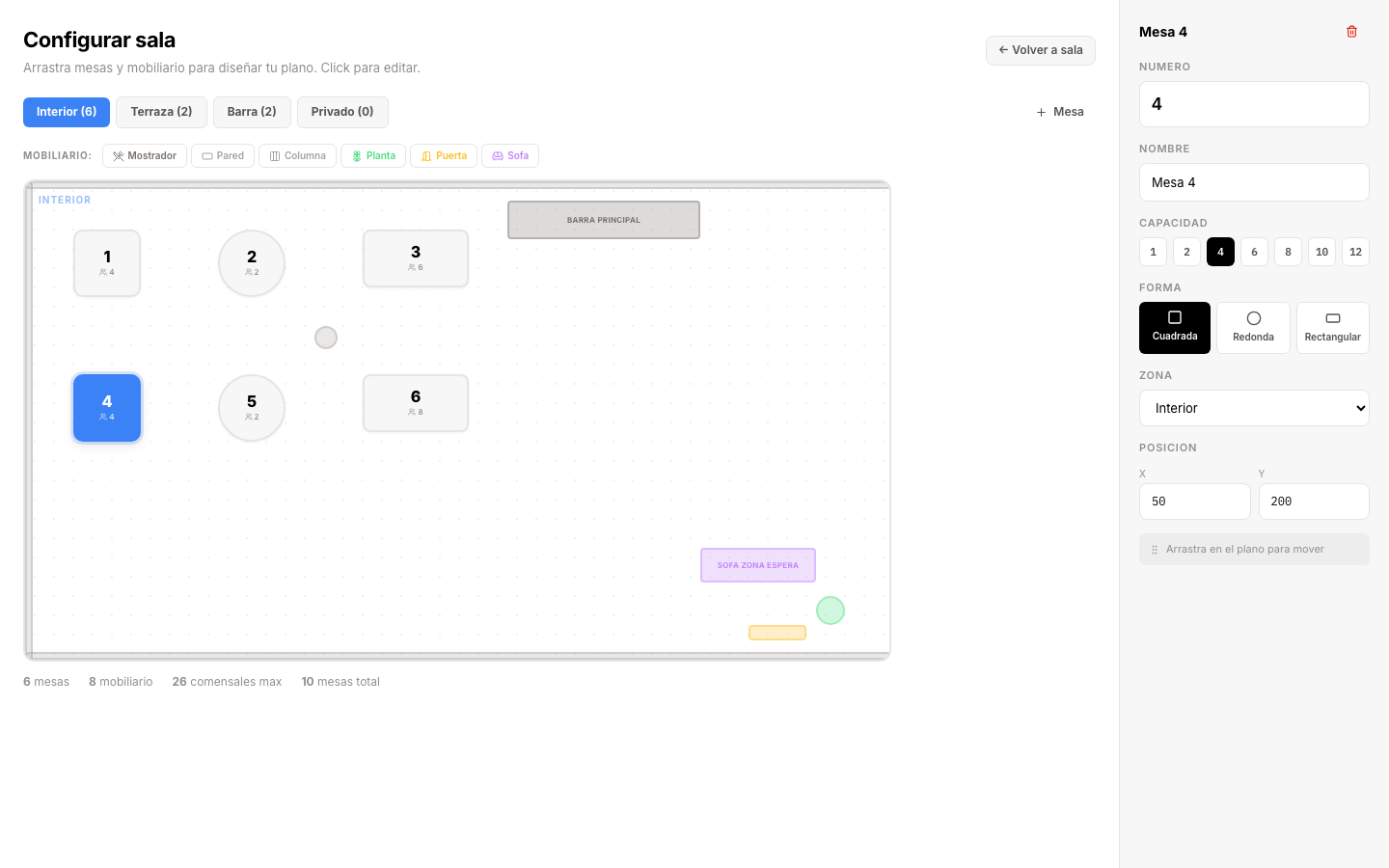
Design your floor plan with drag and drop
Visual editor where you place tables, counter, walls, columns, sofas and plants. Each table is configured with shape (square, round, rectangular), capacity and zone. Drag to position, click to edit. Auto-saved.
- Drag & drop for tables and furniture
- Independent zones: indoor, terrace, bar, private
- Furniture: counter, walls, columns, sofas, plants, doors
- Editable properties: number, name, capacity, shape
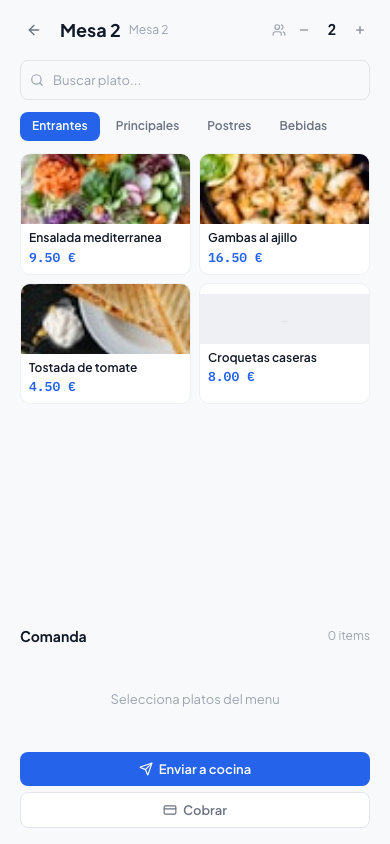
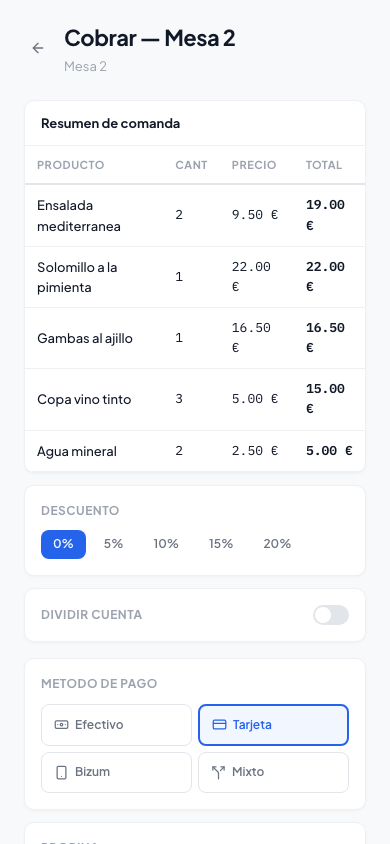
From the server's phone to the kitchen in 1 second
Servers pick dishes with photos, adjust quantities, add allergy or preference notes, and send to the kitchen with a tap. Checkout supports every payment method, percentage discounts, bill splitting and tips.
- Works on any phone or tablet (responsive)
- Quick dish search by name
- Per-dish notes: allergies, preferences, modifications
- Split the bill between 2-6 people with a tap
- Floor plan on payment screen: switch tables without going back
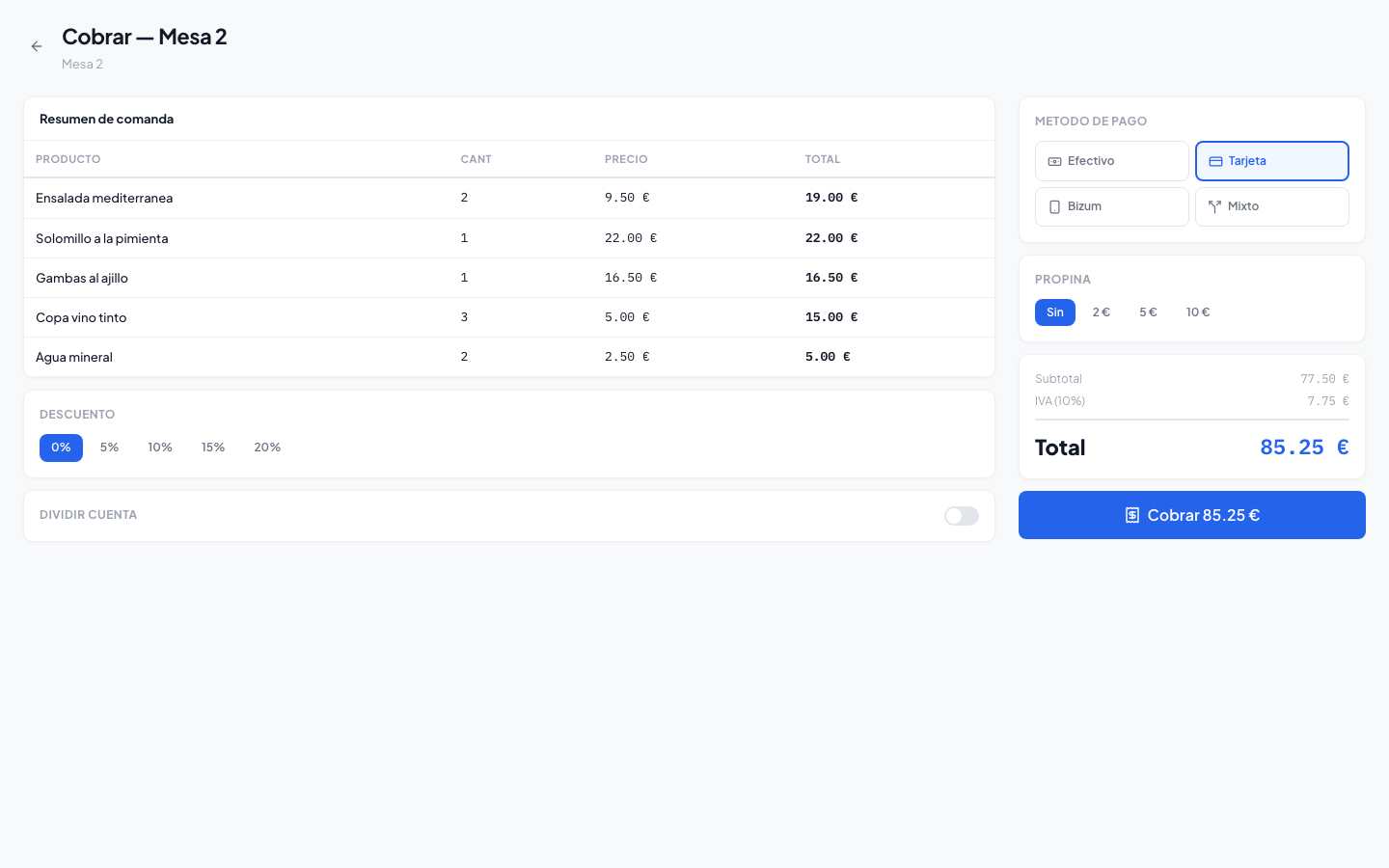
On tablet and desktop, the payment screen shows the floor plan on the left to switch tables with one tap.
A kitchen display that gets rid of paper
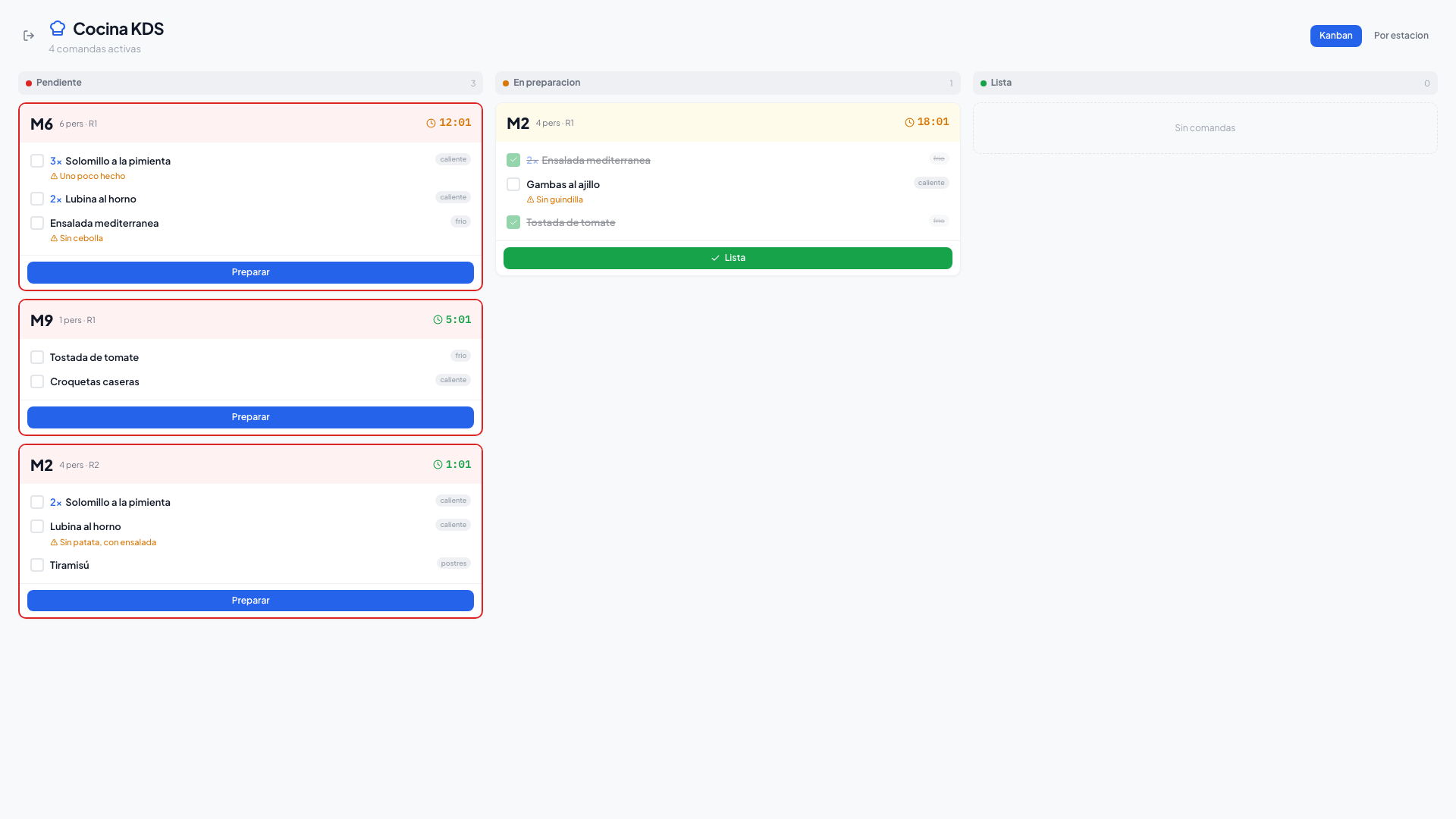
Orders arrive on the kitchen screen in real time. Kanban view with 3 columns (Pending → In preparation → Ready) or station view (cold, hot, desserts). Per-order timer with color coding: green (on time), orange (watch out), red (urgent).
- Drag & drop Kanban by status
- Station view (cold, hot, desserts, bar)
- Per-dish check-off with visual strikethrough
- Highlighted allergen and preference notes
- Optimized for kitchen monitors (1920px)
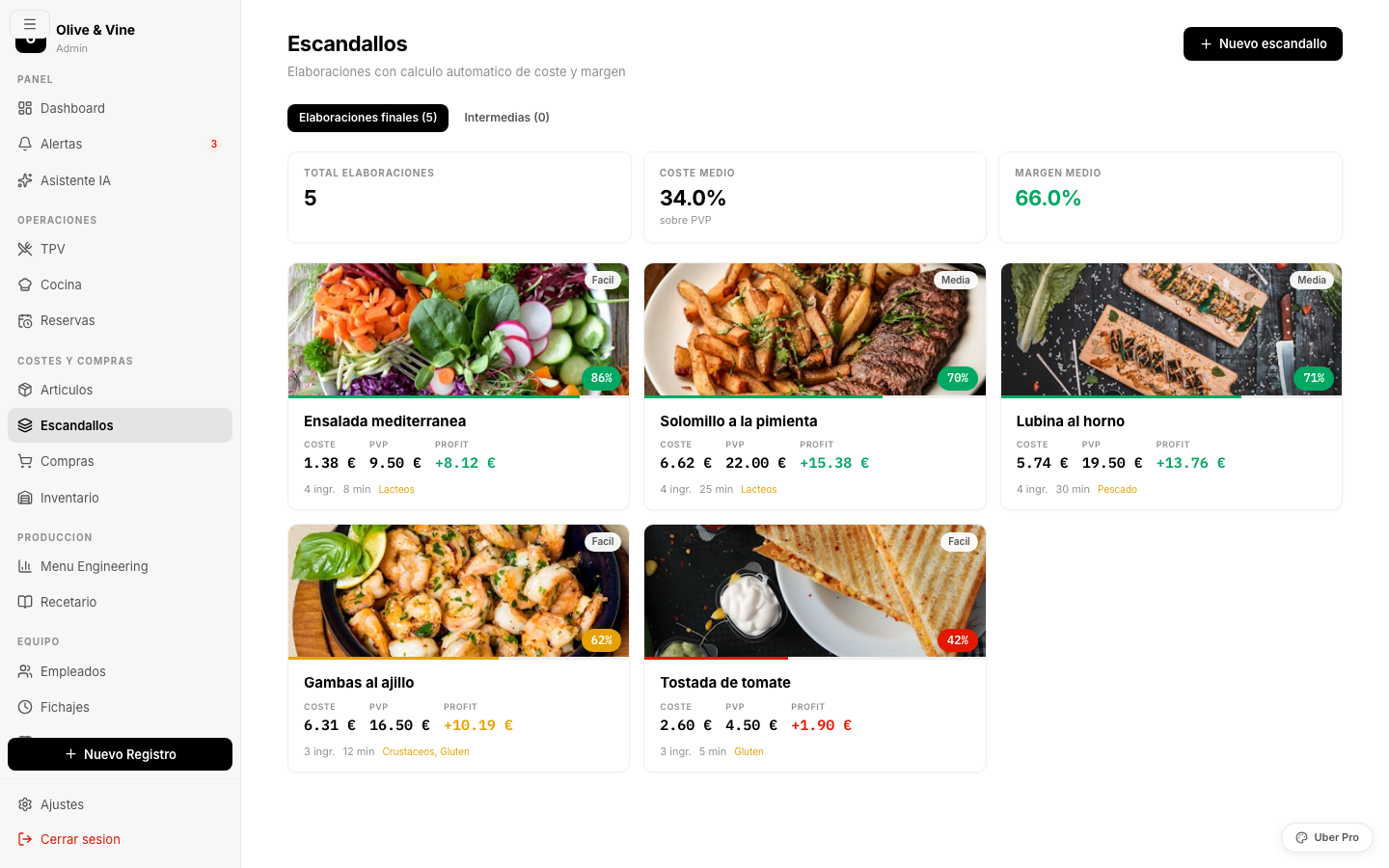
Know exactly how much you make on every dish
Recipe sheets with ingredients, quantities, costs and margins. The costing updates automatically whenever an ingredient's price changes. Every dish shows its food cost, gross margin and suggested price.
- Costs update in real time when prices change
- Alerts when a dish drops below the minimum margin
- Allergen management per ingredient
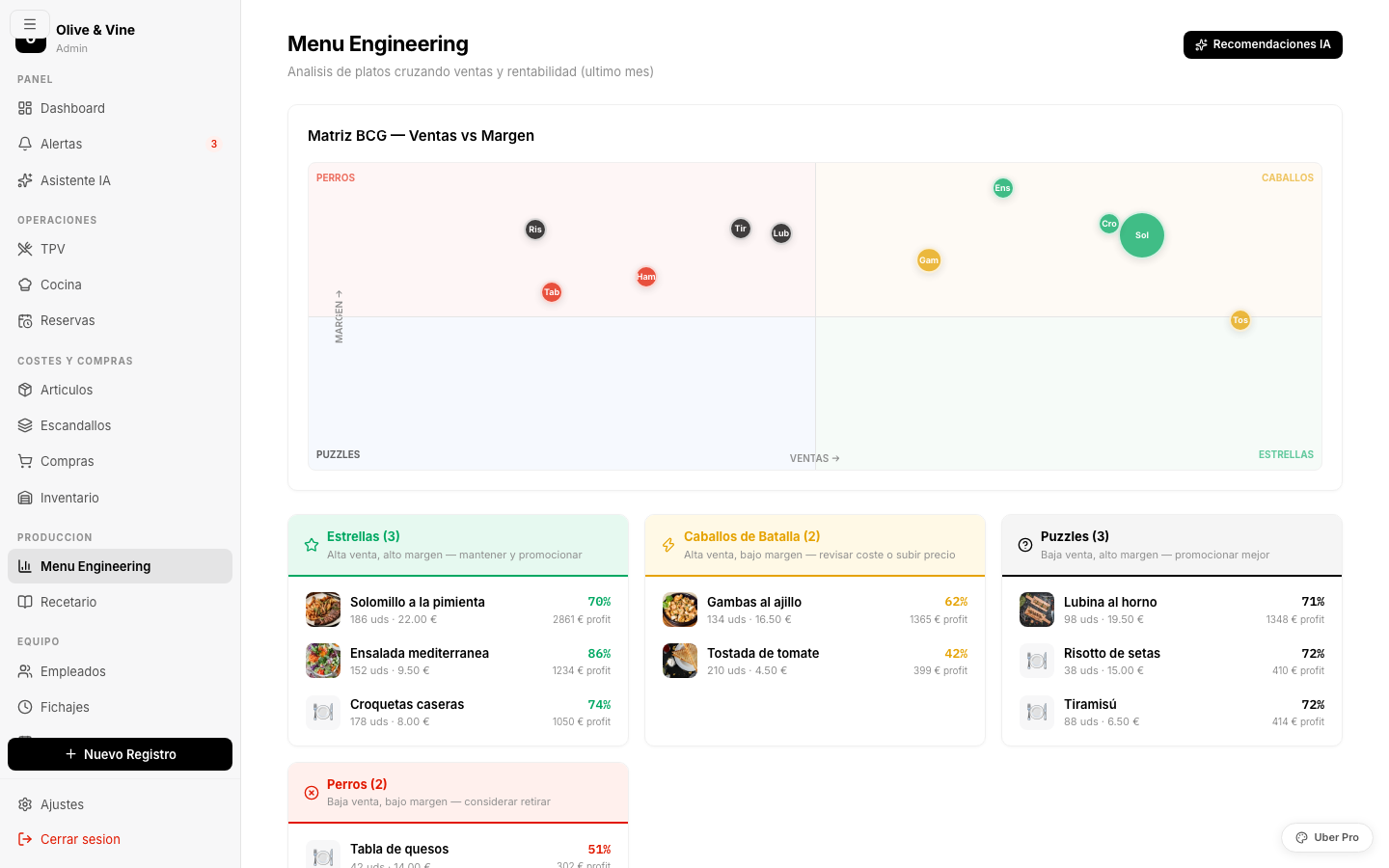
- Menu Engineering: BCG matrix (stars, plowhorses, puzzles, dogs)
Stock, expiry and waste control with AI
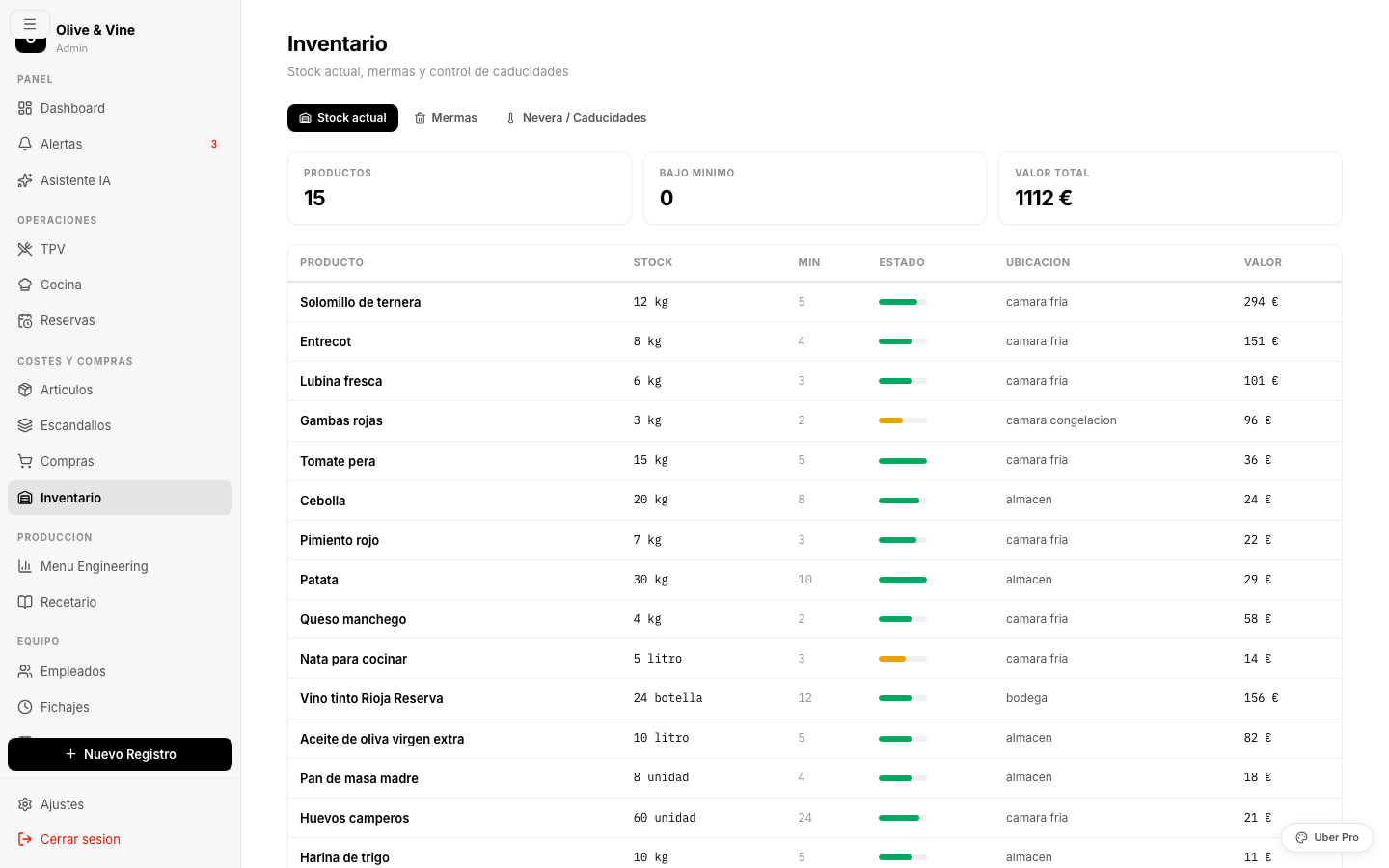
Real-time stock with minimum-level alerts. A "Fridge" tab with a traffic-light expiry view: red (expires today), orange (2-5 days), green (OK). AI suggests daily specials to use up products close to expiry. Waste log with reason and value lost.
- Expiry traffic light with AI suggestions
- Waste by reason (expiry, breakage, overproduction)
- Real-time inventory value
- Automatic low-stock alerts
Digitize delivery notes with a photo
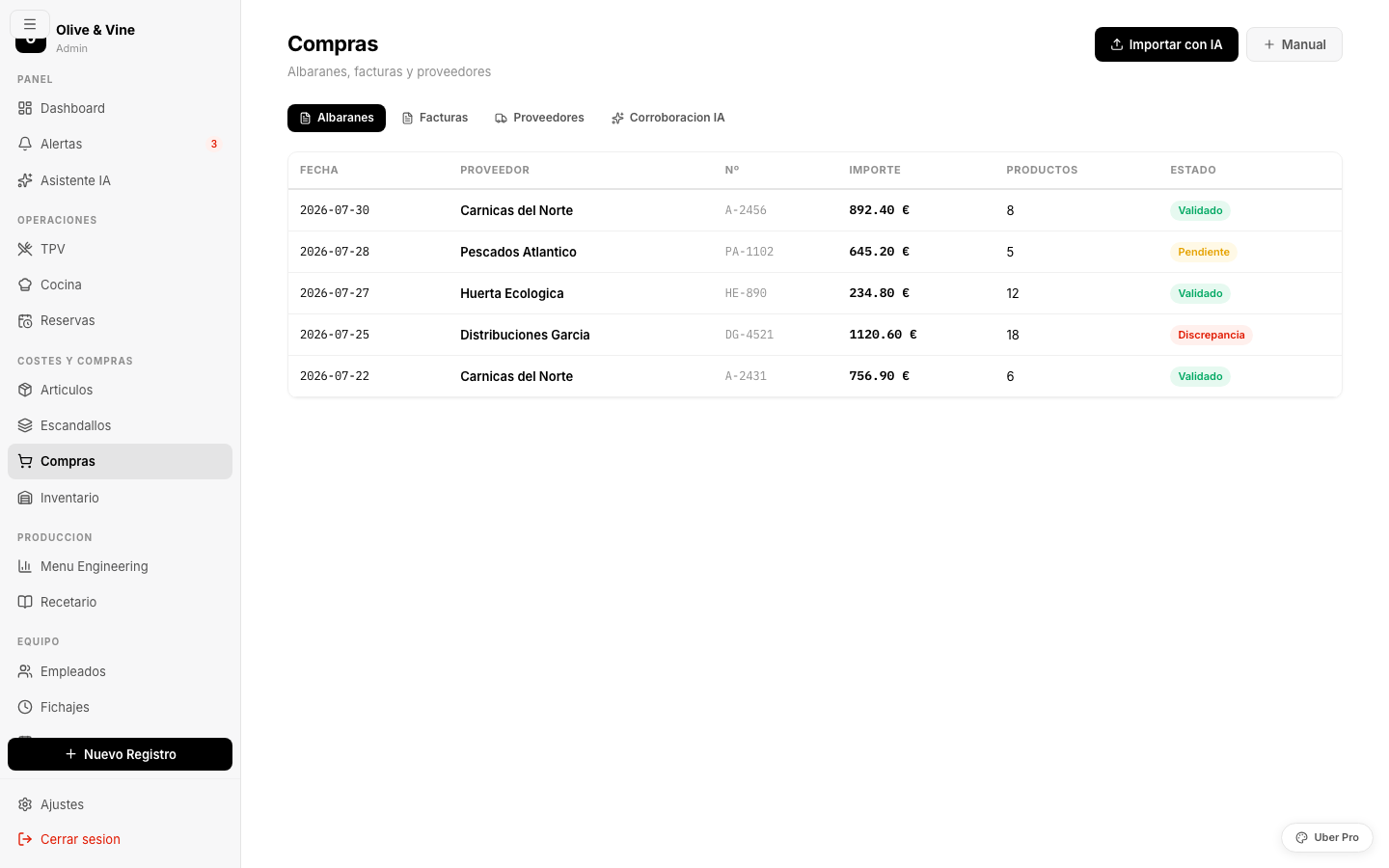
Upload a photo of the delivery note and AI extracts the supplier, products, quantities and prices. It automatically compares delivery note vs. invoice to spot discrepancies. A supplier directory with purchase volume and price trends.
- AI-powered OCR for delivery notes (photo, PDF, Excel)
- Automatic delivery note ↔ invoice matching
- Supplier directory with volume and trends
- Invoice due-date alerts
Visual shift planning, clock-ins and internal communication
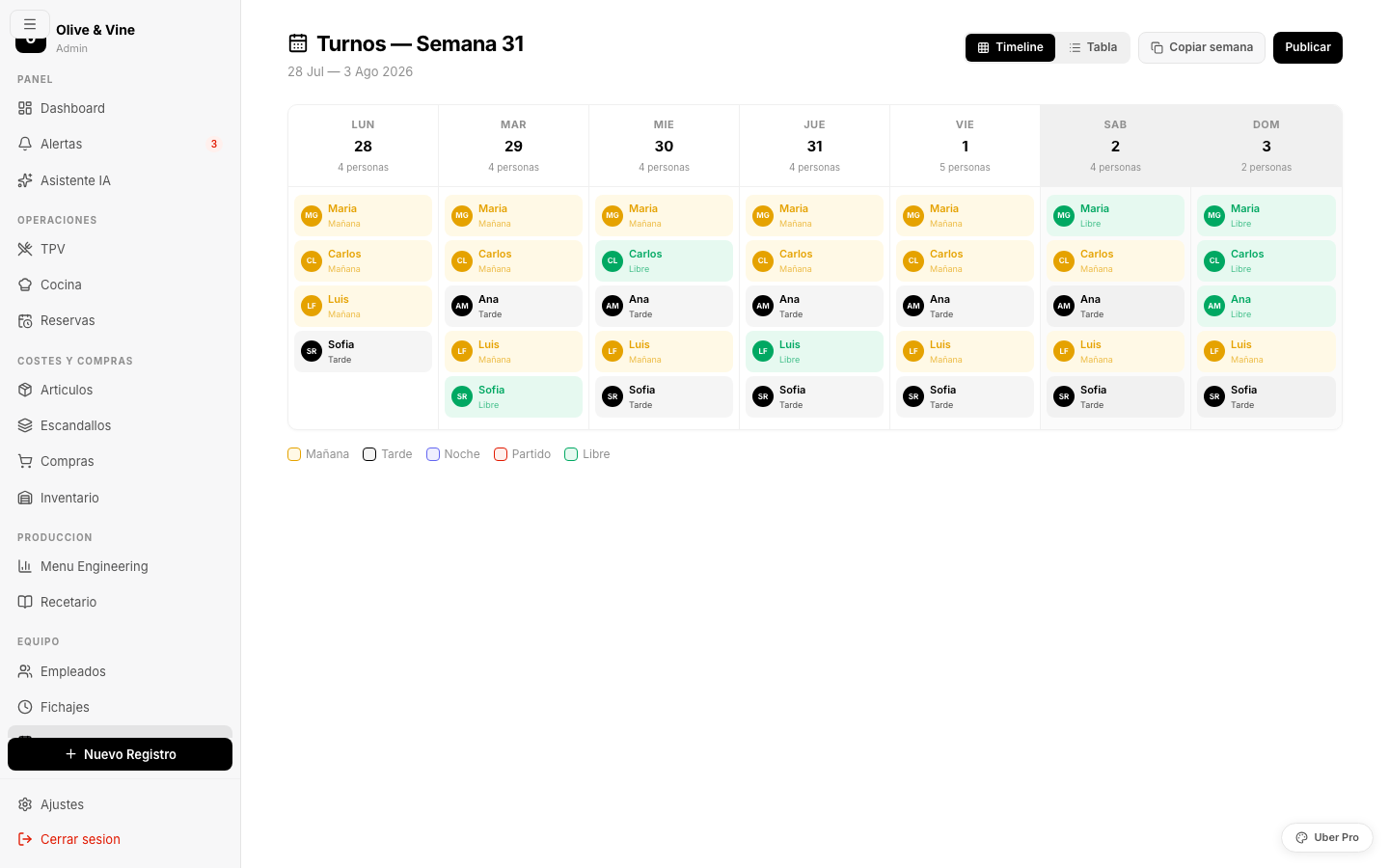
A weekly planner with a visual timeline: each day shows who's working, on which shift and for how many hours. Popup with positioned hour bars (morning 8-16h, evening 16-00h). An alert when an employee exceeds 40 hours a week. Clock-ins with exact times and an internal chat with channels.
- Weekly timeline with map and table views
- Digital clock-ins (in/out)
- Internal chat: general, emergencies, inventory, HR
- Anonymous whistleblowing channel (legal compliance)
Automated P&L: know whether you're making or losing money — no spreadsheets
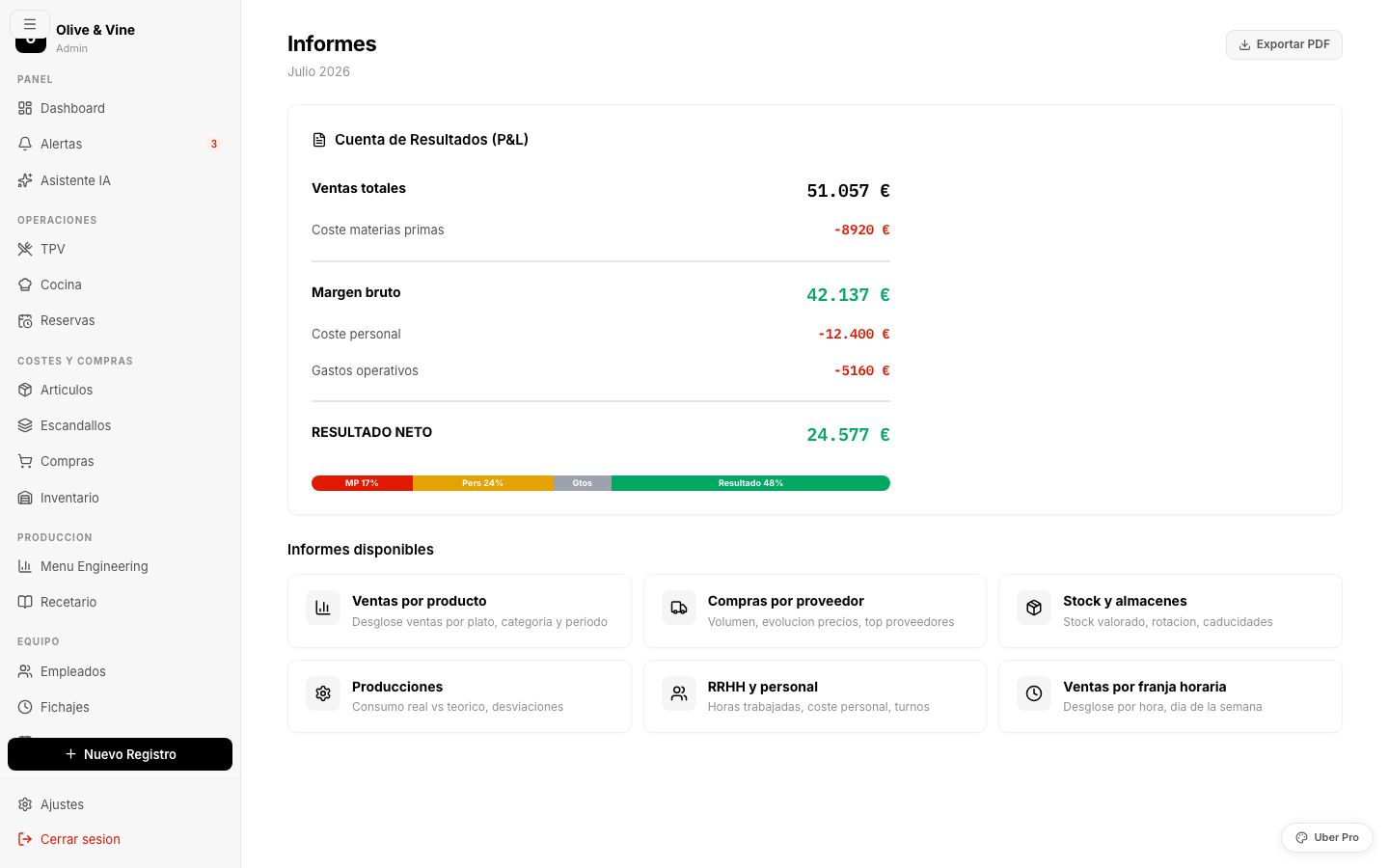
An income statement generated in real time: sales - raw materials - staff - expenses = net result. A visual cost distribution bar. Detailed reports: sales by product, purchases by supplier, time slots, stock and HR. Exportable to PDF.
- Automated P&L with a visual cost bar
- Sales by product with color-coded margin
- Sales by time slot (spot peaks and troughs)
- Treasury: daily till, sales and expenses
An assistant that knows your restaurant better than you do
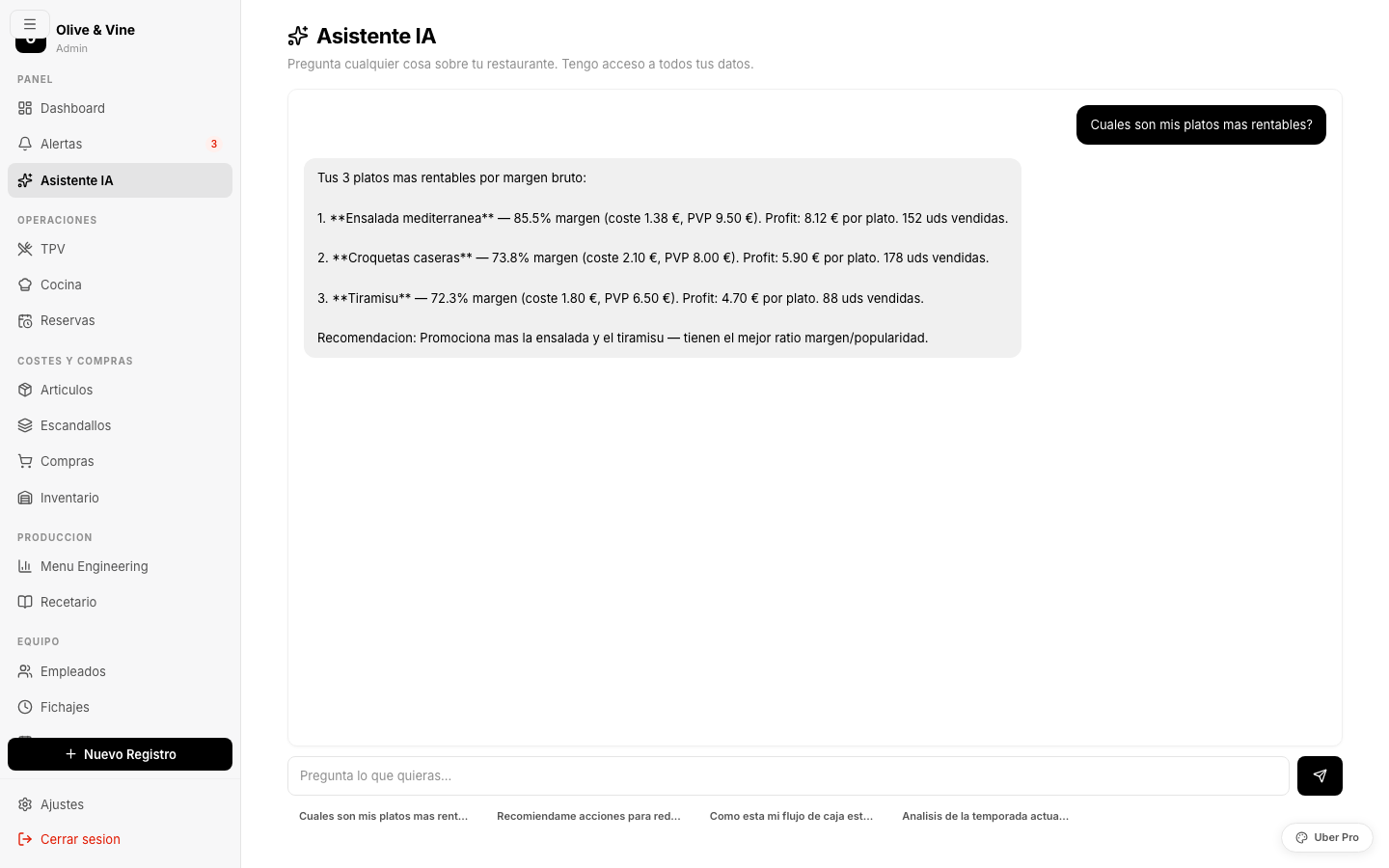
Ask in plain language: "Which are my most profitable dishes?", "Which supplier is best for meat?", "Should I take the cheese board off the menu?". The assistant accesses all your data and answers with real figures, comparisons and actionable recommendations.
- Access to sales, costs, inventory, HR and suppliers
- Data-driven menu recommendations
- Quick logging: "3 kg of tomatoes have expired"
- AI-powered document digitization (OCR)
Everything a restaurant needs, in a single platform
Why not use a generic POS?
Off-the-shelf POS systems are cash registers with a screen. We build your restaurant's nervous system.
Everything connected
When you sell a dish, inventory drops, the recipe cost updates, the P&L reflects it. No copying data between systems.
AI built in
An assistant that analyzes your real data: suggests which dishes to drop, how to cut waste, which supplier suits you best.
No per-user licenses
One fixed price. Whether you have 5 or 50 employees. No surprises on the bill as you grow.
No proprietary hardware
Works on any device with a browser: phone, tablet, laptop, kitchen monitor. No manufacturer lock-in.
Your data, your control
Export all your data at any time. GDPR compliant. No vendor lock-in on your information.
Tailored to how you work
Custom development: if your restaurant has a different process, we build it. You don’t adapt to the software — the software adapts to you.
From idea to a digitized restaurant in 8 weeks
Audit
We analyze your current operation: workflows, tools, pain points. Free and no strings attached.
Design
We design the platform around your restaurant. You validate the prototype before we write any code.
Development
We build module by module with deliveries every 2 weeks. You see progress from day 1.
Launch
Data migration, team training and dedicated support during the first weeks.
Discover which dishes make you money and which ones cost you
The BCG matrix crosses sales × margin to classify every dish into 4 quadrants: Stars (high margin, high sales — keep), Plowhorses (high sales, low margin — raise the price), Puzzles (high margin, low sales — promote), Dogs (low on both — consider removing).
In the average restaurant, 20% of the dishes generate 80% of the profit. Menu Engineering tells you exactly which ones they are and what to do with the rest.
Digital HACCP checklists: always ready for an inspection
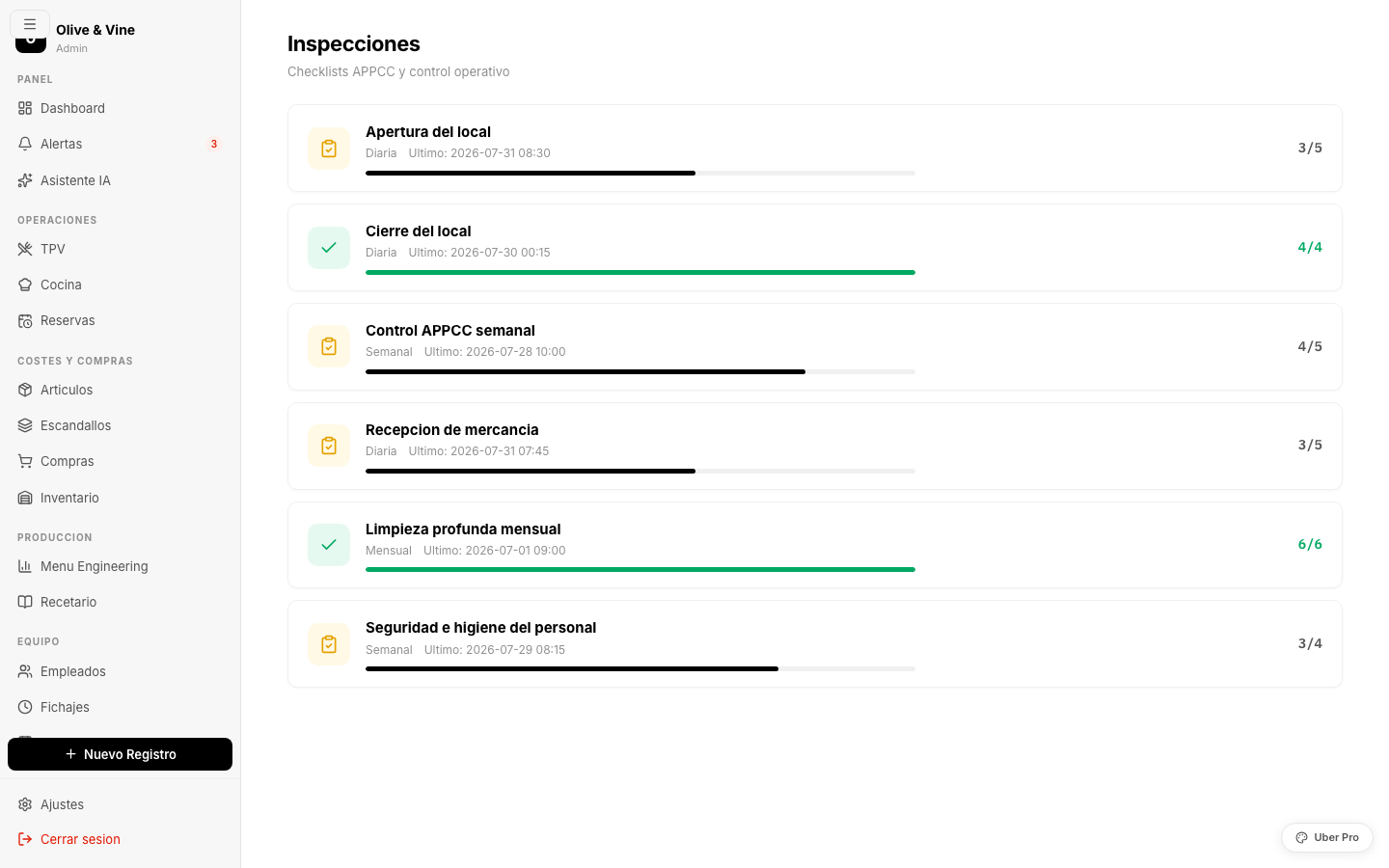
Configurable checklists for opening, closing and weekly HACCP controls. Each item is checked with a tap and records who and when. A visual progress bar shows what's left. A complete history to prove compliance in any inspection.
What do guests see, and what is it costing you?
Six questions on your Google listing, your menu and your cost control. Score and priorities, with no email needed to see them.
Digitize your restaurant.
The first consultation is free.
We analyze your operation, identify areas for improvement and show you what your platform could look like. No commitment, no cost.