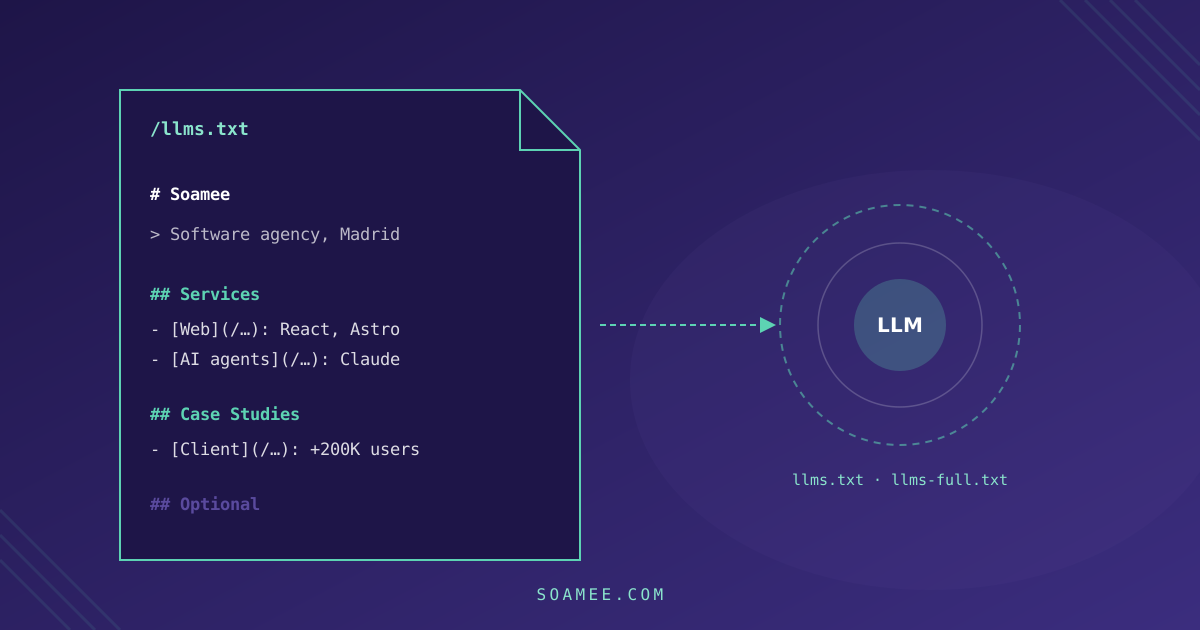
llms.txt is a Markdown file published at the root of your domain (yourdomain.com/llms.txt) that tells a language model what your website is and where the important parts are. Jeremy Howard of Answer.AI proposed it in September 2024. The full specification is at llmstxt.org and fits on one screen.
We have it published on soamee.com, along with llms-full.txt and llms.json, and all three generate themselves on every build. Here we cover what the format looks like, what you can expect from it (less than those selling it as a star tactic promise) and how to set it up so it isn’t out of date two weeks later.
The format
Only one element is required: a # heading with the site’s name. Everything else is optional, but it goes in this order:
- H1 heading with the name of the project or company
- A blockquote (
>) with a one- or two-sentence summary - Free paragraphs with the context a model needs to avoid getting things wrong
- H2 sections with lists of links:
- [Name](url): short note - A
## Optionalsection, with what can be dropped if the model is short on context
An example for a service business:
# Talleres Ruiz

> Agricultural machinery repair workshop in Albacete since 1994.
> We work with John Deere, New Holland and Kubota tractors.

We cover Castilla-La Mancha and Murcia. On-farm pickup service
for major breakdowns. We don't sell new machinery.

## Services

- [Tractor repair](https://talleresruiz.es/reparacion): diagnostics, engine, hydraulics and transmission
- [Preventive maintenance](https://talleresruiz.es/mantenimiento): 250- and 500-hour services
- [On-farm pickup](https://talleresruiz.es/recogida): terms and areas

## Company

- [Rates](https://talleresruiz.es/tarifas): hourly rate and call-out charge
- [Contact](https://talleresruiz.es/contacto): phone, opening hours and address

## Optional

- [Blog](https://talleresruiz.es/blog): maintenance guides by model
The line “We don’t sell new machinery” looks unnecessary, but it’s the kind of fact that stops an assistant from recommending you for something you don’t do.
llms.txt and llms-full.txt
llms.txt is an index: little prose and lots of links. llms-full.txt dumps the full content into a single file, so the model doesn’t have to keep following links. The original proposal covers the first; the second is a convention spread by technical documentation platforms, where a coding agent needs an entire API reference in one go.
For a company website, the index is the essential part. The -full version pays off if you have reference content (pricing, specifications, FAQs) that you want read in full and without interpretation.
What it does and doesn’t do
It doesn’t control access. That’s still robots.txt’s job. If you block GPTBot or PerplexityBot there, or your firewall stops them, nobody is going to read your llms.txt.
There’s no confirmation that it improves citations. Neither OpenAI, Perplexity nor Google has said their search engines use it to choose sources, and Google spokespeople have said publicly that their search engine doesn’t read it. Anyone selling it to you as the main GEO lever is selling a hypothesis.
Agents that arrive with a task do read it. An agent that has to compare suppliers, or a coding tool that needs your API documentation, looks for this file because it saves crawling the whole site. It’s a smaller use than “showing up in ChatGPT”, and it’s real.
It forces you to write your company description for a machine. What you do, for whom, where, since when and what you don’t do. That text gets reused in the Schema.org Organization markup, in directory listings and in the answer block on your homepage, which do influence citations.
Given all that, our recommendation is to do it, because it costs little, but after the things that actually move the needle: crawling open to AI bots, server-rendered HTML, direct answers at the top of each page, and structured data. We explain these in the GEO guide.
How we generate it at soamee.com
Our llms.txt isn’t a static file: it’s an Astro endpoint that runs on every build and reads the same content collections that feed the blog and the case studies. When we publish a new case study, it shows up in llms.txt on the next build with its public metrics, without anyone editing it.
What it includes:
- Entity data: founding year, location, founders, team size, projects delivered, contact
- Services, products, solutions and industries, each with its URL and a one-line description naming specific technologies
- Public funding in Spain, with amounts and requirements, because it’s a question clients ask assistants
- Case studies with their public metrics, generated from the frontmatter
- Frequently cited facts: short, verifiable sentences, written so a model can lift them as they are
- The 20 most recent articles from the blog, not all 300
llms-full.txt adds a questions-and-answers section and another that pairs typical queries (“how much does an app cost in Spain”) with a direct answer and a link to the pricing page. llms.json provides the same as a data structure for anyone who’d rather not parse Markdown.
The trimmed-down version of the endpoint:
// src/pages/llms.txt.ts
import type { APIRoute } from 'astro';
import { getCollection } from 'astro:content';

export const prerender = true;

export const GET: APIRoute = async () => {
  const cases = await getCollection('cases', (c) => !c.data.draft);

  let out = '# Soamee\n\n';
  out += '> Software development agency based in Madrid, Spain.\n\n';
  out += '## Case Studies\n\n';
  for (const c of cases) {
    const metrics = c.data.metrics.map((m) => `${m.value} ${m.label}`).join(', ');
    out += `- **${c.data.client}**: ${c.data.description} (${metrics})\n`;
  }

  return new Response(out, {
    headers: { 'Content-Type': 'text/plain; charset=utf-8' },
  });
};
With prerender = true the file is generated as a static asset at build time: it costs nothing to serve and always matches what’s published. In Next.js the equivalent is a route handler in app/llms.txt/route.ts; in WordPress, a template or a plugin that builds it from the custom post types.
To find out whether anyone reads it, check the server logs: how many requests /llms.txt gets and from which user-agents. We explain how in how to measure the traffic you get from ChatGPT and AI.
Mistakes that make it useless
Putting the whole sitemap in it. soamee.com has more than 1,600 published URLs. An llms.txt with all of them is a sitemap in Markdown, and the model can’t tell which ones matter. Choose: services, pricing, case studies, contact and the most useful blog posts.
Writing it like a brochure. “Leaders in innovation with a passion for excellence” tells a model nothing. “Founded in 2017 in Madrid, 150+ projects, React Native and Next.js” does.
Making it by hand and forgetting about it. The day you change prices, drop a service or publish a case study, the file is lying. If it doesn’t generate itself, put a review date in the calendar.
Contradicting your own website. If llms.txt says 150 projects and the homepage says 200, a model that cross-checks sources doesn’t know which to go with, and may go with neither.
Serving it badly. It has to respond with a 200 and text/plain or text/markdown in UTF-8, with no redirects to the homepage, no cookie wall in front and no JavaScript required.
Checklist
-
robots.txtallows the AI bots you want (OAI-SearchBot,ChatGPT-User,PerplexityBot,Claude-User…) -
/llms.txtreturns 200, in UTF-8, without JavaScript - H1 with the name, a blockquote with the summary and a paragraph on what you do and don’t do
- H2 sections with selected links, not the whole sitemap
- Data that matches the website and the
Organizationmarkup - Generated at build time, or with a review date in the calendar
- Requests to
/llms.txtmonitored in the logs
If you want us to set it up along with the rest of your website’s GEO layer, it’s part of our AI search optimization service.