A ticketing system your team and clients will actually use
Kanban with configurable statuses, visual priorities, ticket types (support, story, task, epic, bug), assignees, markdown comments and PDF export. Everything you need so no ticket ever gets lost.
No user limits. No monthly fee per agent. Your team and your clients on the same platform.
Why email, Slack and WhatsApp are not a ticketing system
When a client emails you: who owns it? How long has it taken? Was it resolved? If you can't answer those questions in three seconds, you need a ticketing system.
Emails that get lost
A forgotten CC, a buried thread, an urgent request nobody saw. Without a central system, tickets vanish between inboxes.
No traceability
Who replied? When did the priority change? How many hours went in? Without a record, it's your word against the client's.
Zero visibility
How many tickets are open? Which ones are critical? Who is overloaded? Without metrics, you're managing blind.
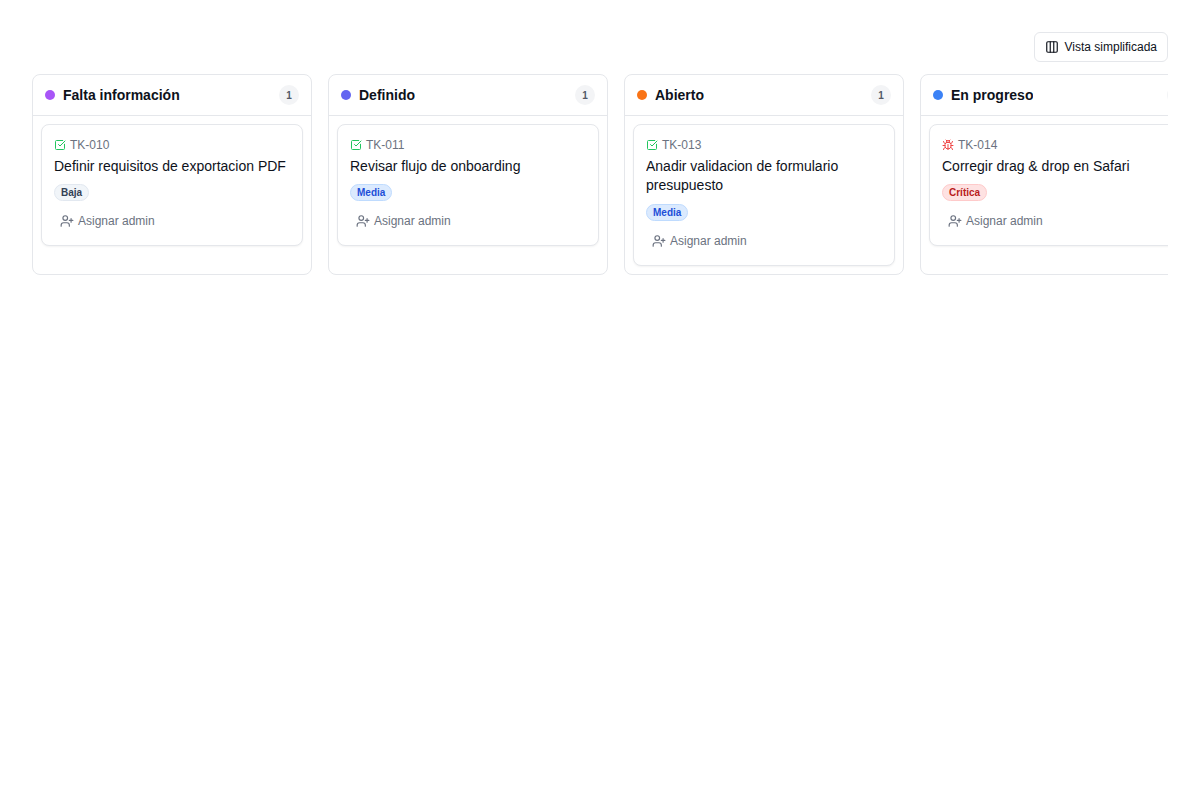
7 configurable statuses to control every phase of a ticket
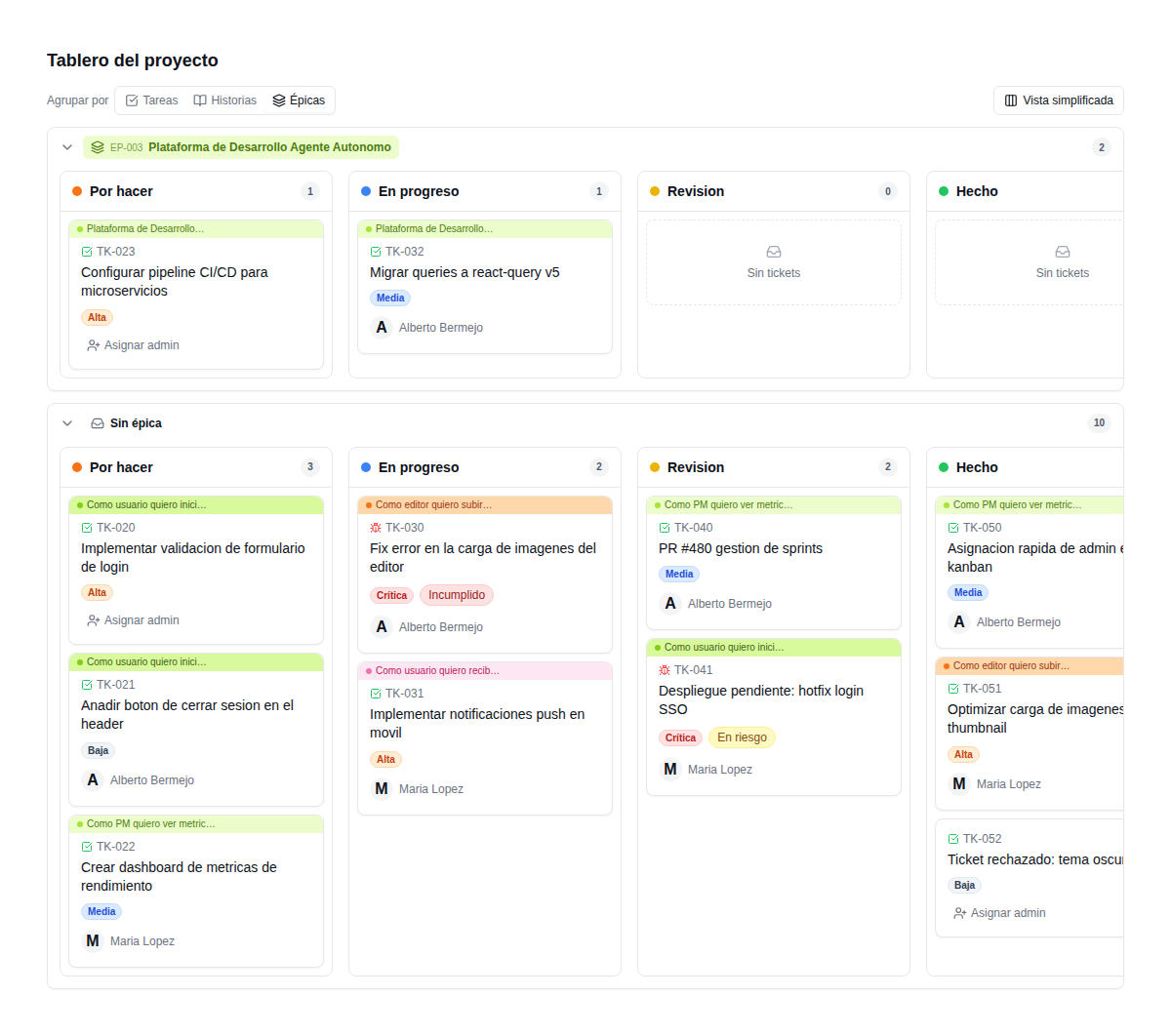
The Kanban board mirrors how your team actually works. Each column is a status the ticket moves through:
- ✓ Drag & drop between columns to change status
- ✓ Filters by type, priority, assignee and sprint
- ✓ Grouping by epic with colour-coded swimlanes
- ✓ Simplified or detailed view, whichever you prefer
- ✓ A ticket counter per column to spot bottlenecks
All the information in one place
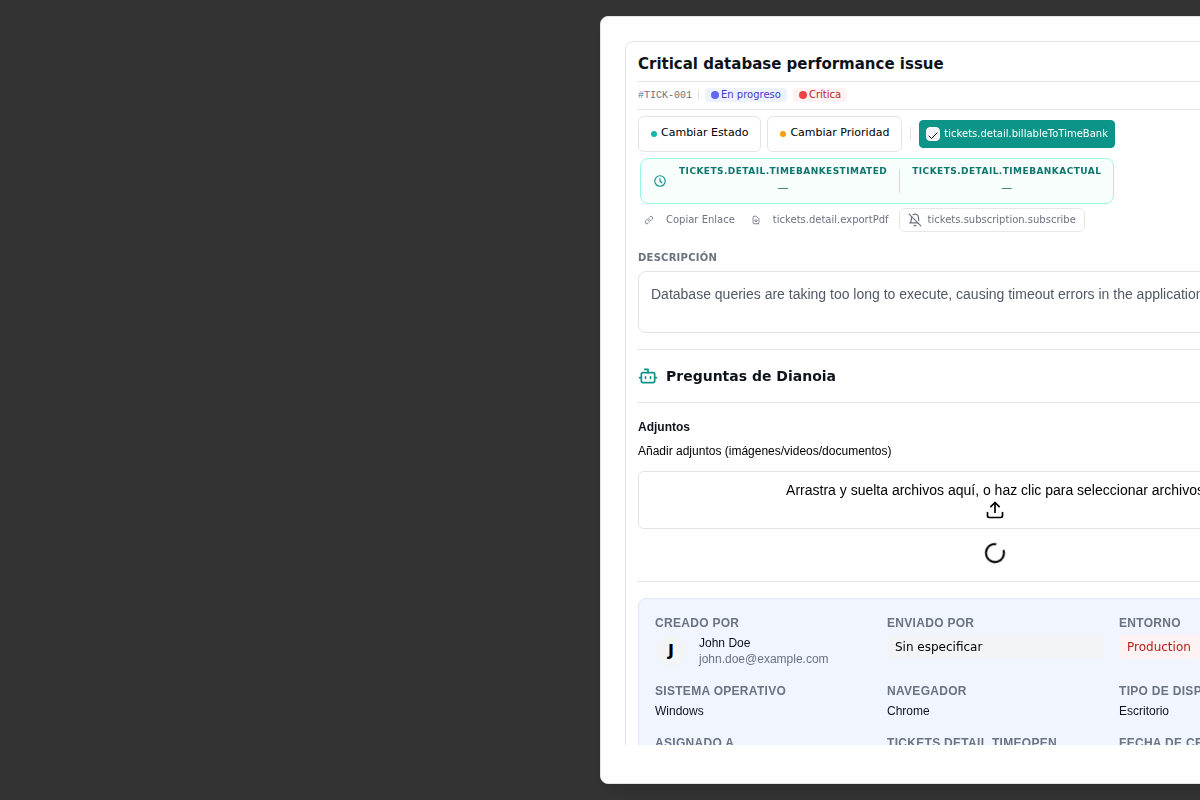
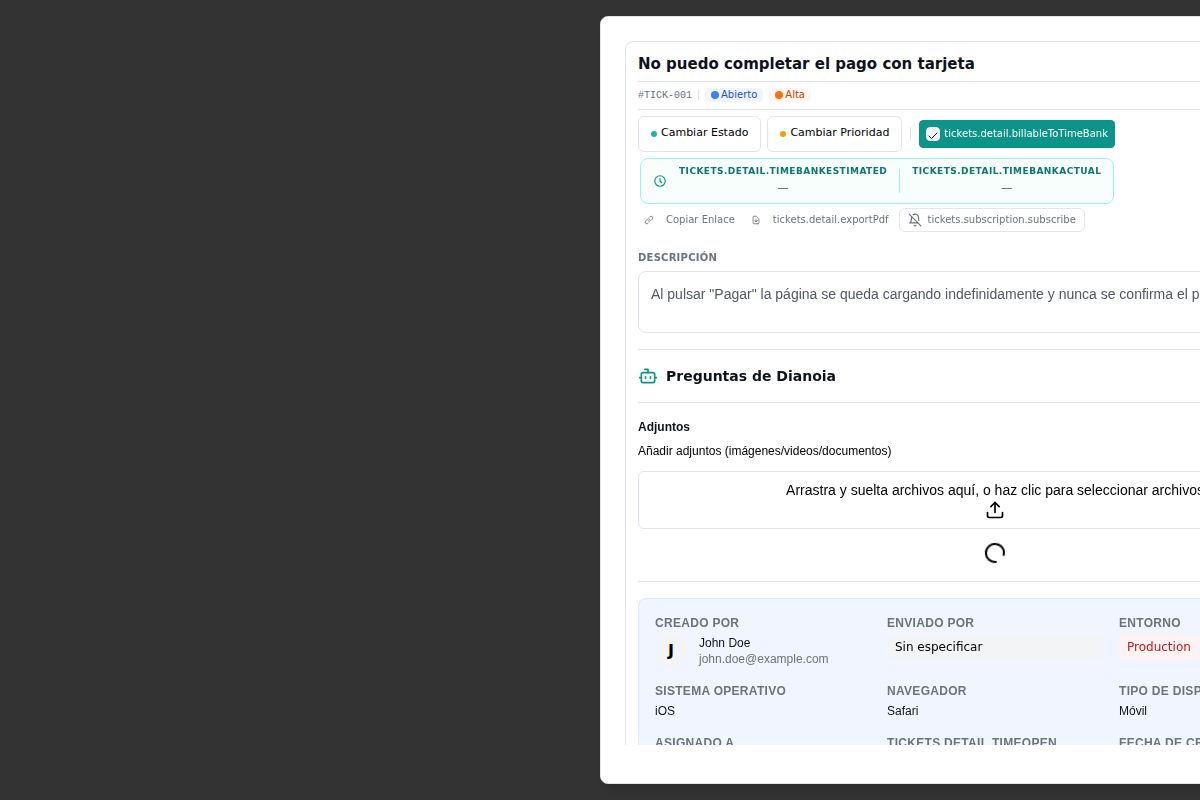
Each ticket shows at a glance: current status, priority, assignee, linked hour bank (with estimated and actual hours), affected environment (production, staging), the client's operating system and browser, creation date and last update.
- ✓ Change status and priority in one click
- ✓ Hour bank: switch billing on or off per ticket
- ✓ Built-in AI questions to clarify the problem
- ✓ Multimedia attachments: images, videos, documents
- ✓ PDF export to send the client a summary
- ✓ Copy a direct link to the ticket to share it
5 ticket types, each with its own purpose
Not everything is support. Your team also builds product. The system tells apart what needs fixing from what needs building.
Client incidents and requests. They draw down the hour bank.
New features with acceptance criteria.
A specific piece of technical work inside a story.
A group of stories under a bigger goal.
Detected defects that need fixing.
A hierarchy that organises the work
Las épicas contienen historias. Las historias contienen tareas. El soporte y los bugs son independientes. Cada tipo tiene su icono visual en el Kanban para distinguirlos de un vistazo. Breadcrumbs de navegación muestran dónde estás: Épica > Historia > Task.
- ✓ Visual progress per epic: a bar with % complete
- ✓ Quick filters by type with colour-coded pills
- ✓ A list of children on each parent ticket
- ✓ Create sub-tickets quickly from the detail view
4 priority levels with colour coding
Minor improvements and maintenance tasks. Handled when there's room.
A feature partly affected. There is a workaround. Planned for the next sprint.
An important feature affected, with no reasonable workaround. Prioritised this week.
Production down or data at risk. Handled immediately. The team is alerted.
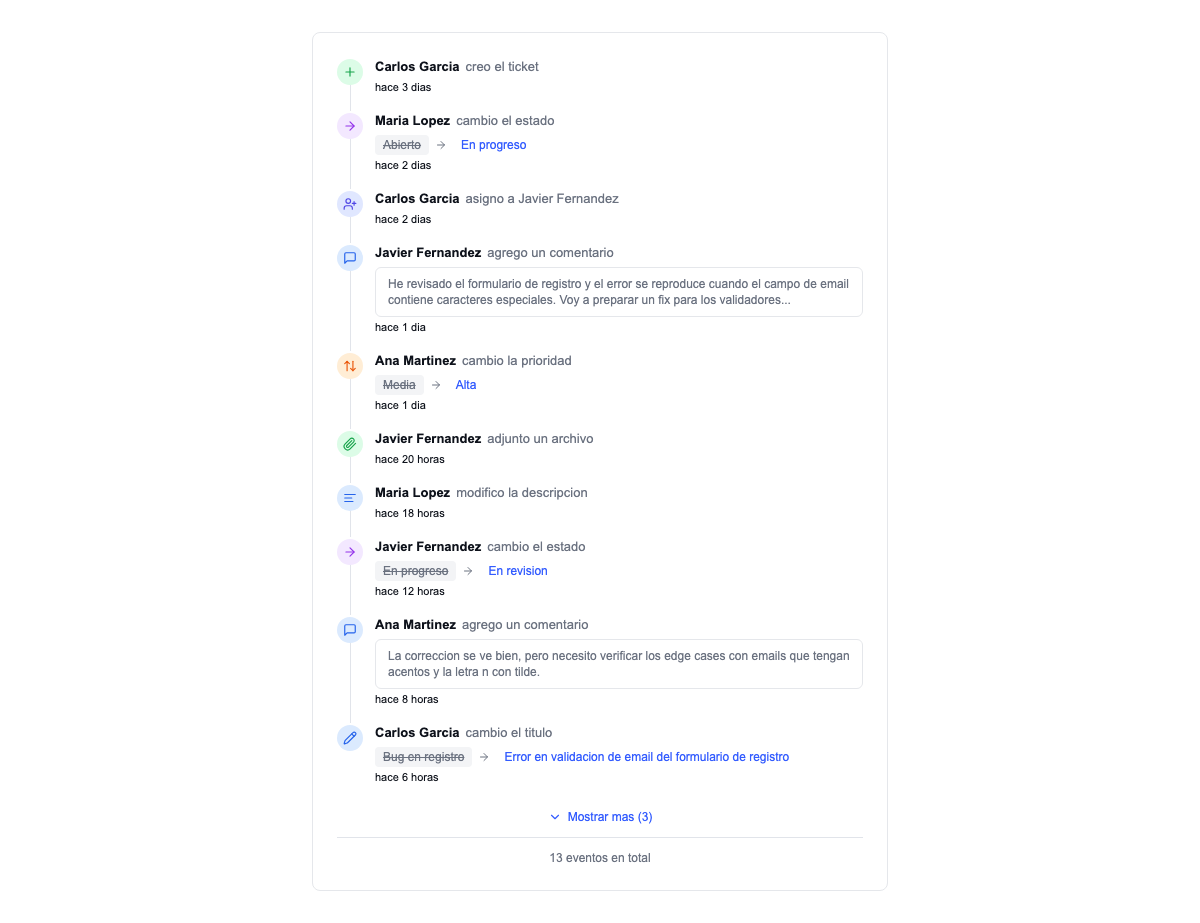
Every action is recorded, permanently
A chronological timeline of everything that happens on a ticket: who created it, who changed the status, who assigned it, what was commented, which files were attached, when the priority changed, when the title was edited. All with date, time and name.
- ✓ Chronological timeline with icons per event type
- ✓ Inline comments with the context of the change
- ✓ Expandable to see the full history
- ✓ Ideal for justifying hours and decisions to the client
Comment, mention, attach and subscribe
Every ticket has a conversation thread with full markdown support: lists, code, links, bold. Mention a colleague with @ and they get a notification. Attach images, videos, PDFs and documents with drag & drop. Subscribe to a ticket to get updates without being the assignee.
- ✓ Full markdown: code, tables, lists, links
- ✓ @ mentions that notify the person mentioned
- ✓ Drag & drop files: images, videos, PDFs
- ✓ Subscribe to changes without being the assignee
- ✓ Quick assignment with a popover of available admins
Ready to stop losing tickets?
We'll show you how it works with your own data. The first consultation is free.
Request a free demoFrequently asked questions about tickets
Can I configure the Kanban statuses?
Do clients see the Kanban board?
How many tickets can I have?
Can I export tickets?
Are there notifications?
Does it integrate with GitHub?
Is there a user limit?
Can I migrate from Jira or Zendesk?
Tell us your challenge. We'll propose a solution.
No commitment. Within 24 hours, you'll receive a proposal with scope, timeline and budget. No fine print.