MCP server: Claude Code works your tickets with your own permissions
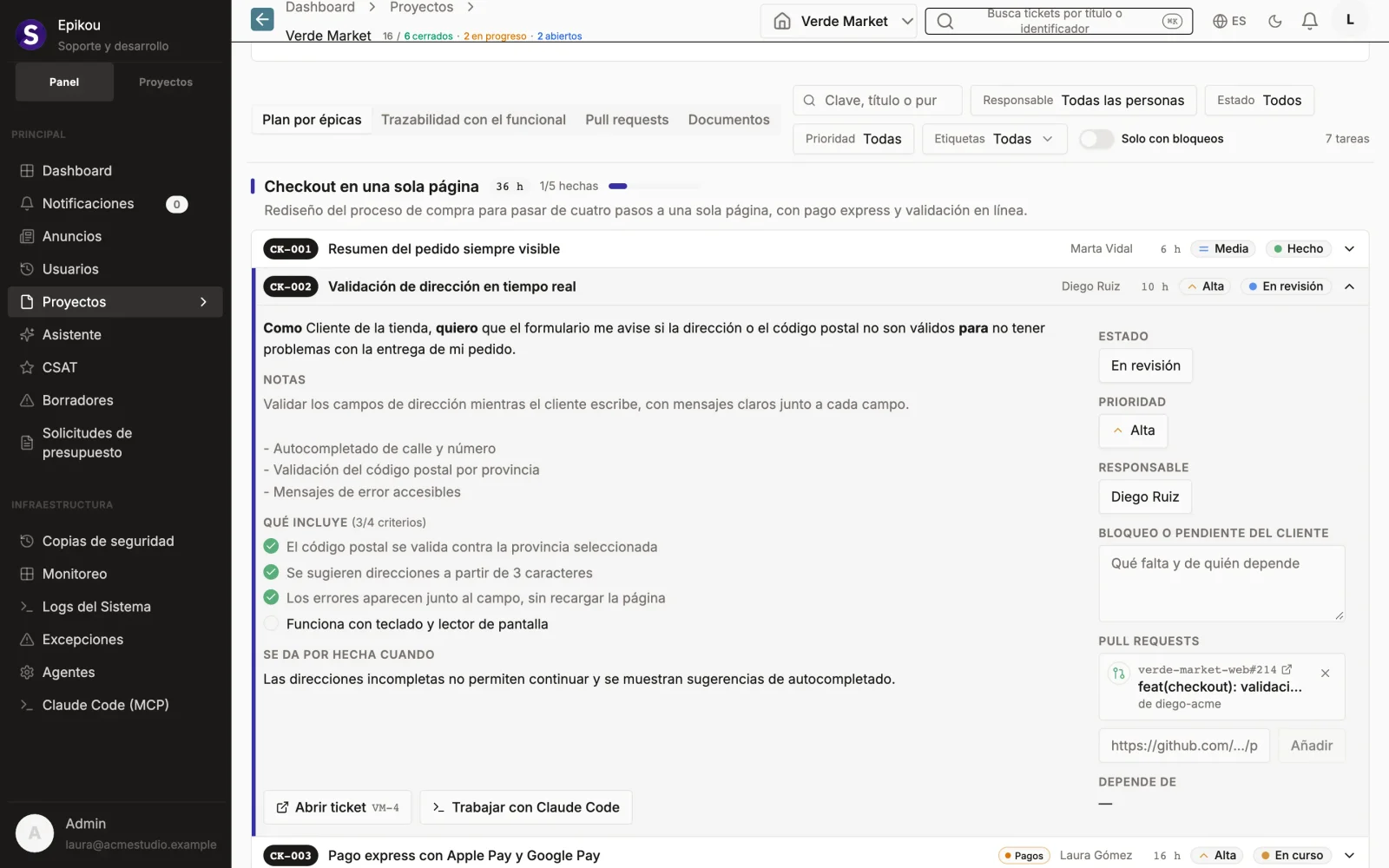
Epikou exposes its tickets and work plans over MCP. Your assistant reads the task and its acceptance criteria, claims it, ticks each criterion as it is met, sets a blocker if something depends on the client, links the pull request and moves the task to review.
It works with Claude Code and any MCP-compatible assistant. Every call goes into the audit log.
One token per person and one command in the terminal
- 01
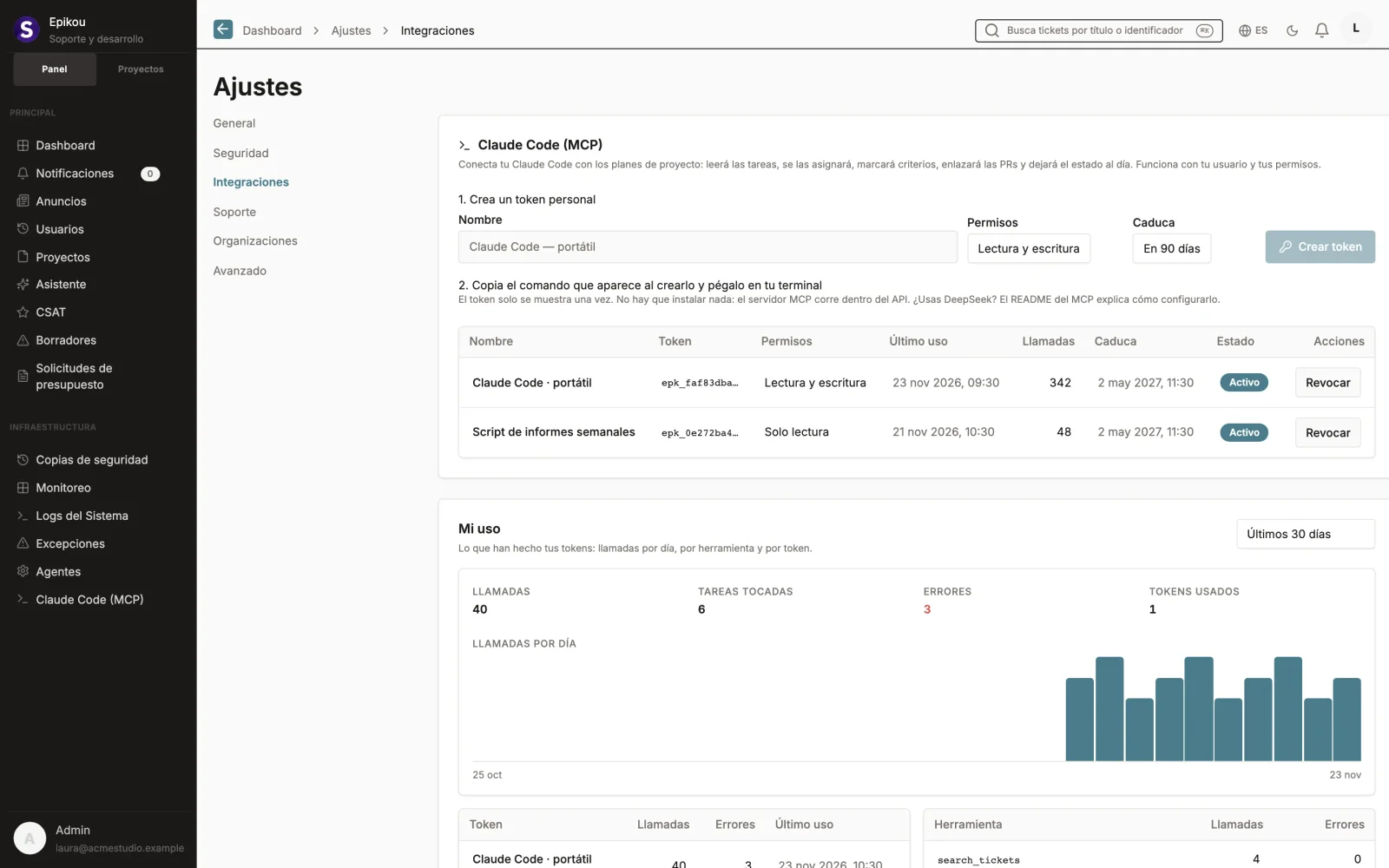
Create a personal token
In Settings → Integrations you give it a name, choose permissions (read-only or read-write) and set the expiry.
- 02
Paste the command into your terminal
When you create the token, Epikou shows the command that registers the server in Claude Code. The token is shown only once. There is nothing to install: the MCP server runs inside the Epikou API.
- 03
Ask your assistant for work
From then on the assistant sees the plans and tickets you see and can work on them. Each task in the plan also has a “Work with Claude Code” button.
From acceptance criterion to pull request, without copy and paste
Without MCP the assistant works blind: someone copies the ticket into the chat, and when it is done someone goes back to the tracker to tick what was done, paste the PR link and change the status. With the MCP server, the assistant reads the task as it stands in the plan, with its criteria, notes and client comments, and records what it does in the same place.
If it finds that something from the client is missing, it sets a blocker saying what is missing and who it depends on, instead of guessing. The client sees it in their view of the plan.
$ claude> Work on task CK-002 in the Checkout v2 planget_task CK-002 → 4 criteria, 3 metclaim_task CK-002 → assigned to Diego Ruizset_criterion CK-002 #4 → metlink_pull_request → verde-market-web#214update_task_status CK-002 → In reviewWhat the assistant can do in Epikou
The same operations a person on your team would do in the app, with names the assistant understands.
Read
-
list_ticketsLatest tickets, across all your projects or one -
search_ticketsFinds tickets by text -
get_ticketA full ticket, with attachments and description images -
get_taskA plan task with its acceptance criteria -
my_tasksWhat is assigned to you -
sprint_statusStatus of the active sprint
Work
-
claim_taskClaims the task -
set_criterionMarks an acceptance criterion as met -
add_commentComments on the ticket -
set_blockerSets a blocker: what is missing and who it depends on -
link_pull_requestLinks the pull request -
update_task_statusMoves the task, for example to review
The assistant can do no more than the person using it
Each token belongs to one person and inherits their role. If a developer has no access to a project, neither does her Claude Code. What Epikou reserves for admins, such as closing tickets or changing billing, stays reserved.
- Read-only or read-write tokens
- An expiry on every token and one-click revocation
- Last use and number of calls per token
- “My usage”: your calls per day, per tool and per token
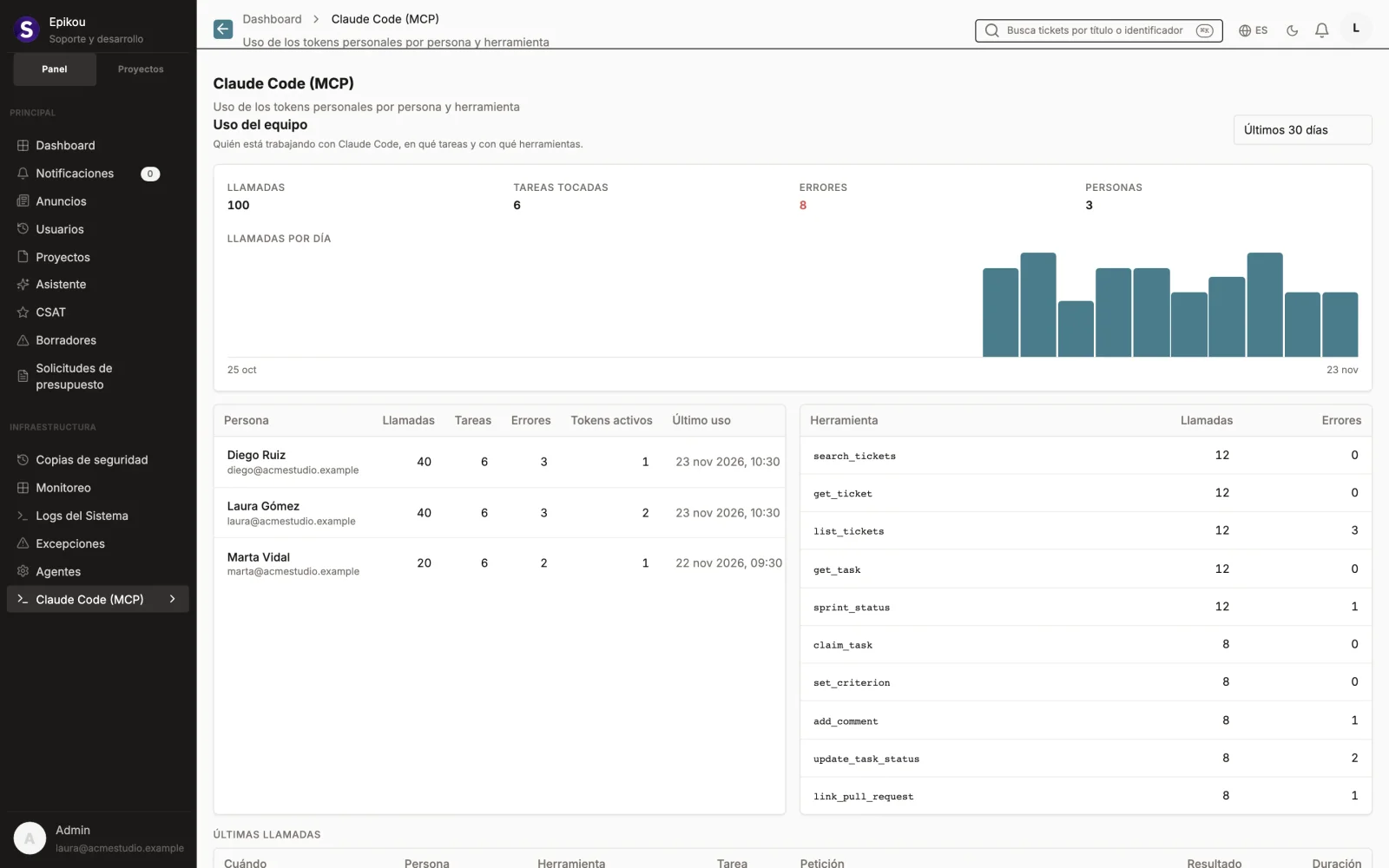
Who is working with Claude Code, on which tasks and with which tools
The team view adds up calls, tasks touched, errors and people over the period you choose, broken down per person and per tool. Below it, the latest calls one by one: when, who, which tool, on which task, the request, the result and the duration.
The Business plan audit log also covers REST API calls, so an in-house integration leaves the same trail as an assistant.
€35 per agent per month, minimum 5 agents
The MCP server comes with the Business plan, along with everything in Team, 200 GB of storage, the MCP and API audit log, white label per client, environment monitoring, and onboarding with priority support. Your clients do not count as agents. Prices exclude VAT, with no lock-in and 2 months free on the annual plan.
Keep exploring Epikou
Work plans, epics and acceptance criteria: what the assistant reads and ticks.
Kanban, statuses, priorities and the detail of each ticket.
Epikou questions, summaries, classification and knowledge base.
Contracted hours drawn down with every billable ticket.
MCP server FAQ
What is an MCP server?
Does it only work with Claude Code?
Do we have to install anything on our servers?
Can the assistant see projects I have no access to?
Can it close tickets or change billing?
How do I know what each assistant did?
How do I remove access?
Which plan includes the MCP server?
Tell us your challenge. We'll propose a solution.
No commitment. We reply within 24 hours, and within 48 hours you have a proposal with scope, timeline and budget. No fine print.