Time tracking your team actually uses
Weekly timesheet, daily tracking, CSV import and automatic compliance. No friction, no excuses.
Request a free demoInteractive grid: project × day
A project × weekday grid. Click to log. Colour-coded by status (draft, submitted, approved). Search by task, project or client. Recent tasks in one click. CSV import for bulk uploads.
- Interactive project × day grid
- Statuses: draft → submitted → approved
- Smart search + recent tasks
- Bulk CSV import
Log as you go, not at the end of the week
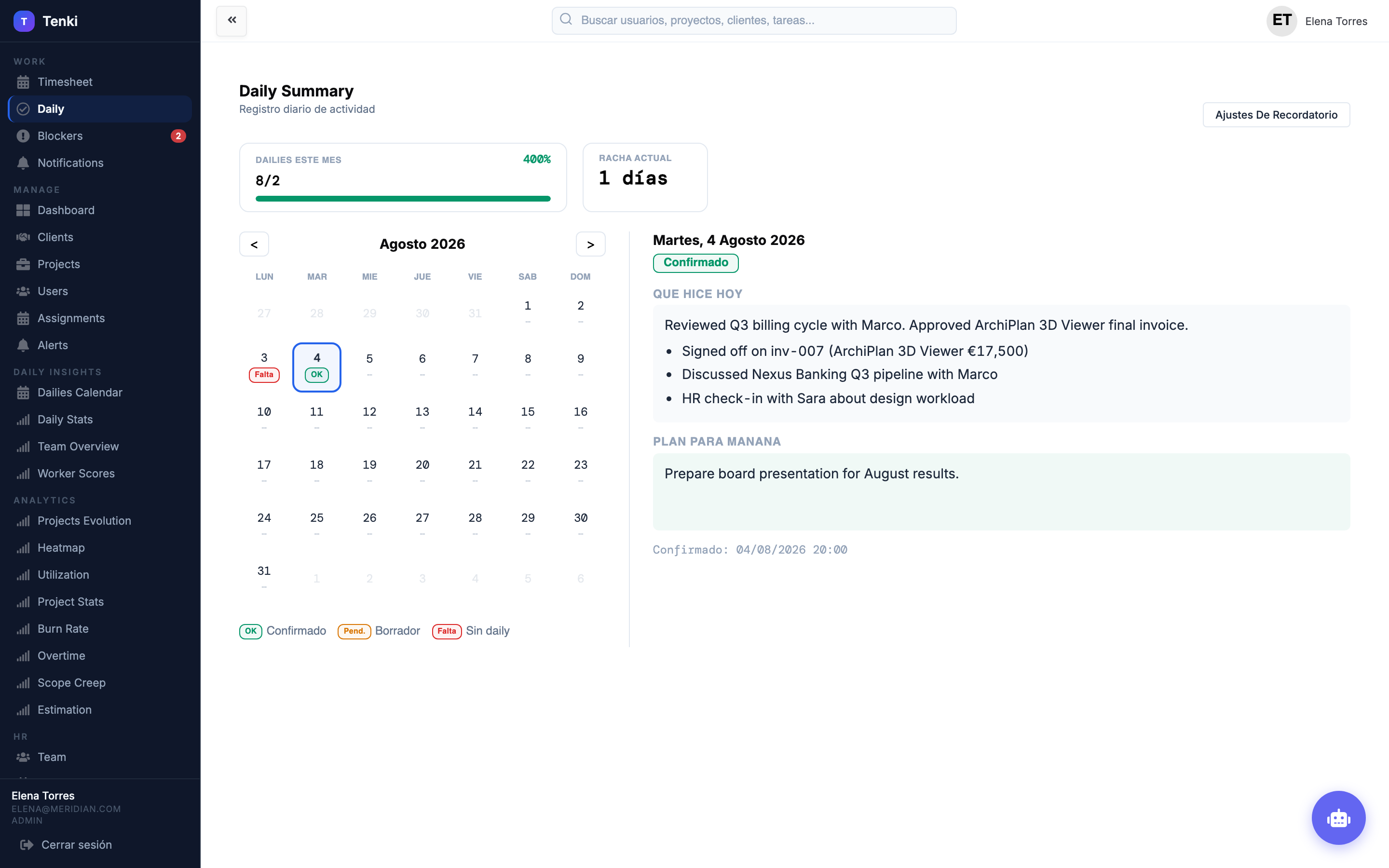
A daily view with an active timer. Tick off completed tasks. Quick notes on each entry. Ideal for teams that prefer logging as they go instead of filling everything in on Friday.
- Active timer with pause/resume
- Completed-task checklist
- Notes per entry
- Works on mobile
Weekly assignments: who does what
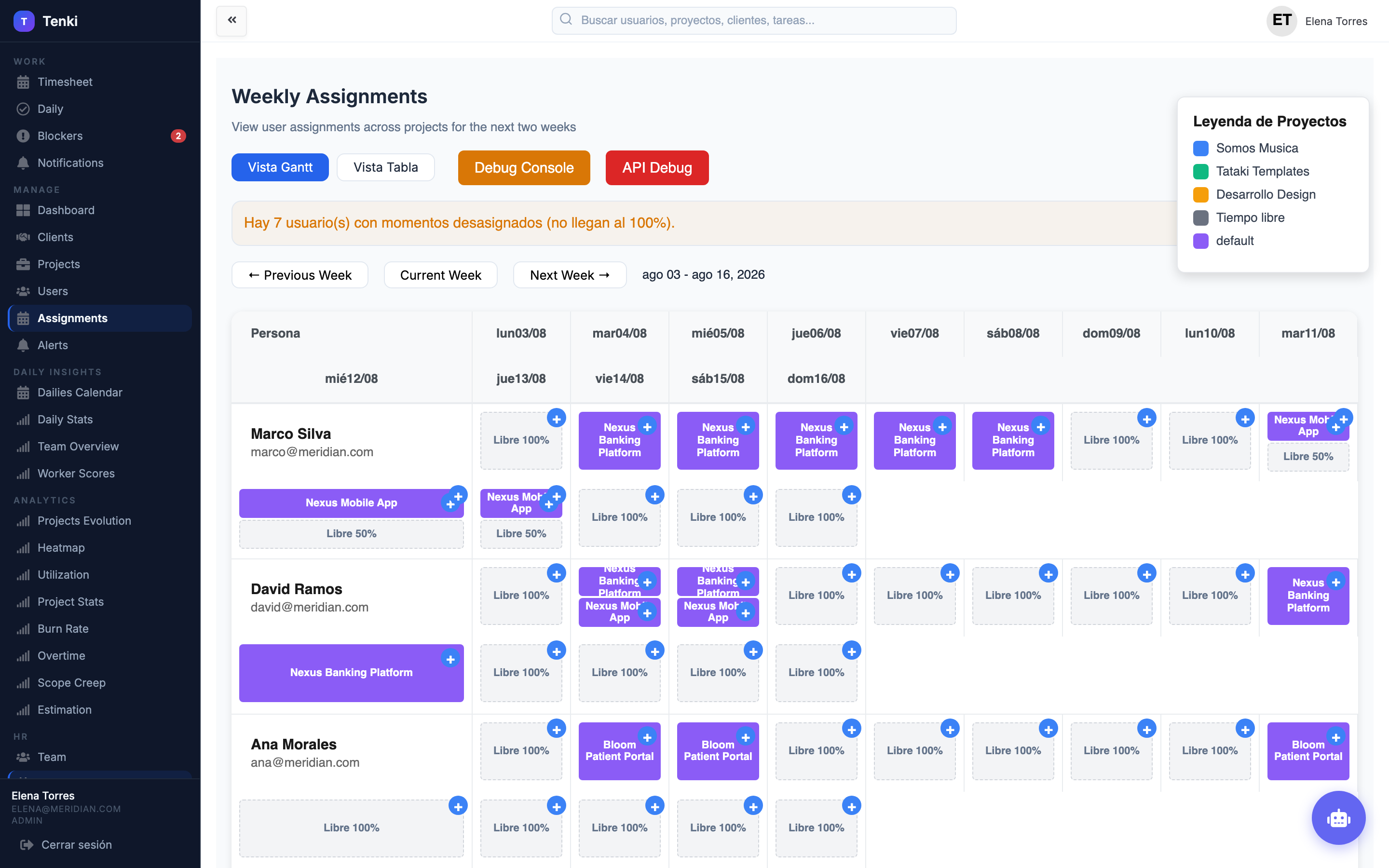
Weekly assignments per person. Visual capacity planning. Spot over-allocation before it happens. Managers see who has room and who is at the limit.
- Assignments per person and week
- Over-allocation detection
- Visual capacity by day
- Drag & drop
Know who has filled in their hours. Without chasing anyone.
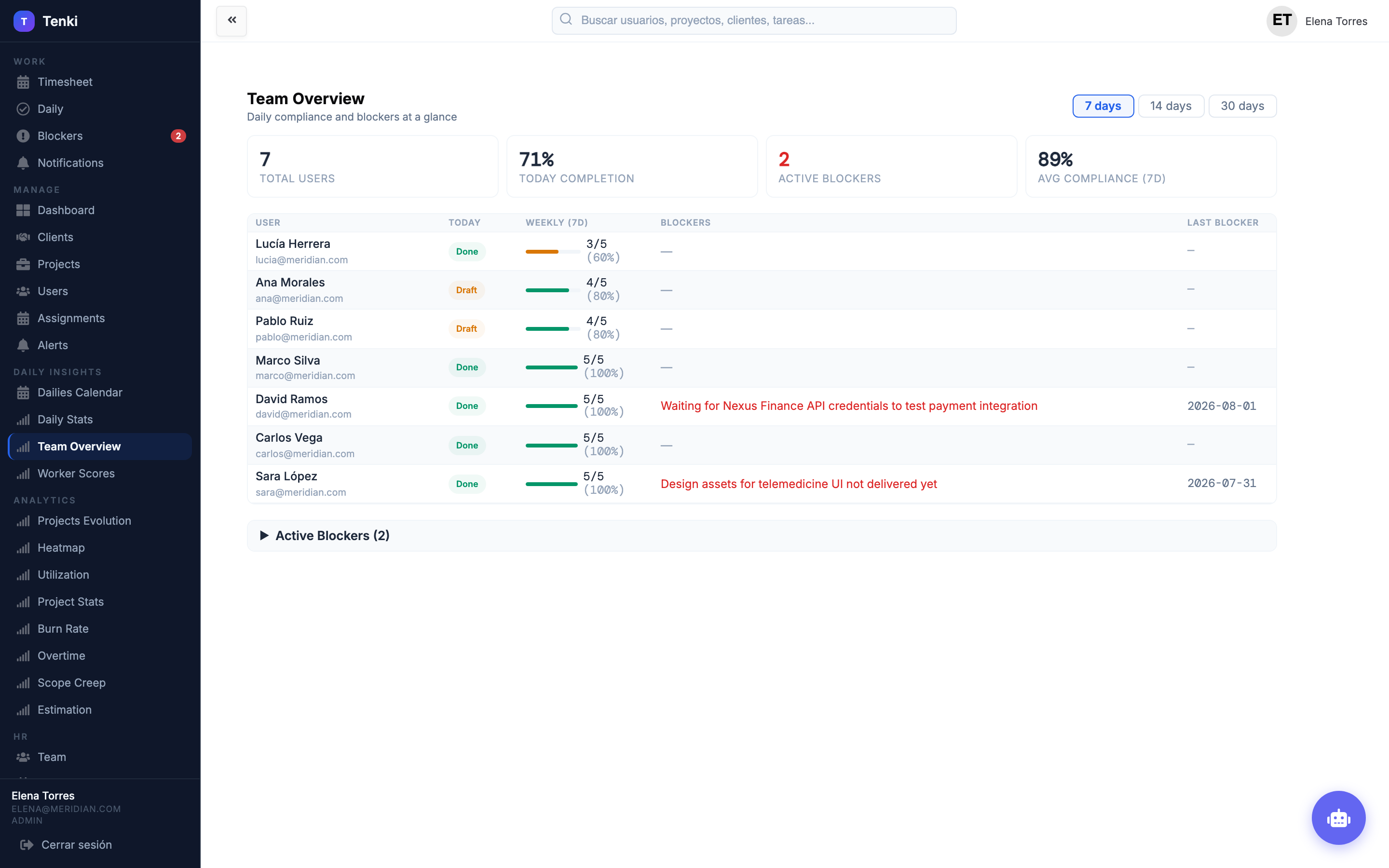
A compliance dashboard: who has logged hours and who hasn't. Weekly status colour-coded (draft, missing, OK). Active blockers visible to managers. No chasing over Slack or email.
- Compliance status per person
- Traffic-light colours by week
- Active blockers
- Automatic notifications
Frequently asked questions
Can I import from CSV?
Is there an approval flow?
Does it work on mobile?
Does it integrate with Google Calendar?
Does it work offline?
Want to see time tracking in action?
We'll walk you through a demo in 15 minutes.