Publiqa
From blog post to 9 networks, with human review
Publiqa reads Search Console, shows you the searches where you are close to the top and turns each one into a brief, an article and posts for your networks. In Google Ads it checks your campaigns every morning and drafts ads that never go out without your approval.
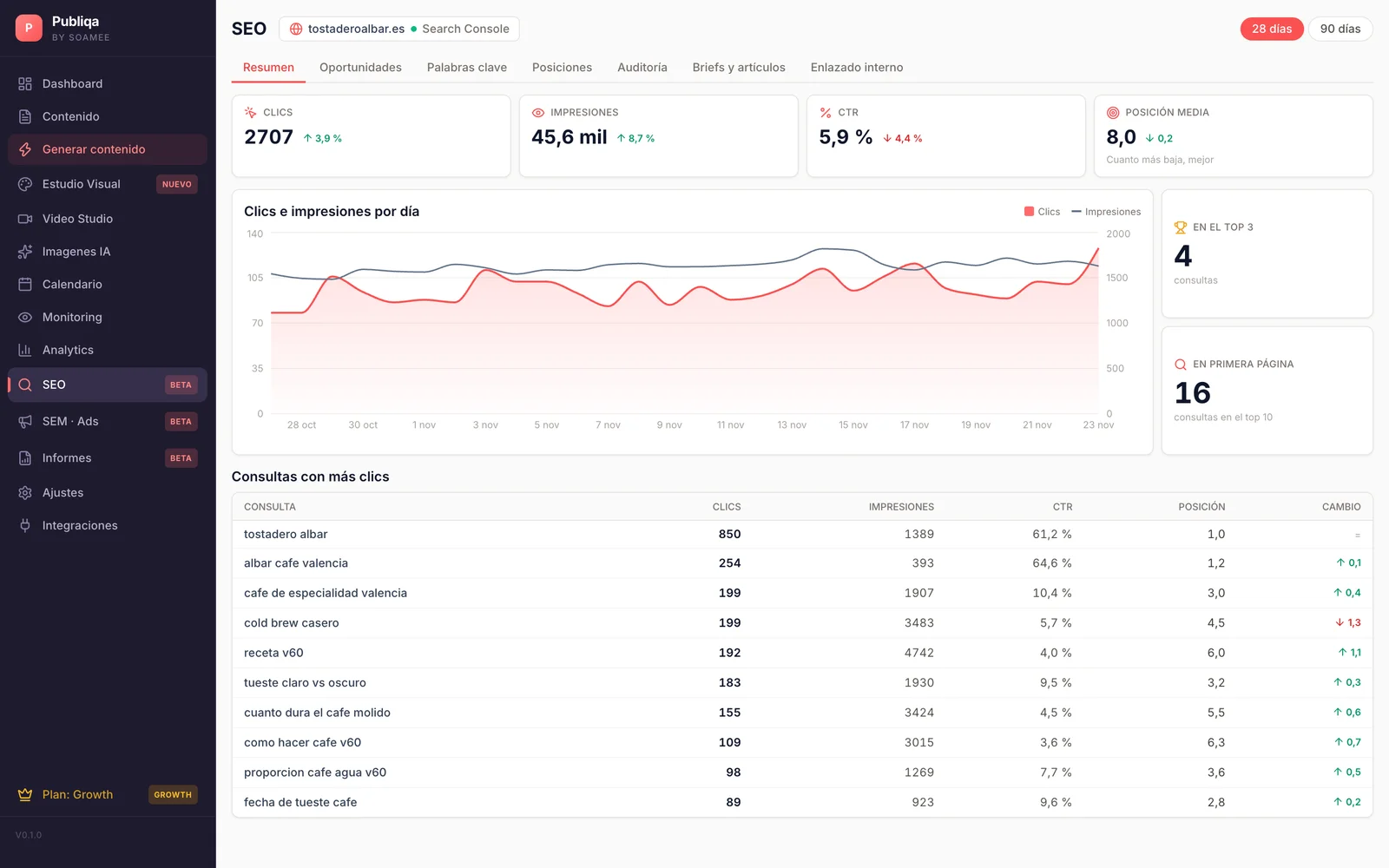
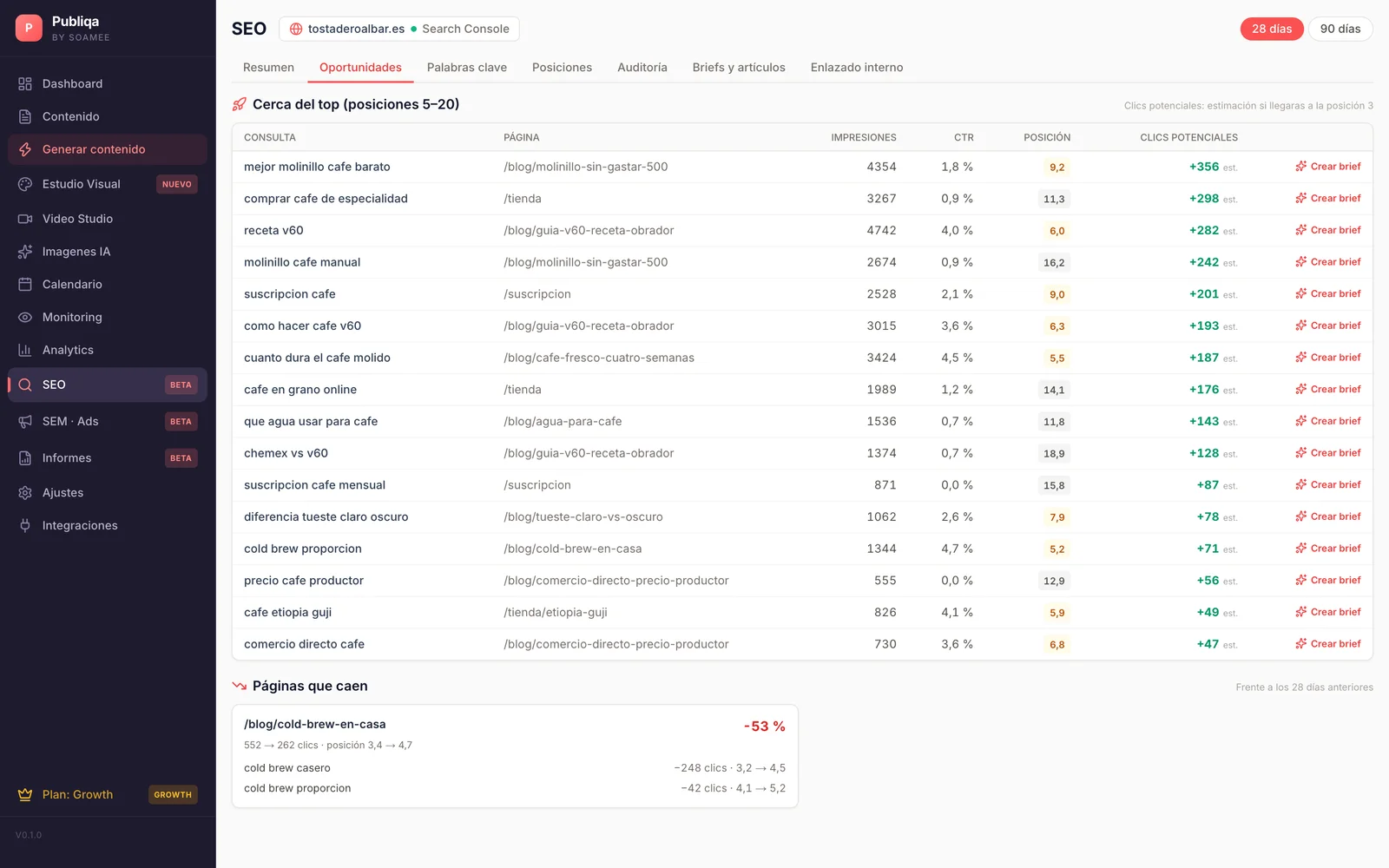
Queries in positions 5–20 with plenty of impressions, pages losing clicks and searches that already convert in Google Ads.
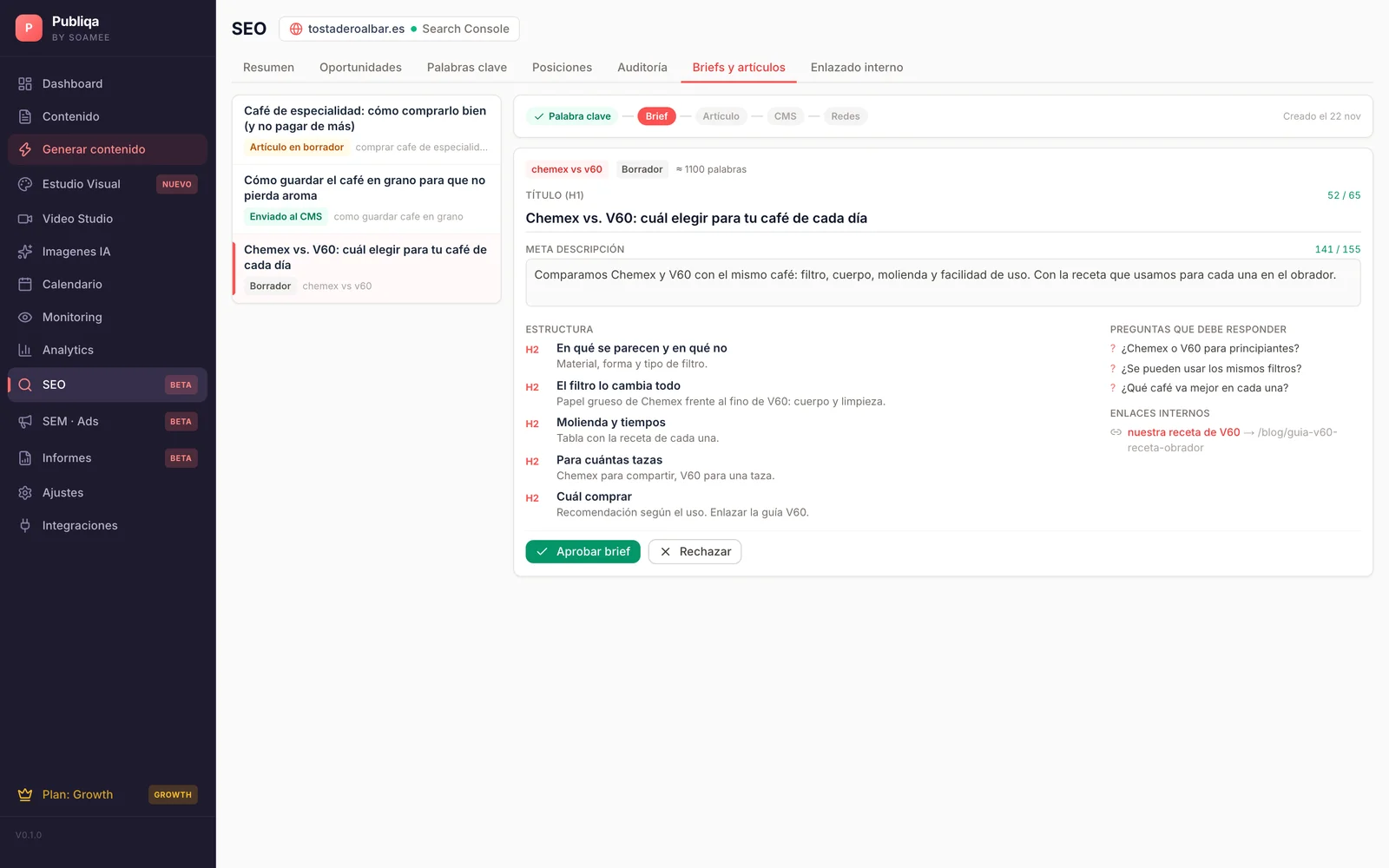
Title, meta description, sections, questions to answer and internal links to your own articles. You approve or reject it.
Written from the approved brief. Where a fact is missing, it leaves a marker for you to fill in: it does not make up numbers.
Once the article is approved, you send it to WordPress, Ghost, Webflow or your webhook. In WordPress it always lands as a draft.
When you publish it on your blog, Publiqa adapts it for your networks like any other article.
Moving from position 9 to 3 is usually worth more than starting from scratch. Publiqa ranks your near-the-top queries by the clicks you could gain and flags pages that are dropping compared with the previous 4 weeks, with the queries they lost.
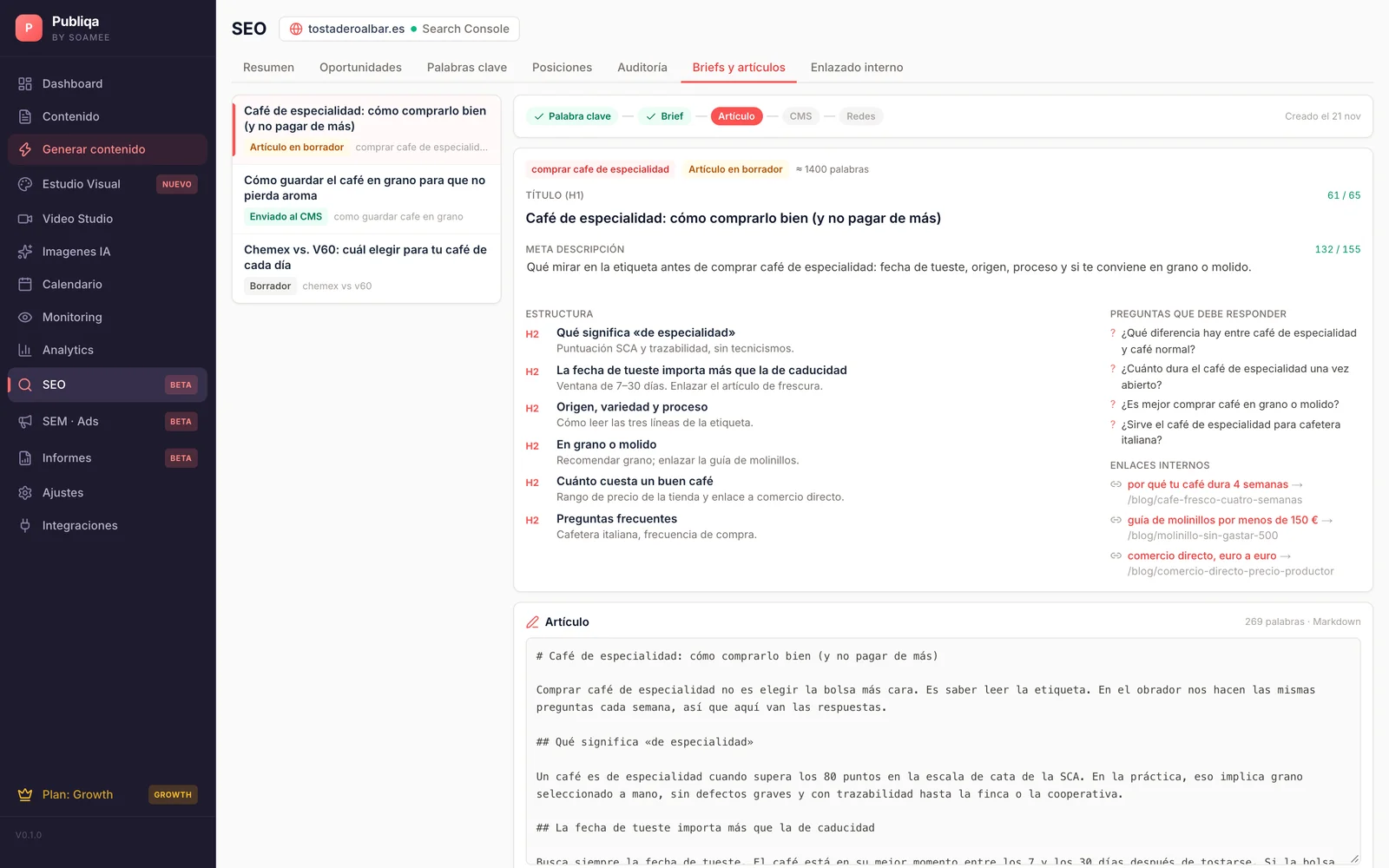
First you approve the brief, then the article. You see it all on one screen: structure, questions, internal links and the Markdown text, which you can edit before sending it.
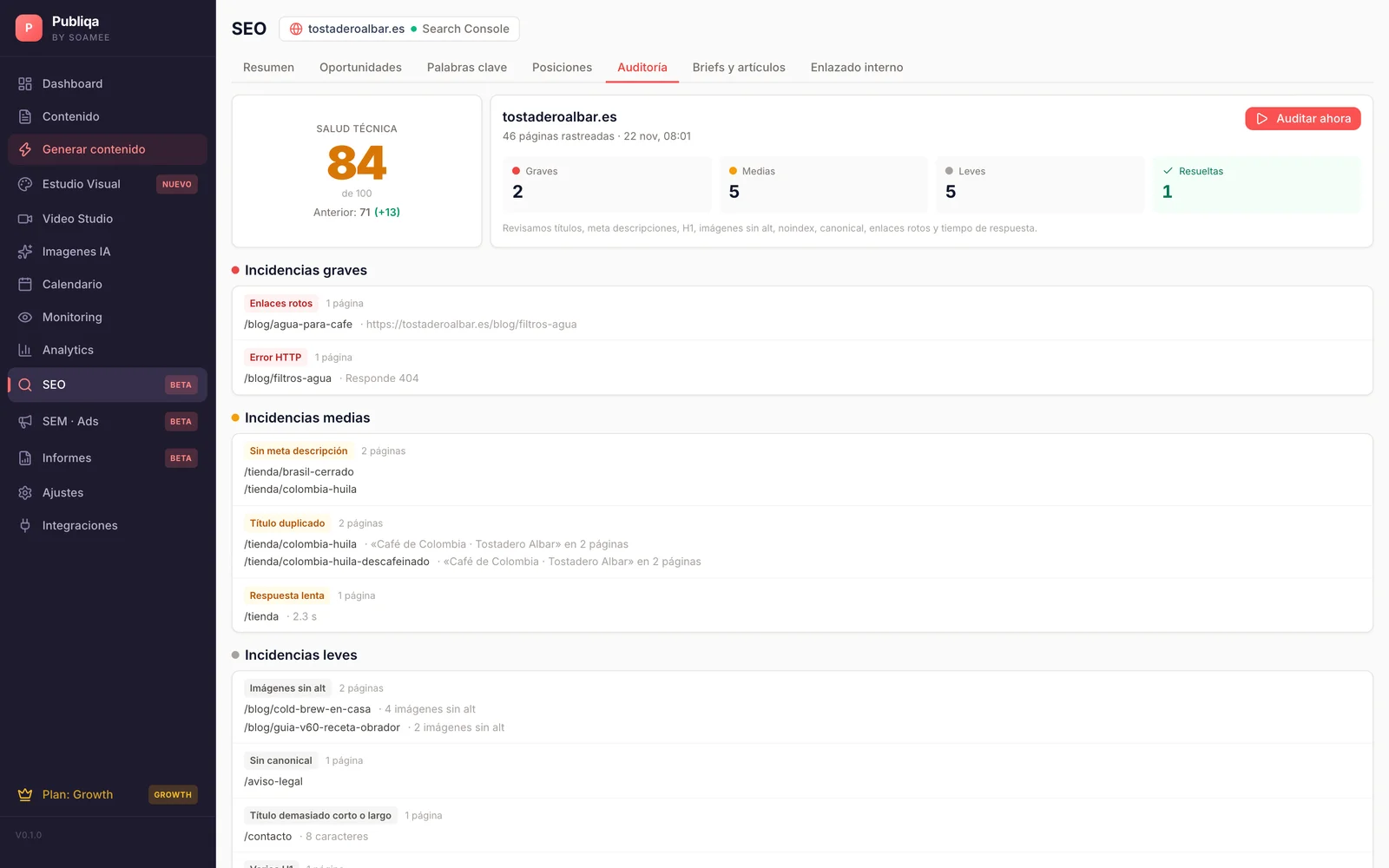
Publiqa crawls your site from the sitemap and checks titles, meta descriptions, H1s, images without alt text, noindex, canonical, broken links and response time. It gives you a score and compares it with the previous audit.
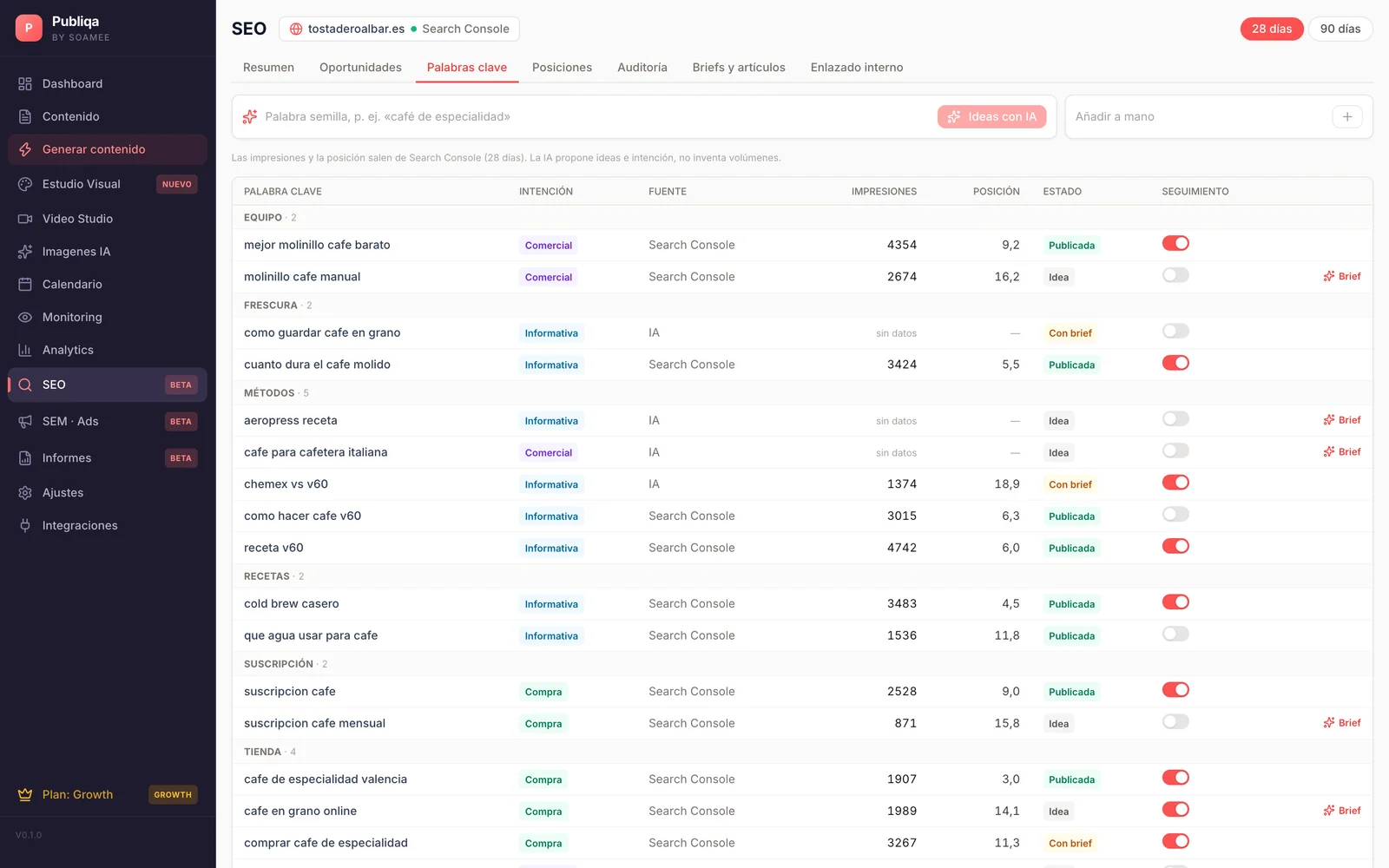
From a seed word, the AI suggests variants with their search intent and groups them by topic. Impressions and position come from your Search Console: the AI does not invent volumes. The ones you track show their day-by-day movement.
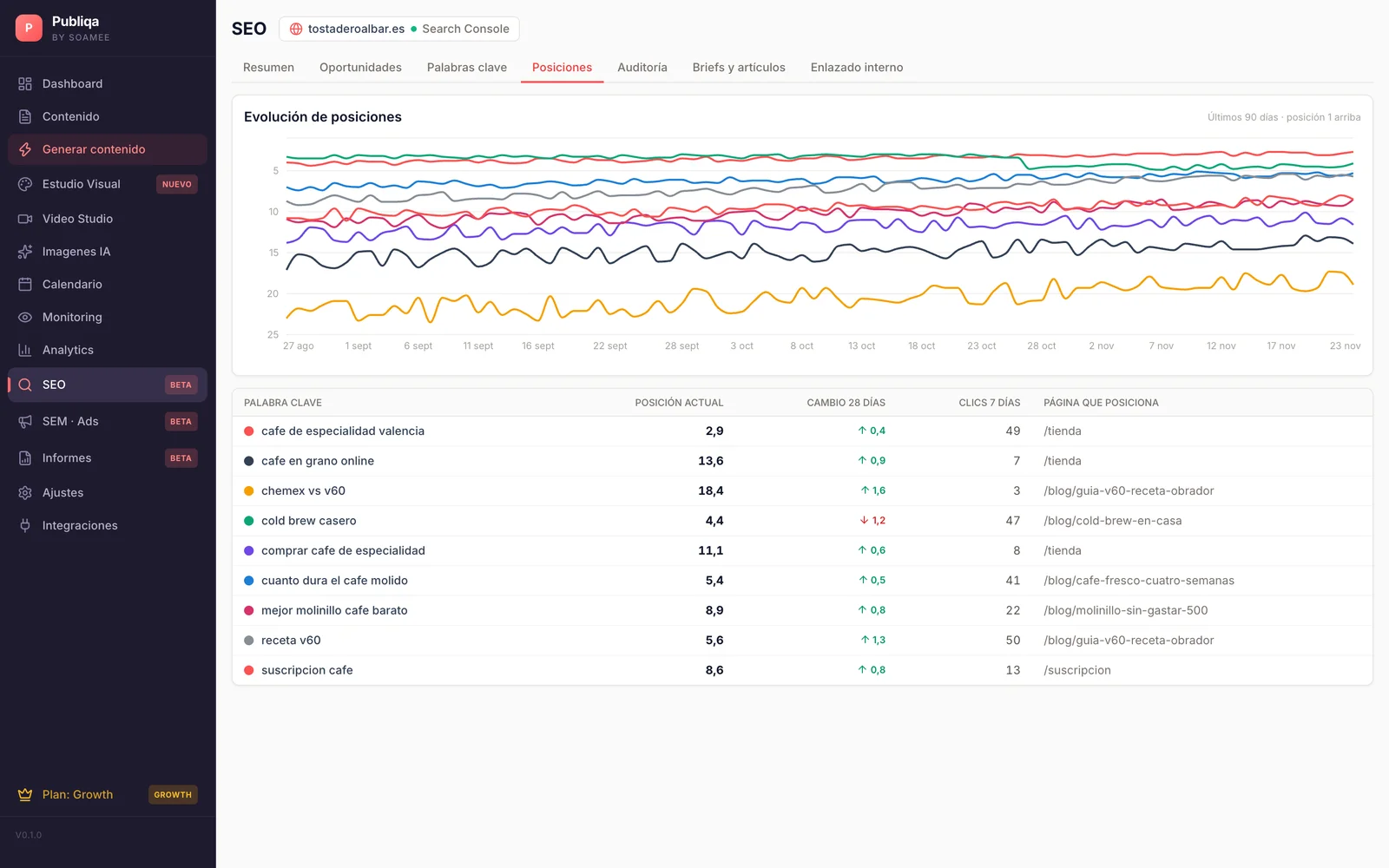
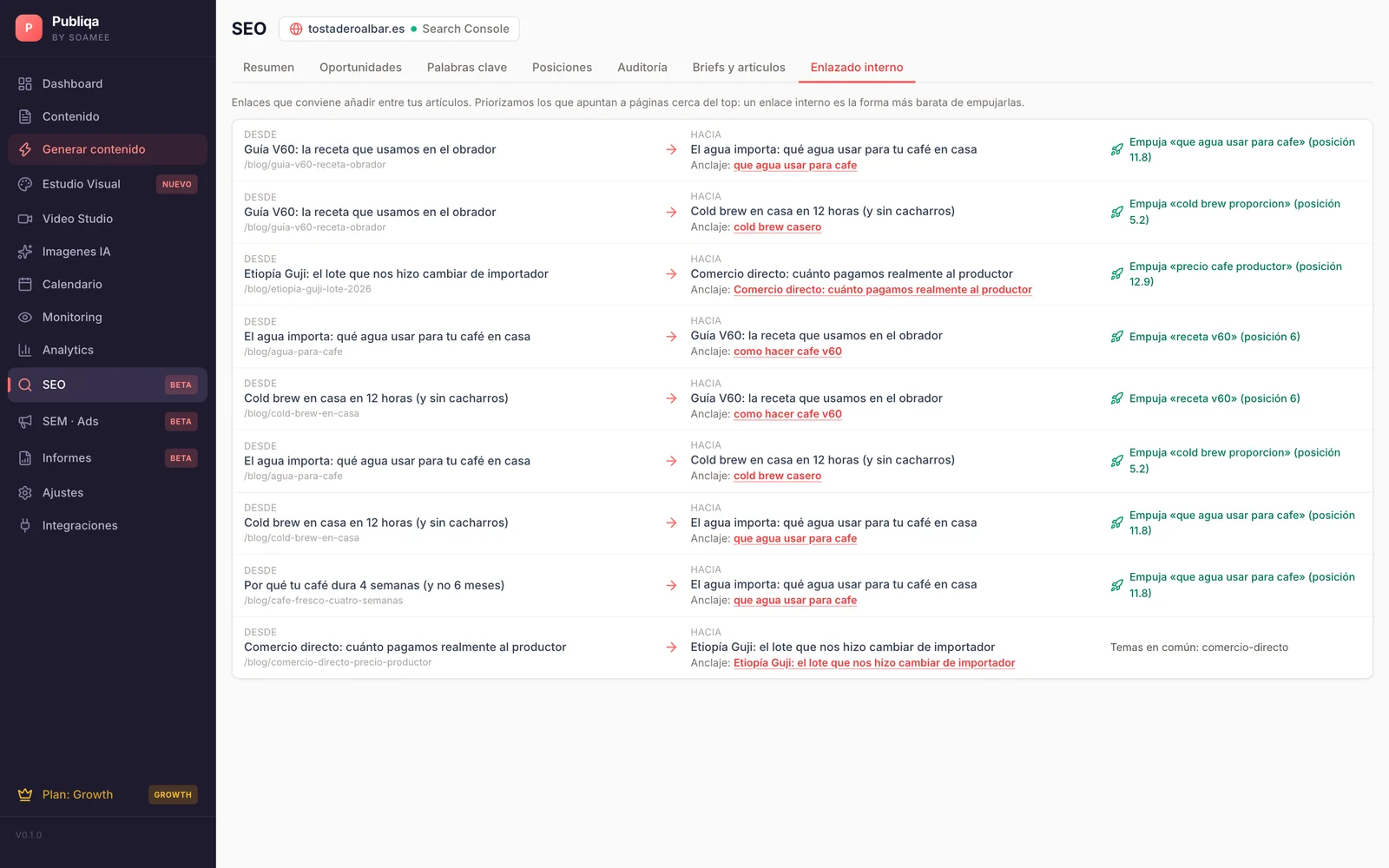
Real product screenshots with a sample brand. The interface is in Spanish.
Publiqa reviews your Google Ads campaigns every day: it warns you when something goes wrong, tells you which searches spend without converting and drafts ads that never go out without your approval.
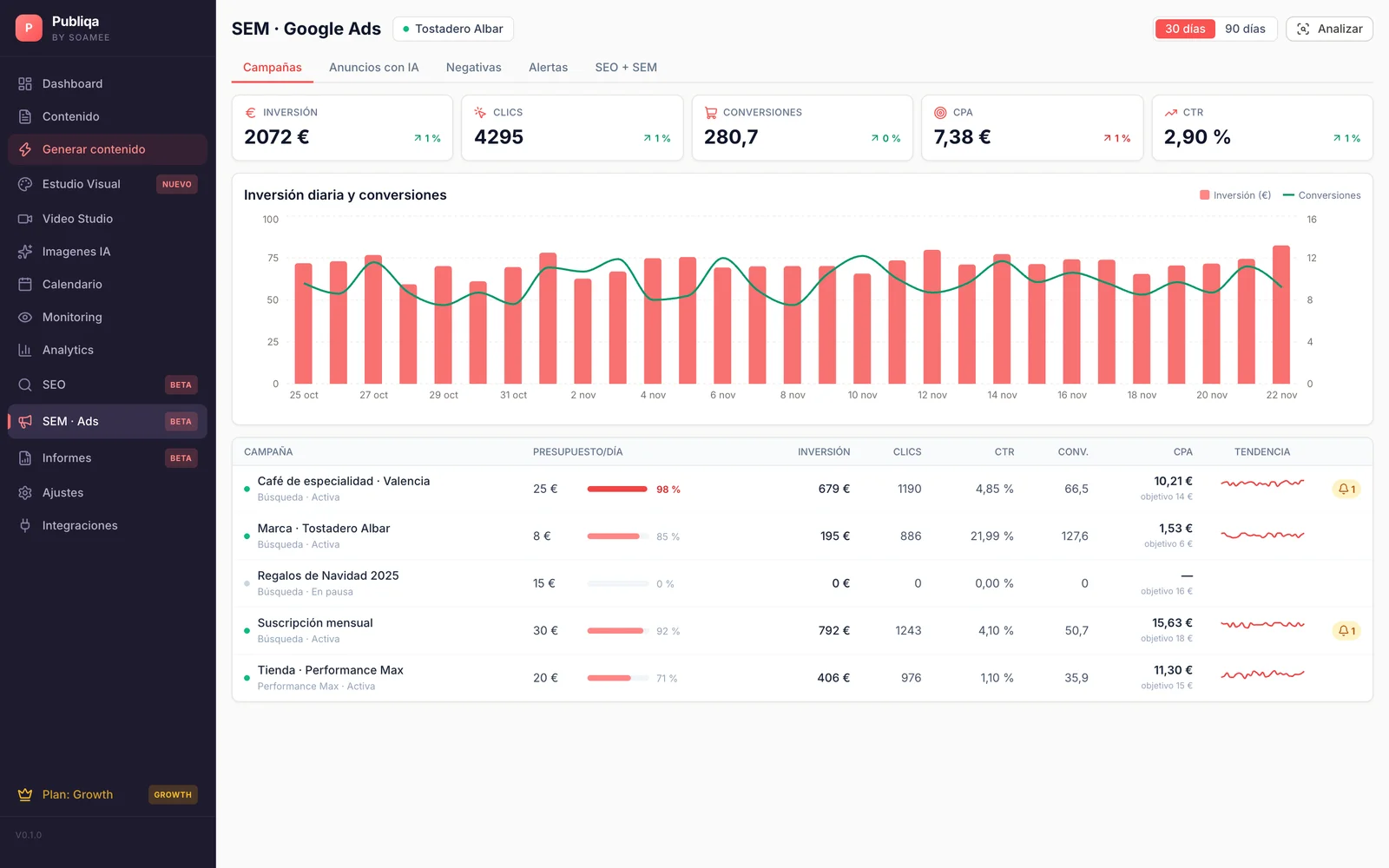
Spend, clicks, CTR, conversions and cost per conversion for each campaign, with budget use and trend.
Budget exhausted, cost per conversion spiking, CTR dropping or spend without conversions in the last 7 days.
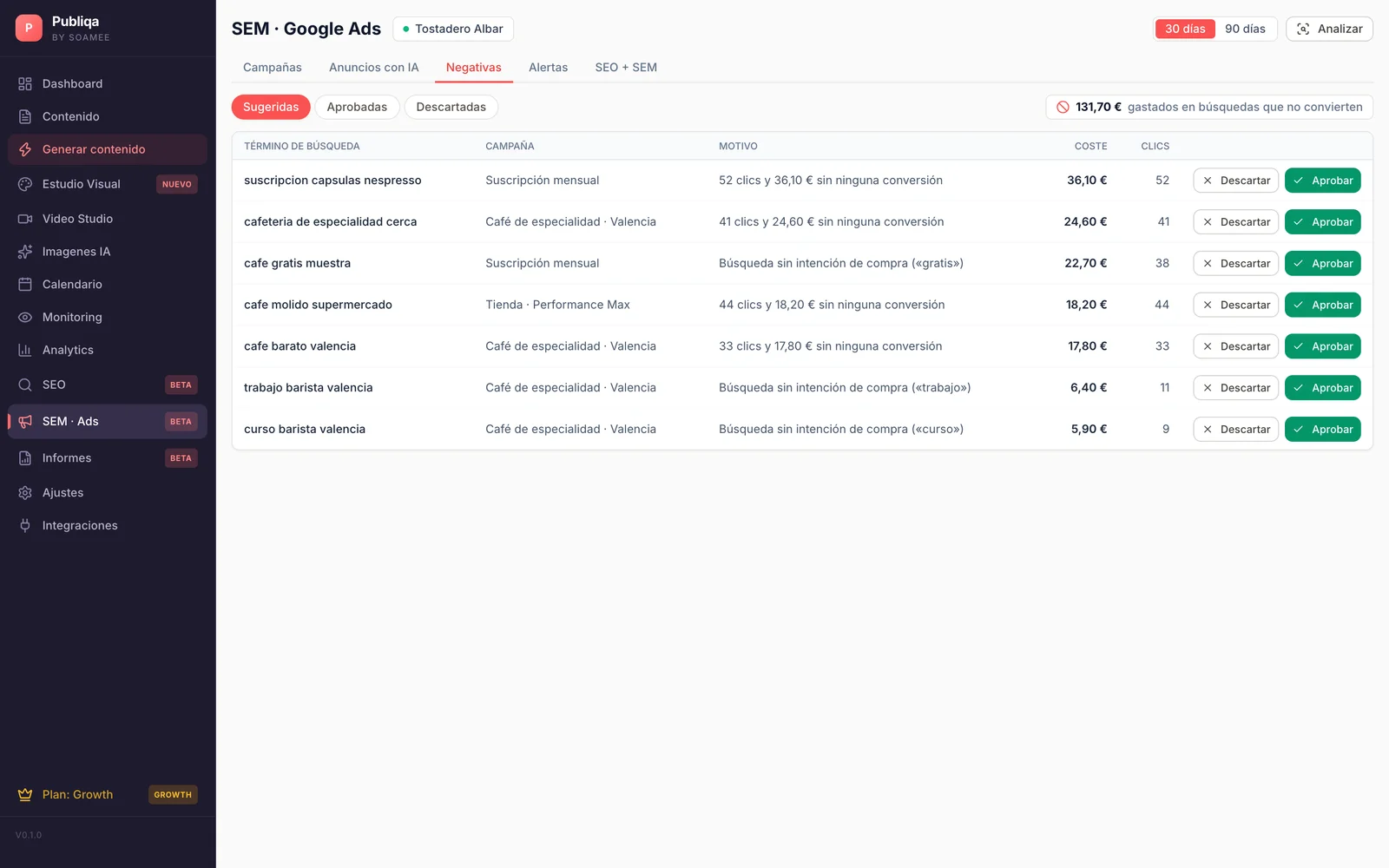
Searches with clicks and spend but no conversions, or with no purchase intent (free, jobs, course…). You approve or dismiss.
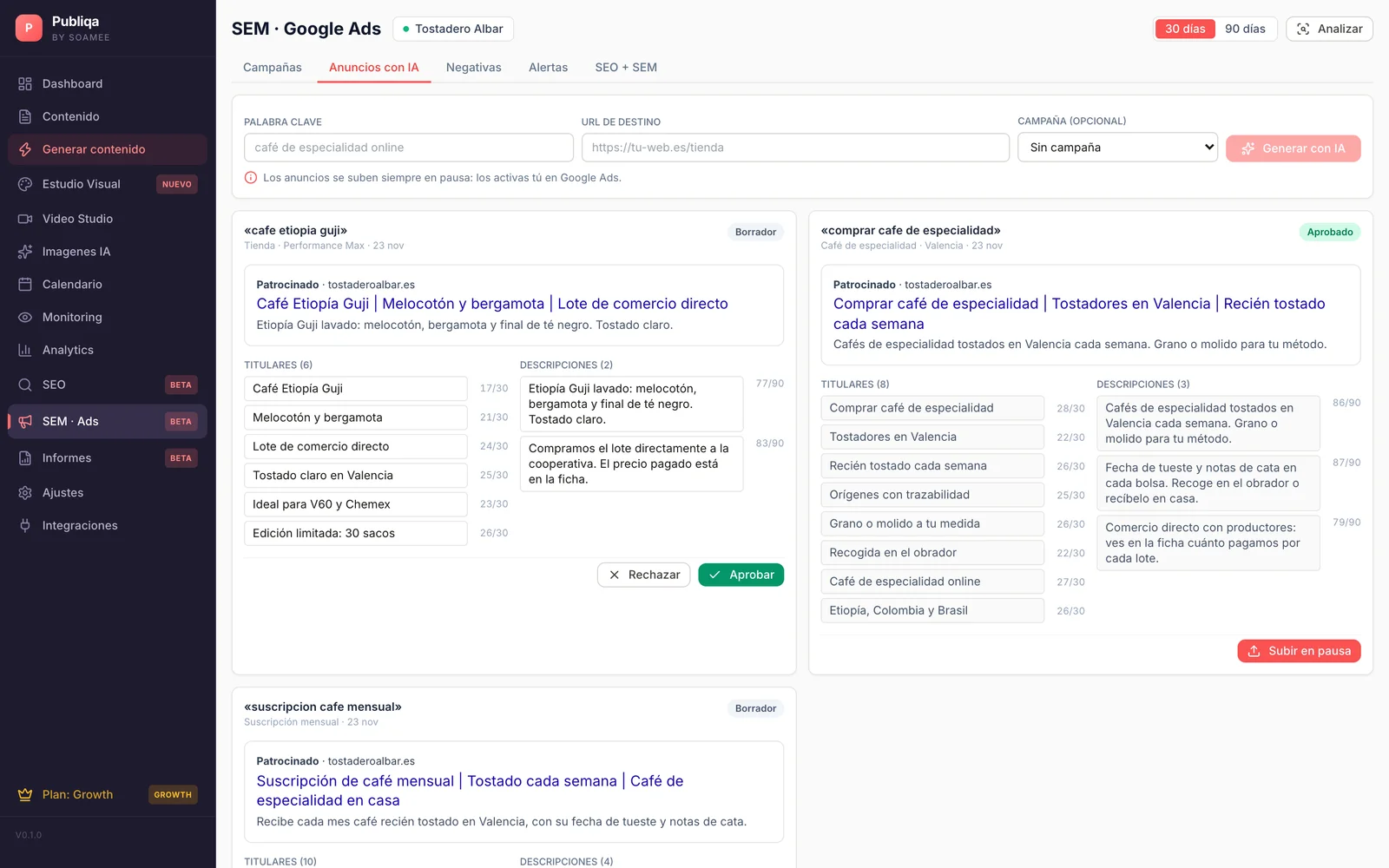
Headlines of up to 30 characters and descriptions of up to 90, based on your landing page. You edit and approve them.
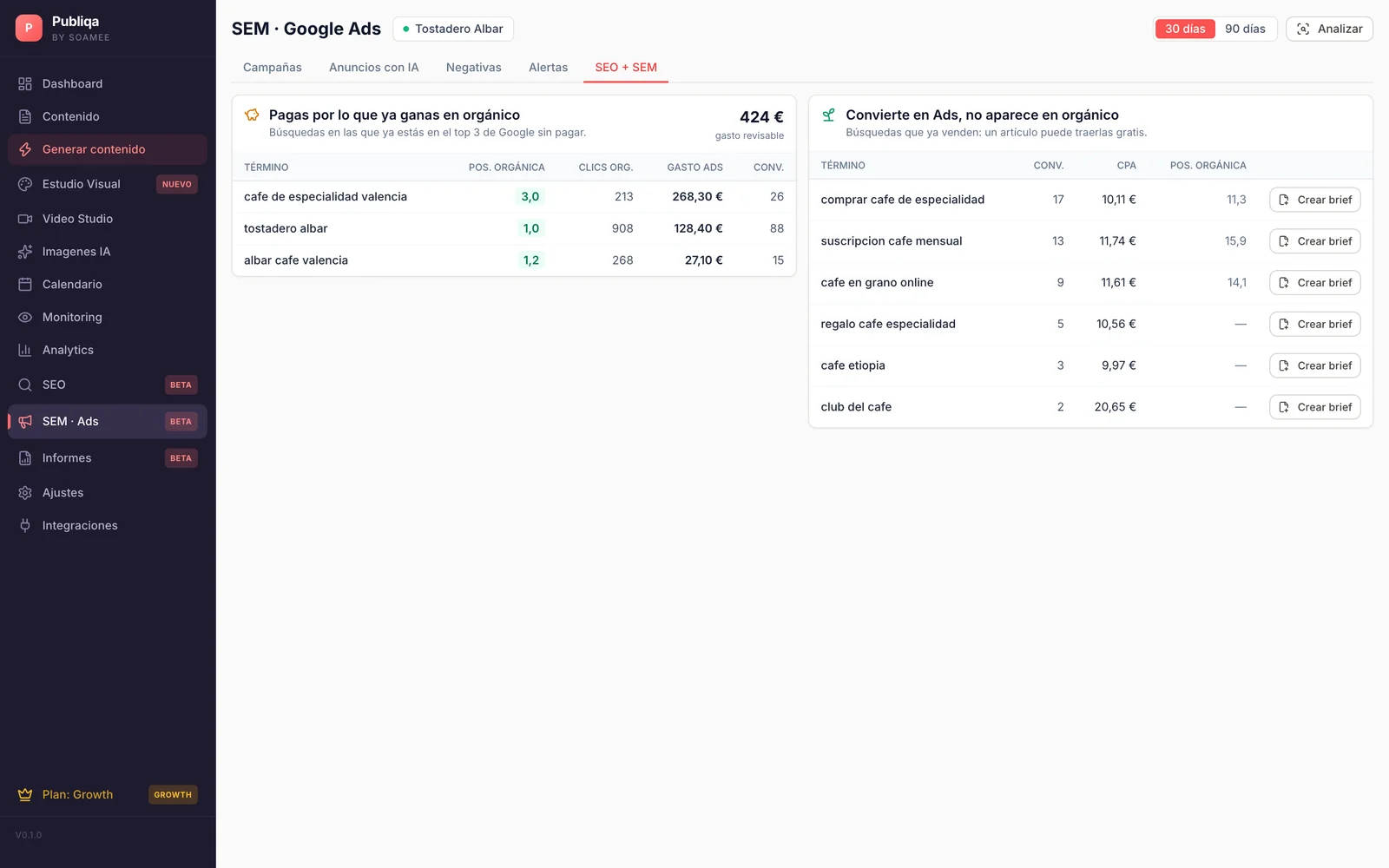
Searches you pay for although you are already in the organic top 3, and searches that convert in Ads where you do not rank organically.
Spend and results for each campaign next to your social and SEO, on one page.
You enter the keyword and the landing page. Publiqa reads the page and writes headlines and descriptions without promising prices or timelines that do not appear on it. You see a Google results preview and edit each text with its counter.
Every morning Publiqa goes through the search terms of the last 30 days and the figures of the last 7. What it finds reaches you as a suggestion: you decide.
If you already rank first organically for your brand, you may not need to pay for it. And if a search converts in Ads but you do not rank organically, it is a good candidate for an article: one click creates its brief.
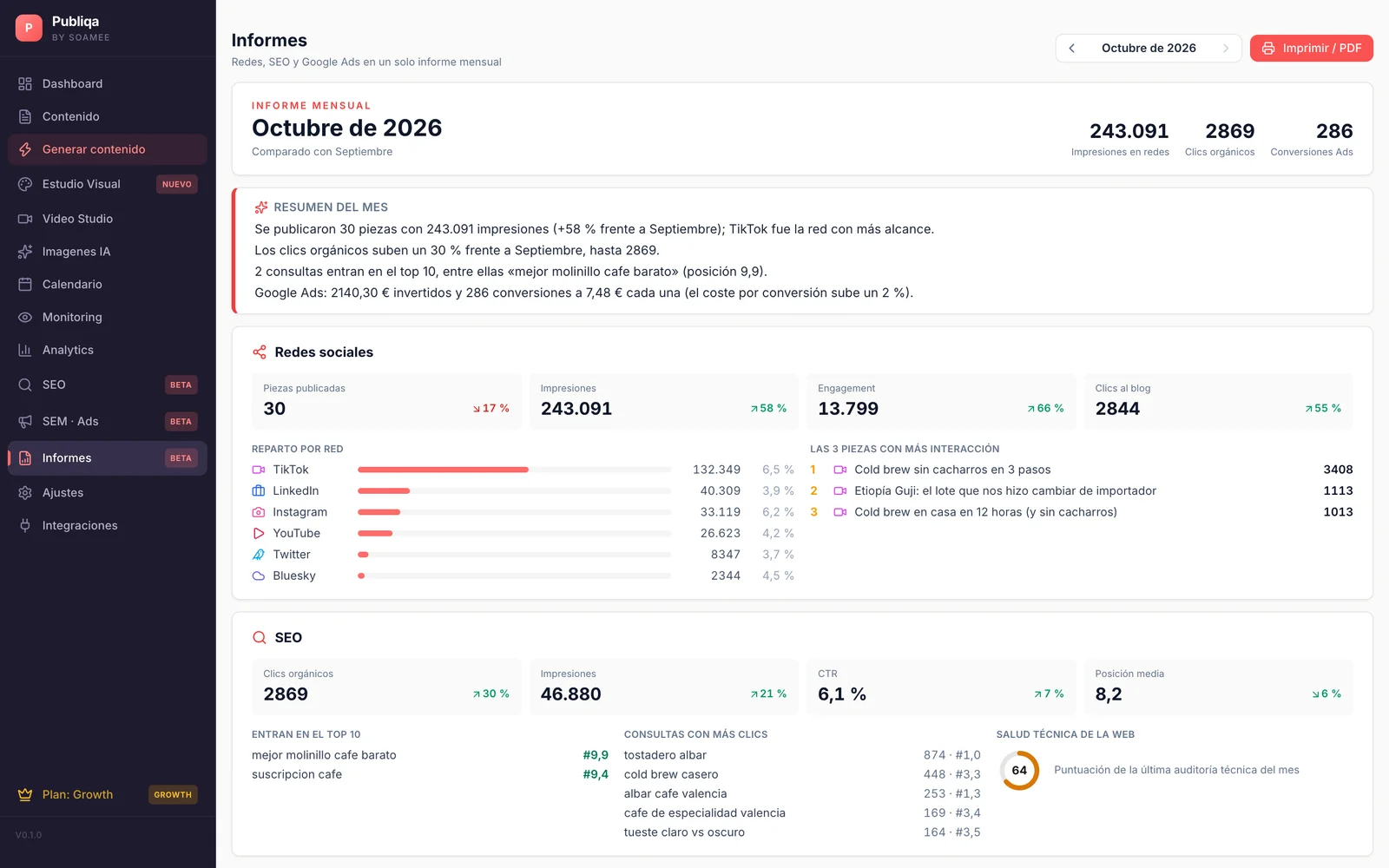
You pick the month and Publiqa brings together what you posted on social, organic traffic and Google Ads spend, with the change against the previous month. The SEO and Ads parts fill in once you connect Search Console and Google Ads.
The technical audit, keyword ideas, AI briefs and articles, sending to your CMS and internal linking already work with your site and your blog. Search Console data (overview, opportunities and rankings) and Google Ads data switch on once Google approves Publiqa’s access, and we connect them with you. Uploading approved ads and negatives to your account will come with that access. It is included in the Growth and Enterprise plans, and we agree the scope in the demo.
The SEO and Google Ads pages, the plans and the demo are on publiqa.soamee.com.
From blog post to 9 networks, with human review
In the demo we audit your site and walk you through the flow with one of your topics.