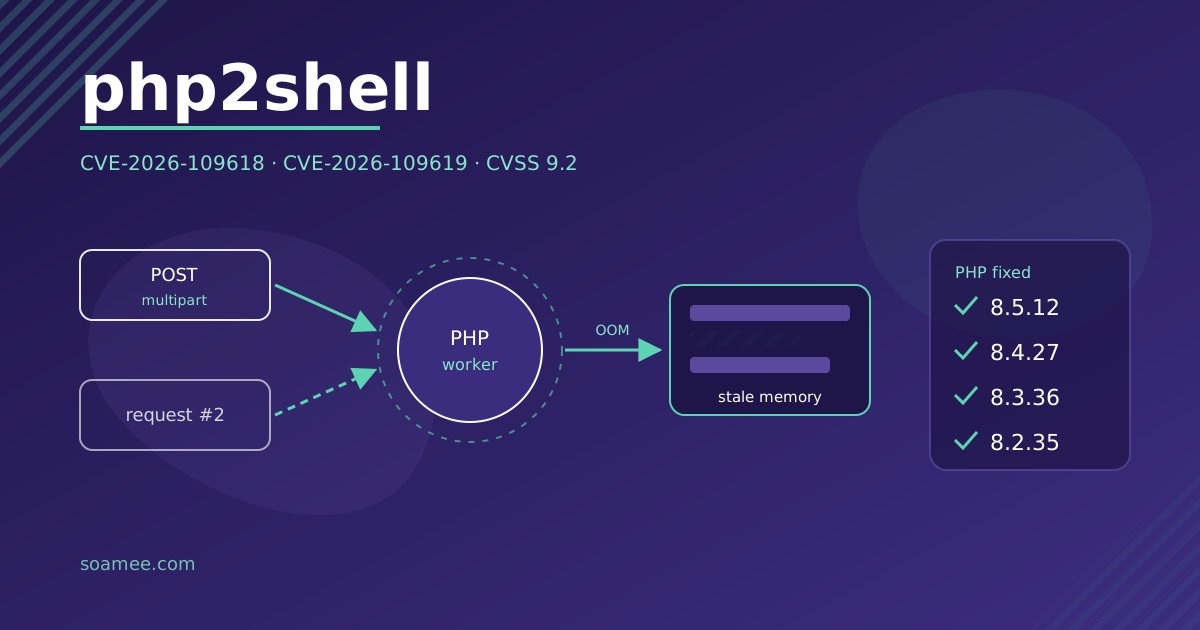
On 21 October 2026 the PHP project released patches for two critical vulnerabilities, CVE-2026-109618 and CVE-2026-109619, known as php2shell. An attacker with no username or password can send crafted HTTP requests to read server memory and run code with the permissions of the web process. If your site runs on WordPress, PrestaShop, Drupal, Joomla, Magento or Laravel, it runs on PHP and it is affected.
The fixed versions are 8.5.12, 8.4.27, 8.3.36 and 8.2.35. If your server runs anything older, updating is today’s job.
What happened, in plain language
Both are bugs in how PHP handles memory while serving a web request.
- CVE-2026-109618 (running out of memory mid-request). If PHP runs out of memory while it is setting up the request data, the cleanup that follows treats invalid data as valid. An attacker triggers it with multipart requests (the ones forms with file uploads send) built to exhaust memory even though their size looks within limits. Advisory: GHSA-w8hw-w9fx-j79w.
- CVE-2026-109619 (state that survives between requests). A fatal error, such as running out of memory or hitting the time limit, interrupts the cleanup. Some internal state is freed but still reachable, and the next request handled by the same process uses it. Huntress describes it as an unauthenticated heap use-after-free with memory disclosure and remote code execution. Advisory: GHSA-6wmf-4rv5-p3rp.
Both score 9.2 out of 10 on CVSS v4.0 (critical). The post that leaked before publication said 10.0; the official score is 9.2.
The memory leak has a practical consequence: whatever the PHP process has loaded (database passwords, tokens, API keys, certificates) can end up with whoever exploits the bug. Wiz has demonstrated unauthenticated remote code execution against WordPress, Drupal and Joomla, as well as that leak path.
Who is affected
According to php.net, every PHP installation that serves web requests: PHP-FPM, Apache with mod_php, php-cgi, FrankenPHP and LiteSpeed. The risk is highest with mod_php: Rapid7 explains that there the bug can be exploited before any application code runs, so no WordPress security plugin will stop it.
By version:
| PHP branch | Fixed version | Status |
|---|---|---|
| 8.5 | 8.5.12 | Supported |
| 8.4 | 8.4.27 | Supported |
| 8.3 | 8.3.36 | Supported |
| 8.2 | 8.2.35 | End of life on 31 Dec 2026 |
| 8.1, 8.0, 7.4 | No official release | Source-code backports only |
PHP powers 69.7% of websites whose server-side language is known, according to W3Techs as cited by Infosecurity Magazine. If your site was built from a WordPress template and nobody has touched it since handover, it is most likely still on an unpatched PHP version.
How to check your PHP version
Three ways, from easiest to most reliable:
- Hosting control panel. cPanel, Plesk or your provider’s own panel usually has a “PHP version” or “PHP Selector” section. WordPress also shows it under Tools → Site Health → Info → Server.
php -vover SSH. Careful: this shows the command-line version, which may not be the one serving the website. On servers with several versions installed they often differ.phpinfo(). A fileinfo.phpcontaining<?php phpinfo();in the web root shows the version and the SAPI actually serving requests (the “Server API” line tells you whether it is FPM, Apache 2.0 Handler, which is mod_php, CGI or LiteSpeed). Delete it as soon as you have looked: that file shows anyone your server configuration.
If you use your Linux distribution’s packages (Debian, Ubuntu, RHEL and derivatives), the version number may not match the table even when the patch is applied: LTS distributions received the patches earlier and ship them under their own numbering. Check your distribution’s security advisory for the PHP package.
Shared hosting or VPS. On shared hosting the provider controls the PHP binary and the global php.ini: you choose a branch in the panel, but the provider applies the patch. Ask them in writing whether they have already moved to the fixed versions. On a VPS or dedicated server, you do it yourself, or whoever maintains it for you does.
What to do now
1. Update
Move to 8.5.12, 8.4.27, 8.3.36 or 8.2.35, or install your distribution’s patched package. Then restart every PHP process (the php-fpm service, Apache if you use mod_php, LiteSpeed). As long as the old processes are alive, the vulnerable code is still running.
If you are on 8.2, the patch covers you now, but that branch stops receiving fixes on 31 December 2026. Plan the move to 8.3 or later now.
2. If you are on PHP 8.1 or older
The PHP project no longer releases versions for 8.1, 8.0 or 7.4. It has published minimal source-code backports, in branches on its GitHub, for people who compile PHP themselves. If that is not you, there are two options: a provider or distribution that still supports that version, or migrating the application to 8.3 or later. A migration can break plugins or old code, so test it on a copy before touching production.
3. Temporary mitigations while you update
These are the ones published by the PHP project. They reduce exposure; they do not replace the update:
session.upload_progress.enabled = 0inphp.inior in the PHP-FPM pool configuration, then restart all workers. Setting it withini_set()or in a.user.inifile does not work.- On PHP 8.5, also:
fatal_error_backtraces = 0. - Against memory exhaustion: limit request size and the number of fields, parts and headers in the web server or proxy. If the site takes no file uploads,
post_max_size = 8M; if it does,32M.
On shared hosting you probably have no access to php.ini or the pool, so the mitigation is also your provider’s job.
If you cannot update or suspect an attack
The UK’s NCSC advises that if you cannot update, you should look for signs of compromise and backdoors, and that if you cannot apply the mitigations either, you should consider taking the system offline. A site that is down for a day costs less than one that serves malware or leaks your customers’ data.
What to look for on a PHP site:
- New or modified
.phpfiles in folders where they do not belong, such aswp-content/uploadsor cache directories. - Administrator accounts nobody created.
- Scheduled tasks (cron) or processes you do not recognise.
- Out-of-memory or timeout fatal errors in the PHP logs from 20 October onwards, especially on multipart POST requests.
If you find anything, or if your server was exposed unpatched, rotate the secrets the PHP process held in memory: database password, API keys (payment gateway, email, CRM), tokens and, if the same process serves the TLS certificate, its key as well. Because of the memory leak, updating does not undo whatever has already leaked. If the site already shows signs that someone got in, our hacked website page covers what to do in the first hour.
Timeline
- 20 October: a Hacker News post publishes the CVE IDs before the embargo ends.
- 21 October, 14:00 UTC: the PHP project brings the patch release forward.
- 21 October: the NCSC (UK) and CERT-EU issue alerts. Rapid7 warns that it expects exploitation and that several teams are reproducing it.
- 21 October, 16:30 US Eastern: Huntress reports no exploitation observed among its customers.
No observed exploitation on 21 October gives you no slack: the IDs are public and teams are reproducing the bug.
The other advisories from that week (Node.js, NGINX, GitLab, Railway, LiteLLM and the GoDaddy and eMudhra certificates) are in the October 2026 vulnerabilities roundup.
If you would rather we handle it
At Soamee we maintain PHP applications and servers for clients, and we can take care of this update for you. The process is the one described above, applied to your setup:
- Inventory: which sites and servers you have, which PHP version and SAPI each one uses, and who controls each server (you or the hosting provider).
- Immediate mitigation wherever the update cannot happen the same day.
- Update to the fixed version, or a migration plan if you are on 8.1 or older, tested on a copy first.
- Verification that the site serves requests on the new version and that no old processes are still running.
- Review for signs of compromise and secret rotation if needed.
No update can guarantee that a server was not compromised before it was patched, which is why step 5 is on the list. If you want us to look at it, get in touch or book a free consultation. If you are looking for ongoing maintenance, see our cloud and DevOps or web development services.