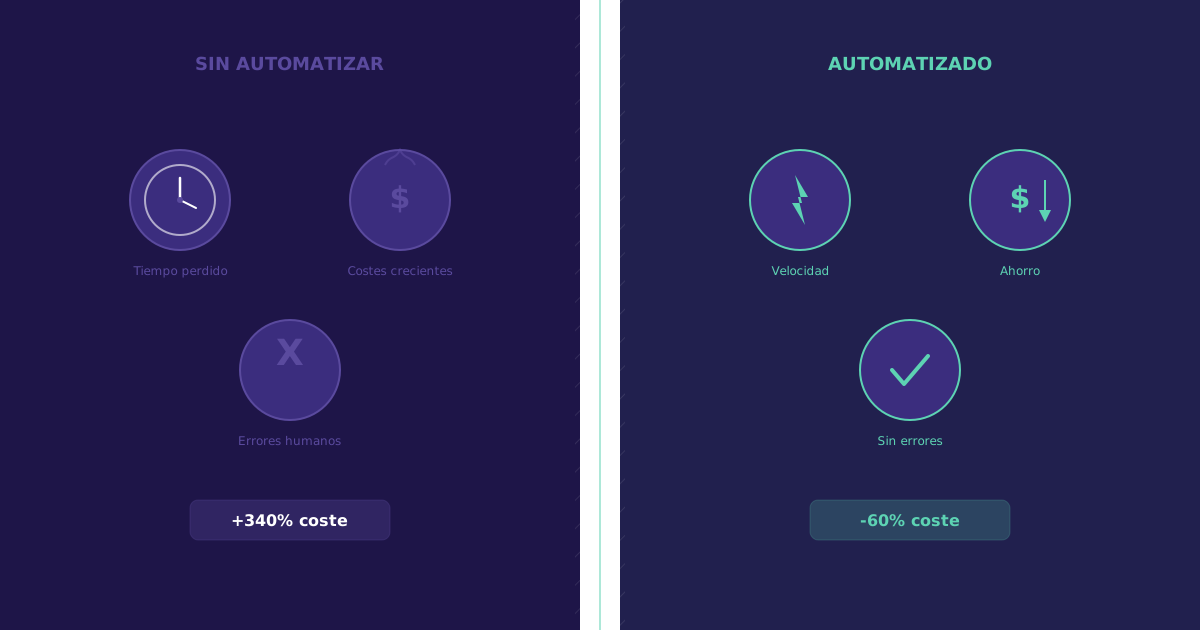
Let’s talk numbers. Not vague promises about “efficiency” or “digital transformation.” Real numbers you can calculate with your own company’s data that will show you exactly how much money you lose each month by maintaining manual processes.
At Soamee we have audited the processes of more than 40 companies in the last three years. The most surprising result is not how much you can save with automation (clients already expect that). What’s surprising is how much money they were losing without knowing it. The average company we audit discovers between 3,000 and 12,000 EUR monthly in hidden costs from manual processes.
This article will help you conduct that same audit internally, with concrete formulas and reference data from real projects.
The Iceberg of Manual Process Costs
When you think about the cost of a manual process, you normally think only about employee time. But that is just the tip of the iceberg. Real costs accumulate in layers that are rarely measured:
Visible costs (the tip of the iceberg)
- Employee time dedicated to the task
- Tool costs (Excel licenses, paper, printers)
Hidden costs (the 80% you don’t see)
- Errors and corrections: Each manual error generates a chain of costs (detection time, correction, client communication, possible compensation).
- Opportunity cost: The time a qualified employee spends on repetitive tasks is time not spent on high-value activities.
- Cascading delays: A slow manual process affects all processes that depend on it.
- Staff turnover: Employees who spend their day doing repetitive tasks become demotivated and leave. The cost of replacing an employee is 6-9 months of their salary.
- Inability to scale: When you grow, manual processes grow linearly. Each new customer requires more hours, more staff, more errors.
Visual Breakdown: How Much You Lose Each Month
The following diagram shows a typical monthly cost breakdown for non-automated processes in a 30-employee company. Purple bars represent current waste and green bars represent potential savings with automation.
Monthly Cost of NOT Automating (30-employee company)
Estimated annual savings: 88,560 EUR | Employee hourly cost used: 20 EUR
These numbers are not theoretical. They are averages from audits we have conducted in companies of 20-50 employees in sectors such as distribution, professional services, and manufacturing.
The 6 Hidden Cost Categories, Explained
1. Manual data entry: the silent drain
Manual data entry is probably the most expensive process in your company, and nobody sees it as a problem because “it has always been done this way.”
What it includes: Entering order data into the ERP, copying information from emails to spreadsheets, transcribing data from paper forms to digital systems, manually updating customer records.
Why it’s so expensive: on top of the time, the rest of the cost adds up:
- An employee entering data makes errors in 3-8% of records
- Each error takes an average of 15 minutes to detect and correct
- If the error reaches the customer (incorrect invoice, wrong order), the cost multiplies by 10
Real example: A logistics company had 3 people dedicated to entering delivery notes into their system. We automated the capture with OCR (optical character recognition) and direct integration with the TMS (Transportation Management System). Result: the 3 people were reassigned to coordination and quality control tasks. Transcription errors dropped from 6% to 0.3%.
2. Error correction: the invisible tax
For every hour spent entering data manually, an additional 0.2 to 0.5 hours are spent detecting and correcting errors. This creates a vicious cycle: more volume generates more errors, which generate more corrective work, which takes time away from doing the primary work properly.
The most costly error types:
- Invoicing errors: An incorrect invoice not only generates administrative work. It deteriorates the client relationship and can delay collection by weeks.
- Inventory errors: Discrepancies between actual and recorded stock generate stockouts (lost sales) or overstock (tied-up capital).
- Order errors: A wrongly entered order generates returns, re-shipments, and an unsatisfied customer. Average cost per order error: 50-150 EUR.
3. Report generation: hours that add no value
If your team spends hours every week or month manually preparing reports (copying data from different sources, formatting in Excel, creating charts, reviewing them), you are wasting qualified time on tasks a system can do in seconds.
The real problem is not the time: It’s that manual reports arrive late and with outdated data. When the CEO receives the monthly report on the 15th of the following month, they are making decisions with 6-week-old data. In a competitive environment, that’s a critical disadvantage.
The alternative: Real-time dashboards connected directly to your data sources. Tools like Metabase (open source), Looker, or Power BI can generate automatic reports that update every hour. The team stops preparing reports and dedicates itself to analyzing them and acting.
4. Manual customer follow-up: opportunities slipping away
Every lead that isn’t followed up at the right moment is a potential lost sale. Every customer that doesn’t receive proactive follow-up is a candidate to leave for the competition.
Manual follow-up numbers:
- 35-50% of sales go to the supplier that responds first
- Average response time to a lead in non-automated companies: 42 hours
- Average response time with automation (auto-responder + routing): 5 minutes
- Average conversion increase when reducing response time from hours to minutes: 21%
What you can automate:
- Immediate form responses: An automatic email confirming receipt with relevant information (prices, catalog, FAQ) sent in seconds.
- Nurturing sequences: Scheduled automatic emails to maintain contact with leads not yet ready to buy.
- Inactivity alerts: If a regular customer hasn’t purchased in 30 days, an automatic alert to the responsible salesperson.
- Renewals and upselling: Automatic reminders when a contract or service renewal date approaches.
5. Document management: time lost searching
According to IDC studies, the average employee spends 20% of their workday searching for information they need to work. In a company without digitalized document management, this percentage can rise to 30%.
Calculate your loss:
- 30 employees x 8h/day x 20% searching = 48 hours/day wasted
- 48h x 20 EUR/hour x 22 working days = 21,120 EUR/month
Even assuming a more conservative 15%, we’re talking about more than 15,000 EUR monthly in wasted time.
Practical solution: You don’t need an enterprise document management system. For many SMBs, a combination of Google Drive/SharePoint with a well-defined folder structure and a search tool can reduce search time by 70-80%.
6. The cost nobody calculates: staff turnover
Employees who spend their day doing repetitive and tedious tasks leave. That’s a fact rarely included in automation ROI calculations, but it can be the highest cost of all.
Reference data:
- Average cost of replacing an employee: 6,000-15,000 EUR (including recruitment, training, and productivity loss)
- Turnover rate in highly manual roles: 25-35% annually
- Turnover rate in roles with modern digital tools: 10-15% annually
If you have 5 people in highly manual roles and lose 1-2 per year, you’re spending 6,000-30,000 EUR annually just on replacements. Not counting the knowledge that leaves with them.
What Processes to Automate First: The Prioritization Matrix
You can’t automate everything at once. You need to prioritize. At Soamee we use a two-axis matrix to decide where to start:
X-Axis: Ease of automation
- Easy: Standardized processes with clear rules and few exceptions. Example: invoicing, follow-up email sending, report generation.
- Medium: Processes with some exceptions but definable logic. Example: order approval, support ticket classification.
- Difficult: Processes with high variability and necessary human judgment. Example: contract negotiation, creative design.
Y-Axis: Economic impact
- High: Processes directly affecting revenue or significant costs. Example: lead follow-up, order management.
- Medium: Processes affecting operational efficiency. Example: reporting, document management.
- Low: Processes that generate annoyances but with limited impact. Example: meeting room booking, travel expense management.
Priority 1: Easy + High impact. Automate these first. They are the quick wins that will give you fast results and fund the rest of the project.
Priority 2: Medium difficulty + High impact. These require more investment but the return justifies the effort.
Priority 3: Easy + Medium impact. Automate them once you have the quick wins running.
Defer: Difficult + Low impact. Not worth it now. Review in 12 months.
Real Automation ROI: 5 Cases with Numbers
Case 1: Food distributor (45 employees)
- Automated process: Order management (phone/email to online portal)
- Investment: 28,000 EUR
- Monthly savings: 5,200 EUR
- Payback: 5.4 months
- Additional benefit: Reduced order errors from 12% to 1.5%
Case 2: Engineering consultancy (25 employees)
- Automated process: Report and proposal generation
- Investment: 15,000 EUR
- Monthly savings: 3,100 EUR
- Payback: 4.8 months
- Additional benefit: Proposal preparation time dropped from 3 days to 4 hours
Case 3: Dental clinic (3 locations, 60 employees)
- Automated process: Appointment management, reminders, and invoicing
- Investment: 22,000 EUR
- Monthly savings: 4,800 EUR
- Payback: 4.6 months
- Additional benefit: Appointment cancellations decreased by 35% thanks to automatic reminders
Case 4: Industrial maintenance company (35 employees)
- Automated process: Work orders and client invoicing
- Investment: 18,000 EUR
- Monthly savings: 3,600 EUR
- Payback: 5 months
- Additional benefit: Invoicing time reduced from 15 days to 24 hours
Case 5: Real estate agency (20 employees)
- Automated process: Lead follow-up and property matching
- Investment: 12,000 EUR
- Monthly savings: 2,800 EUR
- Payback: 4.3 months
- Additional benefit: 18% increase in lead-to-visit conversion
The common pattern
In all 5 cases, payback was under 6 months. This is consistent with our general experience: process automation in SMBs has an ROI of 200% to 500% in the first year. After the first year, savings are practically net (maintenance costs are 10-15% of the initial investment).
How to Calculate Your Own Cost of Not Automating
Use this formula for each manual process in your company:
Monthly cost of manual process = (Hours dedicated/month x Employee hourly cost) + (Number of errors/month x Average cost per error) + (Supervision hours/month x Supervisor hourly cost)
Potential savings with automation = Monthly cost x Automation factor
Typical automation factors by process type:
| Process type | Automation factor |
|---|---|
| Data entry | 0.80 - 0.90 |
| Invoicing | 0.85 - 0.95 |
| Reporting | 0.90 - 0.95 |
| Customer follow-up | 0.60 - 0.75 |
| Document management | 0.70 - 0.80 |
| Internal approvals | 0.50 - 0.70 |
A factor of 0.85 means automation eliminates 85% of the manual process cost.
The Tools We Use to Automate
For no-code integrations
- Make (Integromat): Our preferred tool for connecting existing systems. Powerful, visual, with hundreds of connectors.
- Zapier: Simpler than Make, ideal for basic automations.
- n8n: Open source, for companies that prefer to host their own integrations.
For process automation
- Power Automate: If your company already uses Microsoft 365, it’s integrated and performs well.
- Custom development: For complex processes or specific requirements, we build custom solutions with Node.js, Python, or Go.
For dashboards and reporting
- Metabase: Open source, easy to use, connects to any database.
- Google Looker Studio: Free, integrated with the Google ecosystem.
- Power BI: Powerful, ideal if you already use Microsoft.
Conclusion: Every Month That Passes, You Lose Money
The numbers are clear. An average 30-employee company loses between 5,000 and 12,000 EUR monthly on manual processes that could be automated. With investments of 10,000-30,000 EUR and paybacks of 4-6 months, automation is not an expense: it’s the highest-return investment you can make in your company.
Don’t wait for the “perfect digital transformation.” Start with one process, measure it, automate it, and measure again. The results will speak for themselves.
If you want to conduct a process audit in your company and calculate your potential savings with real data, contact us. At Soamee we do 2-week audits that tell you exactly how much you are losing and where to start. No obligation.