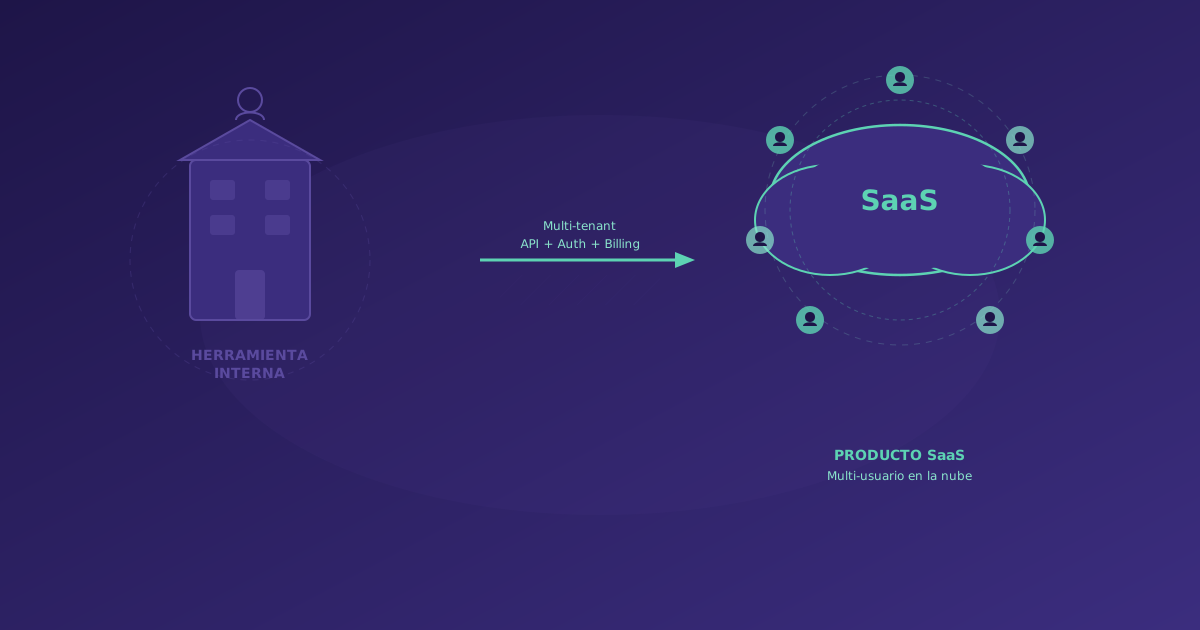
You have an internal tool that works well. So well that other teams in your company want to use it. So well that clients and partners have asked if they can access it. And you start thinking: could we sell this?
The short answer: probably yes. But the path from internal tool to SaaS product has more complexity than it seems at first glance. At Soamee we have accompanied 8 companies through this transition, and here is everything we have learned: when it makes sense to productize, what technical changes are needed, how to set pricing, and how to reach the market.
When Does It Make Sense to Convert an Internal Tool to SaaS
Not every internal tool deserves to be a product. Before investing, ask yourself these questions:
The 5 Viability Questions
-
Does it solve a common problem in your industry? If your tool solves a specific problem unique to your company that nobody else has, there’s no market. If it solves a problem shared by dozens or hundreds of similar companies, there’s potential.
-
Are there alternatives in the market? Paradoxically, having competitors is a good sign. It means there’s proven demand. What’s concerning is an empty market (it may mean there’s not enough demand).
-
Does your tool have a real advantage? It could be speed, ease of use, specific integrations, or domain knowledge built into the business logic. If your tool does nothing better than existing alternatives, you don’t have a product.
-
Can you maintain two lines (internal use + product)? Productizing requires resources: development, support, marketing, sales. If your team is already at 100% maintaining the internal tool, you’ll need additional investment.
-
Does the economic model work? Estimate how many potential customers there are, at what price you could sell, and how much operational cost it would have. If the TAM (Total Addressable Market) doesn’t justify the investment, better not to start.
Signs You SHOULD Productize
- People outside your company have spontaneously asked for access
- Your tool solves a problem you see discussed frequently in forums and communities in your industry
- Existing alternatives are expensive, complex, or outdated
- Your team has domain expertise that is difficult to replicate
- The tool is already relatively stable and documented
Signs You Should NOT Productize (Yet)
- The tool is full of “hacks” and technical debt that only your team understands
- The problem it solves is very niche (fewer than 500 potential companies in your market)
- You don’t have the capacity to dedicate at least 2 people full-time for 6 months
- The only reason is “it would be interesting,” there’s no real demand validation
The Technical Roadmap: From Internal Tool to SaaS
Roadmap: From Internal Project to SaaS Product
Let’s look at each phase in depth.
Phase 2: Multi-tenancy (The Most Important Technical Change)
The fundamental difference between an internal tool and a SaaS is multi-tenancy: the ability to serve multiple organizations from the same application instance, with completely isolated data.
Multi-tenancy Strategies
There are three main approaches, each with its advantages and trade-offs:
Option A: Separate Database per Tenant
Each customer has their own database. This is the approach with maximum isolation.
Advantages:
- Total data isolation (ideal for regulated sectors like healthcare or finance)
- Easy to backup and restore per customer
- No “noisy neighbor” risk (a large customer doesn’t affect others’ performance)
Disadvantages:
- Greater operational complexity (managing hundreds of databases)
- Slower schema migrations (must apply to all databases)
- Higher infrastructure cost
When to use it: When regulatory compliance demands physical data isolation, or when customers are large and pay enough to justify the cost.
Option B: Shared Schema with tenant_id
All customers share the same database, but each record includes a tenant_id field identifying the owner. Queries always filter by tenant.
Advantages:
- Easy to implement if starting from a single-tenant tool
- One database to manage
- Simple migrations
- Low infrastructure cost
Disadvantages:
- Data leak risk if a query forgets the tenant filter (solution: mandatory middleware)
- A high-volume customer can affect others’ performance
- Per-customer backup and restore is more complex
When to use it: For most B2B SaaS. It’s the most pragmatic approach and what we recommend as a starting point.
Option C: Hybrid Approach
Sensitive data goes in separate schemas, common data in a shared schema. It’s a compromise between isolation and simplicity.
What You Need to Implement for Multi-tenancy
Regardless of the chosen strategy, you’ll need:
-
Per-organization authentication: Each user belongs to an organization. We recommend Auth0, Clerk, or WorkOS to avoid building this from scratch.
-
Tenant middleware: Every request must identify the tenant and apply the corresponding filter. This must be automatic and impossible to bypass.
// Tenant middleware example in Express/Node.js
async function tenantMiddleware(req, res, next) {
  const tenantId = req.user?.organizationId;
  if (!tenantId) return res.status(403).json({ error: 'No tenant' });
  req.tenantId = tenantId;
  // Inject filter into ORM
  req.db = createScopedConnection(tenantId);
  next();
}-
Roles and permissions: At least three roles: Organization Admin, Editor, Viewer. Use a role-based permission system (RBAC) that scales.
-
Per-tenant configuration: Each organization needs to customize certain aspects (logo, colors, custom fields, integrations). Store configuration in a per-tenant settings table.
-
Limits and quotas: Each pricing plan will have different limits (users, storage, API calls). Implement rate limiting and limit enforcement from the start.
Phase 3: Private Beta
The private beta is where your product meets reality. It’s not a launch: it’s a period of intensive learning.
How to Select Beta Testers
Don’t look for quantity. Look for quality. The best beta testers are:
- Companies similar to your internal use case: If your tool was born in a distributor, look for other distributors.
- Companies small enough to be agile: Large corporations take months to approve a pilot. Look for SMBs of 20-100 employees.
- People with real and urgent pain: If the beta tester doesn’t have an urgent problem, they won’t use your product and won’t give useful feedback.
The Beta Program That Works
-
1:1 onboarding: During beta, do personal onboarding with each customer. Not out of courtesy, but because it’s your best opportunity to see how they use the product in real life.
-
Direct feedback channel: A shared Slack or Teams channel with each beta tester where they can report bugs, request features, and share frustrations in real time.
-
Weekly check-ins: A 15-minute call every week with each beta tester to review usage, problems, and suggestions.
-
Engagement metrics: Measure real usage, not opinions. If a beta tester says they love it but only logs in once a week, there’s a problem.
Pricing Models for B2B SaaS
Setting prices is one of the most difficult and highest-impact decisions. These are the models we’ve seen work:
Model 1: Per User/Month
The classic. Works well when the product’s value scales with the number of users.
- Advantages: Predictable for the customer, easy to understand, naturally scales with customer growth.
- Risks: Can disincentivize broad adoption (admins limit licenses to save).
- Typical B2B range: 15-99 EUR/user/month depending on value and segment.
Model 2: Per Organization/Month (Flat Fee with Limits)
A fixed price per organization with limits on users, storage, or features.
- Advantages: Incentivizes adoption within the organization, simpler to manage.
- Risks: Large customers pay the same as small ones (you need tiers).
- Typical structure: 3 plans (Starter 49-99 EUR, Professional 199-499 EUR, Enterprise custom).
Model 3: Usage-Based
The customer pays based on what they consume: processed transactions, generated documents, API calls, etc.
- Advantages: Aligned with the value the customer receives, low entry barrier.
- Risks: Unpredictable revenue, difficult for the customer to budget.
- When to use it: When there’s a clear usage metric that correlates with delivered value.
Our Recommendation
For a B2B SaaS born from an internal tool, we recommend starting with Model 2 (per organization with tiers). It’s the simplest to implement, easiest to communicate, and allows you to adjust as you learn from the market.
Critical advice: Don’t price too low. The most common error in SaaS born from internal tools is undervaluing the product. If your tool saves the customer 2,000 EUR/month, a price of 200-500 EUR/month is reasonable and leaves room for discounts and negotiation.
Infrastructure Changes Needed
From “It Works on Our Server” to “It Works for 100 Customers”
| Aspect | Internal tool | SaaS product |
|---|---|---|
| Availability | ”If it goes down we fix it tomorrow” | 99.9% uptime with SLA |
| Scalability | Fixed sizing | Auto-scaling |
| Backups | When we remember | Automatic every hour |
| Monitoring | Basic logs | Full APM + alerts |
| Security | Corporate firewall | WAF, encryption, pentesting |
| Deployments | Manual, when needed | CI/CD, zero-downtime |
| Documentation | ”Ask Juan” | Public docs + API reference |
Recommended Infrastructure Stack
For a SaaS in launch phase (up to 100 customers), we recommend:
- Hosting: AWS ECS or Google Cloud Run (managed containers, pay-per-use)
- Database: PostgreSQL on RDS/Cloud SQL (managed, with automatic backups)
- Cache: Managed Redis for sessions and frequent query cache
- CDN: CloudFront or Cloudflare for static assets
- Monitoring: Datadog or Grafana Cloud for metrics, logs, and alerts
- CI/CD: GitHub Actions for automatic deployments
- Error tracking: Sentry to capture and manage production errors
Estimated monthly cost for this infrastructure with up to 100 customers: 300-800 EUR/month. It’s a fraction of what you’d generate in revenue with 20-30 paying customers.
Go-to-Market: How to Reach Your First 50 Customers
The go-to-market for a SaaS born from an internal tool has a huge advantage: you already have a success story (your own company). Use it.
Phase 1: Your Immediate Network (Customers 1-10)
- Partners and suppliers of your company who already know the problem
- Contacts in your network at companies in the same industry
- Beta testers you convert to paying customers
- Pricing: Offer them a lifetime “early adopter” discount of 30-50%. It’s a powerful incentive and the marginal cost of serving 10 customers is minimal.
Phase 2: Content and SEO (Customers 10-30)
- Technical blog: Write about the problem you solve. Not about your product, but about the pain. CTOs and operations managers search for solutions on Google.
- Case studies: Document the results of your first customers (with their permission). Nothing sells better than real numbers.
- Webinars and public demos: A live 30-minute demo every two weeks. Record it and publish it.
Phase 3: Outbound and Partnerships (Customers 30-50)
- LinkedIn outreach: Personalized messages to decision-makers at companies that fit. Not generic spam: messages that demonstrate you understand their problem.
- Partnerships with consultancies: Industry consultancies look for tools to recommend to their clients. Offer a partner program with 15-20% recurring commission.
- Marketplaces: If your product integrates with popular tools (Salesforce, HubSpot, Shopify), list on their marketplaces.
Common Mistakes When Productizing (And How to Avoid Them)
Mistake 1: Trying to be everything for everyone
Your internal tool solves YOUR problem. When productizing, each new customer will request different features. If you try to implement all of them, you’ll end up with a complex, hard-to-maintain product that doesn’t do anything well.
Solution: Define your ICP (Ideal Customer Profile) and say no to everything that doesn’t fit. It’s better to have 50 delighted customers than 200 mediocre ones.
Mistake 2: Not separating the product team from the internal team
If the same people maintaining your internal tool are developing the SaaS product, internal priorities will always win.
Solution: Dedicate at least 2 people full-time to the SaaS product. Give them their own backlog, their own sprints, and their own roadmap.
Mistake 3: Launching without integrated billing
We’ve seen companies launch their SaaS with manual billing (sending invoices by email each month). This doesn’t scale and generates a disproportionate amount of administrative work.
Solution: Integrate Stripe from day one. Stripe Billing manages subscriptions, recurring charges, invoices, plan changes, and cancellations. Integration takes 2-3 days of development and saves months of headaches.
Mistake 4: Not investing in self-service onboarding
If every new customer needs a one-hour call to start using your product, you can’t scale. Onboarding must work without human intervention for at least 80% of customers.
Solution: Invest in an initial setup wizard, contextual tooltips, clear documentation, and 2-3 minute videos for each main flow.
Mistake 5: Underestimating support
Each new customer generates questions, bugs, and requests. If you don’t have a structured support system, your development team will become a full-time support team.
Solution: Implement a ticket system (Intercom, Zendesk, or even Linear to keep it close to the development team) and define clear SLAs by incident type.
The Business Case: Numbers for a SaaS Born from an Internal Tool
To close, let’s look at the typical numbers for a B2B SaaS born from an internal tool, based on our experience:
Investment to productize (Phases 2-4): 40,000-80,000 EUR
- Multi-tenancy and refactoring: 15,000-30,000 EUR
- Billing and infrastructure: 5,000-10,000 EUR
- Onboarding and documentation: 5,000-10,000 EUR
- Initial marketing and sales: 10,000-20,000 EUR
- Buffer for unforeseen issues: 5,000-10,000 EUR
Timeline to revenue: 4-6 months from start to first paying customers.
Month 12 target: 20-40 paying customers, MRR of 5,000-15,000 EUR.
Month 24 target: 80-150 customers, MRR of 20,000-60,000 EUR. At this point, the SaaS product may be more profitable than your main business.
Typical breakeven: 12-18 months, assuming you reinvest revenue in product and marketing.
Conclusion
Converting an internal tool into a SaaS product is a real opportunity to create a new business line with built-in competitive advantage. But it requires a disciplined approach: validate demand, implement multi-tenancy correctly, set prices confidently, and execute a go-to-market built on your position as user zero of the product.
If you have an internal tool you think could be a product, at Soamee we can help you evaluate viability, plan the architecture, and execute the transition. Contact us for an evaluation session where we’ll analyze your specific case.